Hi,
When I try using the note mover and the reverse stem tool, I'm having noteheads show up on the wrong side of the stem, and sometimes no stems
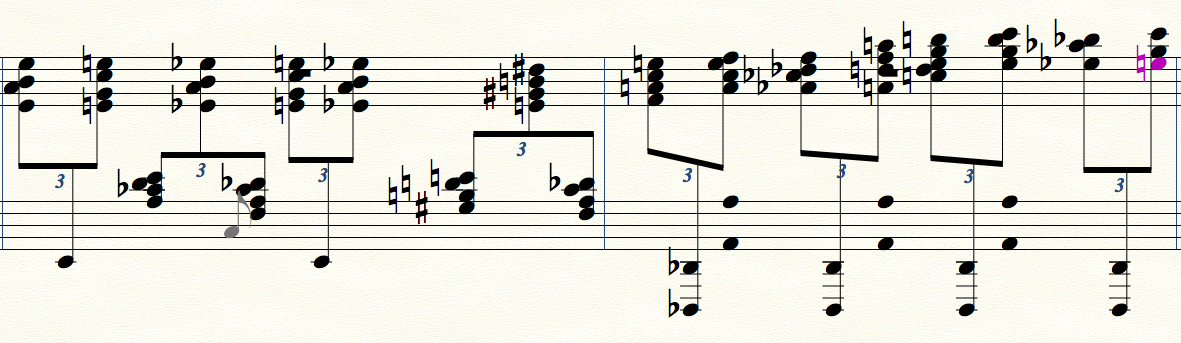
Am I doing something wrong? If these are bugs, what are the work arounds if any?


Just a personal opinion:
I find I get the best notehead/beam results when using the keyboard shortcuts to achieve cross-staff. You can use the Selection tool (it has to be that tool) to highlight the region of a note duration and then use SHIFT+ALT+UP/DOWN arrow key (Windows) or OPTION+UP/DOWN arrow key (Mac) to move the selected notes to the next staff (depicted below).
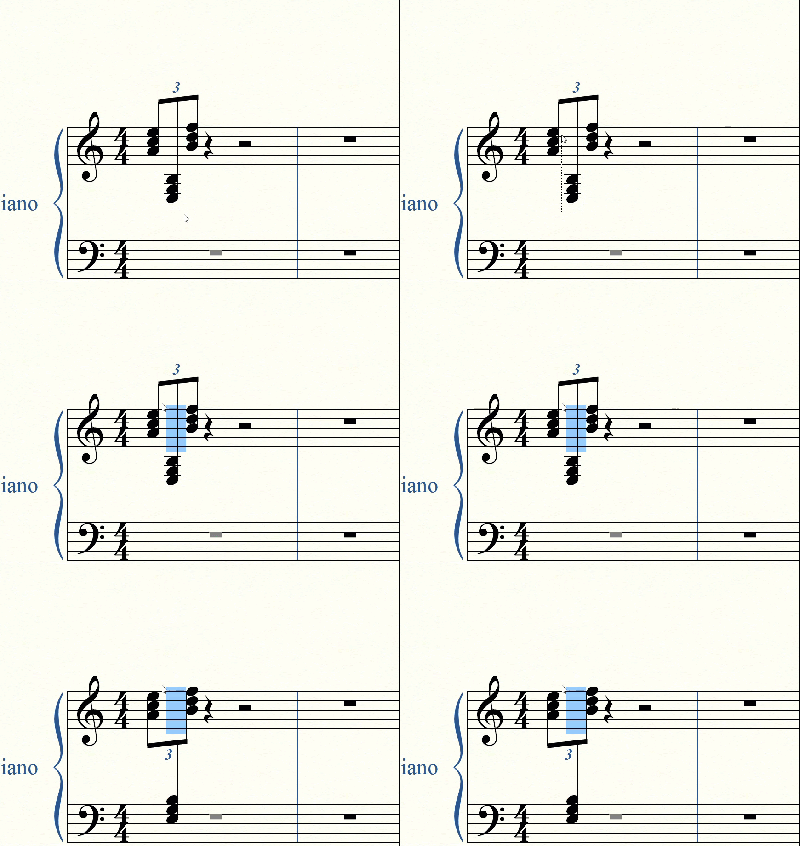
If I recall, you will still need to use the tools mentioned by Peter in some cases, but I find this method produces the best result. Hope this helps!
Hi all,
Thank you. So, we have some bugs, and must workaround. OK. How do I move the noteheads by exactly 6.75 points?
I didn't know about the keyboard shortcuts for the cross staff. Is that shortcut for the note mover tool, or a different tool?
Also, Lawson, I love your animated image post! How do I create such an image for posting in the future? I'm on OSX.
Michael Williams,
1) You wrote:
“How do I move the noteheads by exactly 6.75 points?”
When you are in the sub-tool Notehead Position Tool, select the notehead handle, and hit Shift-Return to get to the dialog box Notehead Settings.
In the field for Horizontal Positioning, type “6.75pt” (without the quotes), to move notehead to the right.
To move the notehead to the left, type “-6.75pt” (negative number). *)
If you have told Finale to use Points as Measurement Units, then you do not need the letters “pt” after the value.
You can also nudge the selected handle with the arrow keys, and watch the Message Bar as you nudge (this approach works best at a high zoom level).
*) 6.75 Points = 27 EVPUs
Instead of typing 6.75pt you can also type 27e (= only 3 characters).
2) You wrote:
“I didn't know about the keyboard shortcuts for the cross staff. Is that shortcut for the note mover tool, or a different tool?”
The shortcut works directly from the Selection Tool (aka. the “Tool Tool”).
No need to switch to a specialized tool like e. g. the Note Mover Tool.
Please sign in to leave a comment.
4 comments
Date Votes