New post
Avatar
0

I'm using 2014.5.24 on Mac OS Sierra 10.12.6


I'm working on a project fixing up the parts for a client's big band pieces. I was sent .mus files that I believe were made in Finale 2012 and when I open them in my version there are a lot of collisions between objects, particularly chord symbols and to a lesser extent performance instruction text. I have been editing those manually but that's quickly becoming unsustainable. Applying music spacing helps with note spacing and beams but doesn't do anything for the other collisions.

In the manual (https://usermanuals.finalemusic.com/Finale2014Mac/Content/Finale/Document_Options_dialog_box.htm#Music_Spacing) it says to go to Document > Document Options and then proceed, but I do not have Document Options. It doesn't show up when I search in Help either. How do I get this menu item back?


5 comments

Date Votes
Avatar
0

When I click on Document in the menu bar, a dropdown window appears. Document Options is at the bottom. You may have to scroll down to see it.


Unfortunately, I can't get a screen shot as the window disappears when I try to capture it. 

Comment actions Permalink
Avatar
0

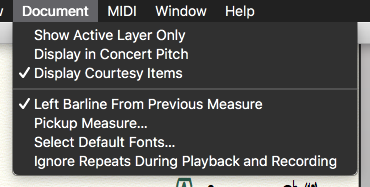
The screenshot I attached is the entirety of the Document dropdown, unfortunately. It's not even long enough to scroll down. 

Comment actions Permalink
Avatar
0

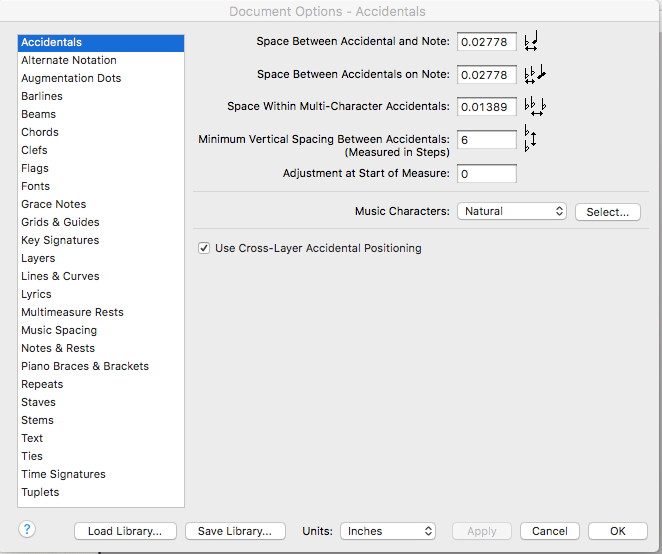
Then there's something way wrong because mine doesn't look like that at all. Here is page on of the 26 pages that should show up:


Comment actions Permalink
Avatar
1

>I'm using 2014.5.24 <


I just double-checked that build number. You are running PrintMusic 2014.5, not Finale 2014.5. I have both. Finale 2014.5 build number is 2014.5.7098


PrintMusic does not have a Documents Option menu like Finale. Although you can open Finale files in PM, you are limited to the PM editing options.


I noticed that, when I tried to go to the User Manual in PM 2014.5, it sent me to the wrong site. Here is the correct manual:

https://usermanuals.finalemusic.com/PrintMusic2014Mac/PrintMusic.htm


Comment actions Permalink
Avatar
1

If necessary, you can download the demo version of the full Finale 25. This will give you 30 days to work on the project. After that time, you will lose the ability to print or save, unless you pay for it.


As a registered PrintMusic user, you will qualify for a reduced price, should you choose to buy Finale.

Comment actions Permalink

Please sign in to leave a comment.