New post
Avatar
0

Hi 

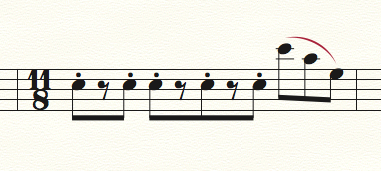
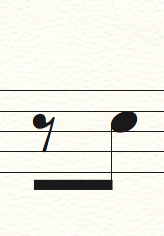
I'm trying to make a beam stretch over an rest and I just want this in this bar. So I do not want this in the whole document, only in this instance. Is this possible to fix? 

6 comments

Date Votes
Avatar
1

I selected the rest and tapped the / key.


Comment actions Permalink
Avatar
0

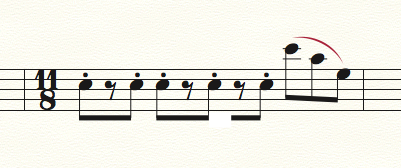
Oh yeah, sorry I meant like this:

grouping  a single pause with the eight note. Since I want the grouping of the 11/8 to be 3-3-2-3


Comment actions Permalink
Avatar
0

How did you do that shot? Seems like you have the answer!


I did this by creating a shape expression rectangle, with 0 line thickness, and white fill.


Comment actions Permalink
Avatar
0

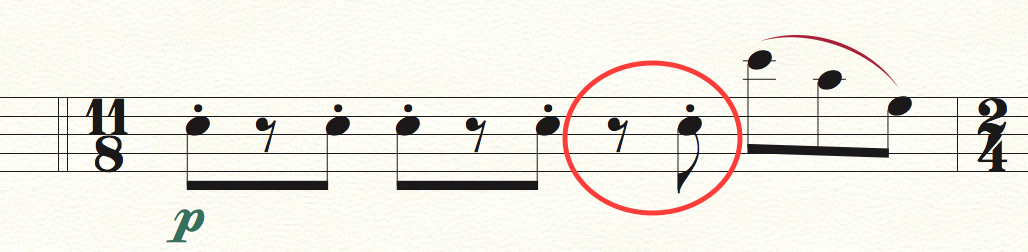
I used the Documents options-solution, which I want to avoid using (since it makes it so that every bar in the document looks like this. Which I don't want)

Comment actions Permalink
Avatar
1

One way to do it:

Instead of the 8th rest, enter an 8th note.

Replace the notehead with the 8th rest symbol.

Replace the stem with an empty shape.

If playback is important, use the Speedy Entry Tool dialog box Edit Frame to de-select playback of the “transmogrified” 8th.

Comment actions Permalink
Avatar
0

Yes, thanks @Peter! That worked perfectly! Though it requires some manual labour hehe, but it gets the job done!

Comment actions Permalink

Please sign in to leave a comment.