New post
Avatar
0

I often don't know who is turning up to my public music sessions and I have a lot of four part arrangements for different instruments. to save time and confusion I Number them for example if they were saxes.

  • Soprano Sax (Pt 1)
  • Soprano Sax (Pt 2)
  • Alto Sax (Pt 1)
  • Alto Sax (Pt 2)

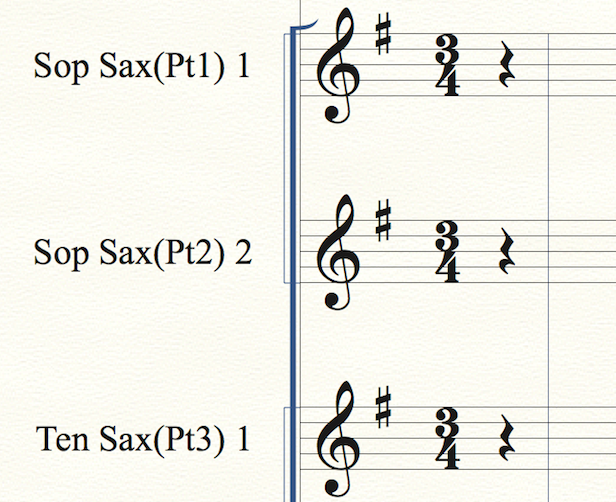
I would like Prevent instruments from automatically displaying numbers Clarinet (Pt1) 1 Clarinet (Pt2 )2 etc., see attached Image.

Is this possible? Is there a better way?

TIA
4 comments

Date Votes
Avatar
0

In the Score Manager’s chiclet Instrument List, select the staff, and de-select Auto-Number Style (look in the lower left corner of the Instrument List).


You must de-select Auto Number Style for one staff at a time.

Comment actions Permalink
Avatar
0

Perfect Peter, thats better than I'd hoped for because in some of these the first 4 instruments are recorders and leaving them as 1 - 4 is fine!

Thanks for the [prompt reply.

Comment actions Permalink
Avatar
0

And why, oh why, is this set as a default?

Comment actions Permalink
Avatar
0

>And why, oh why, is this set as a default?<


Oh dear... Why, oh why, so many things in Finale?

Comment actions Permalink

Please sign in to leave a comment.