New post
Avatar
0

Windows 7  Finale 2014

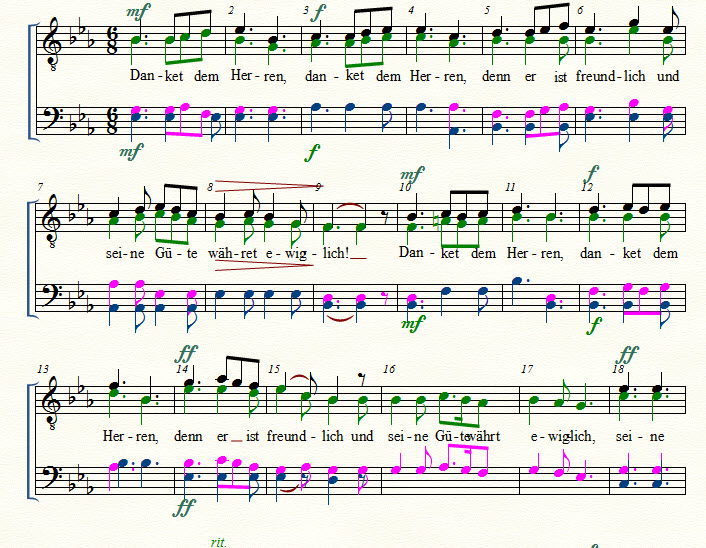
I rewriting old scores for a men choir 4 voices. I use the 4 layers in 2 staffs.

Generally I don't have problem with the direction of the stem, Finale arranges the direction.

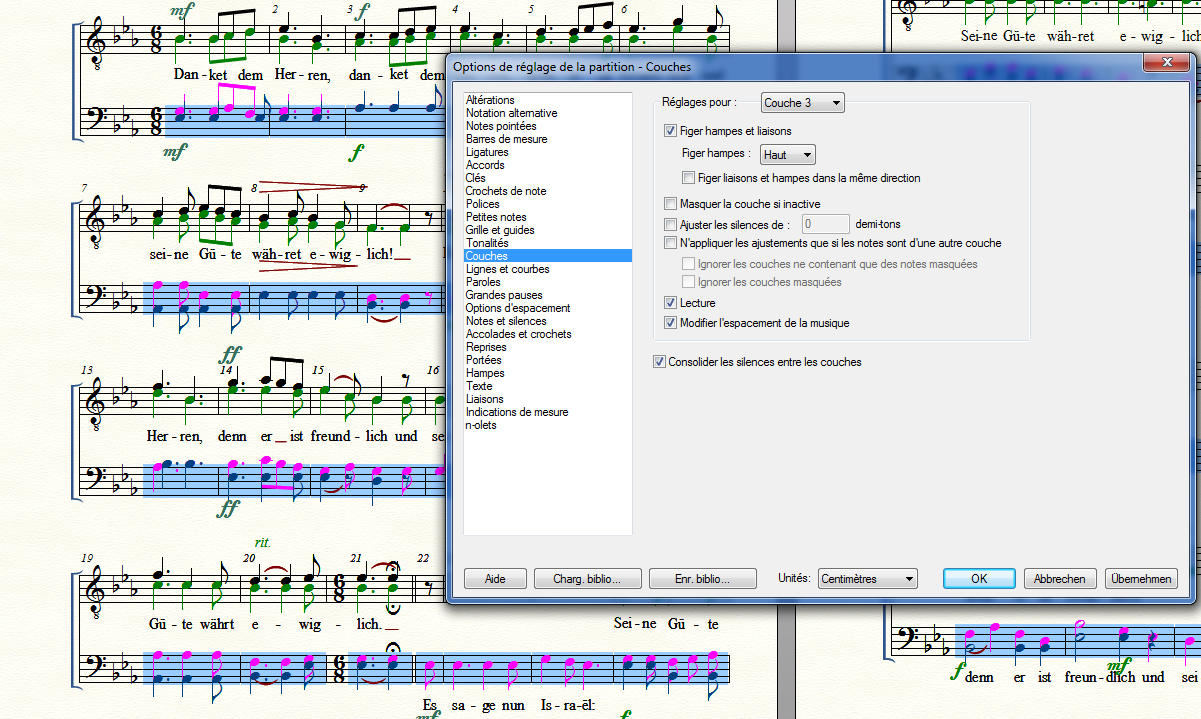
In one I take again after a long time, the stems in the layer 1 and 2 are corrects: Layer 1: up, layer 2 down, but in the second staff, I have the stems for layers 3 and 4 having the same direction. Using Tools- Stem direction, both change the same direction, havng select layer 3 or layer 4.

How should I do to inverse only the stems of one layer?

Thank a lot

Robert
 

19 comments

Date Votes
Avatar
0

1) In the lower staff, do not use Layer 3 and Layer 4.

This is a misunderstanding of the Layers.

Normally you will seldom (if ever) need Layer 3 and Layer 4.

Instead, use Layer 1 and Layer 2 in the lower staff.

To fix, use Edit menu > Move/Copy Layers…

Takes only a few seconds.


2) If you must use Layer 3 and Layer 4 in the lower staff, go to

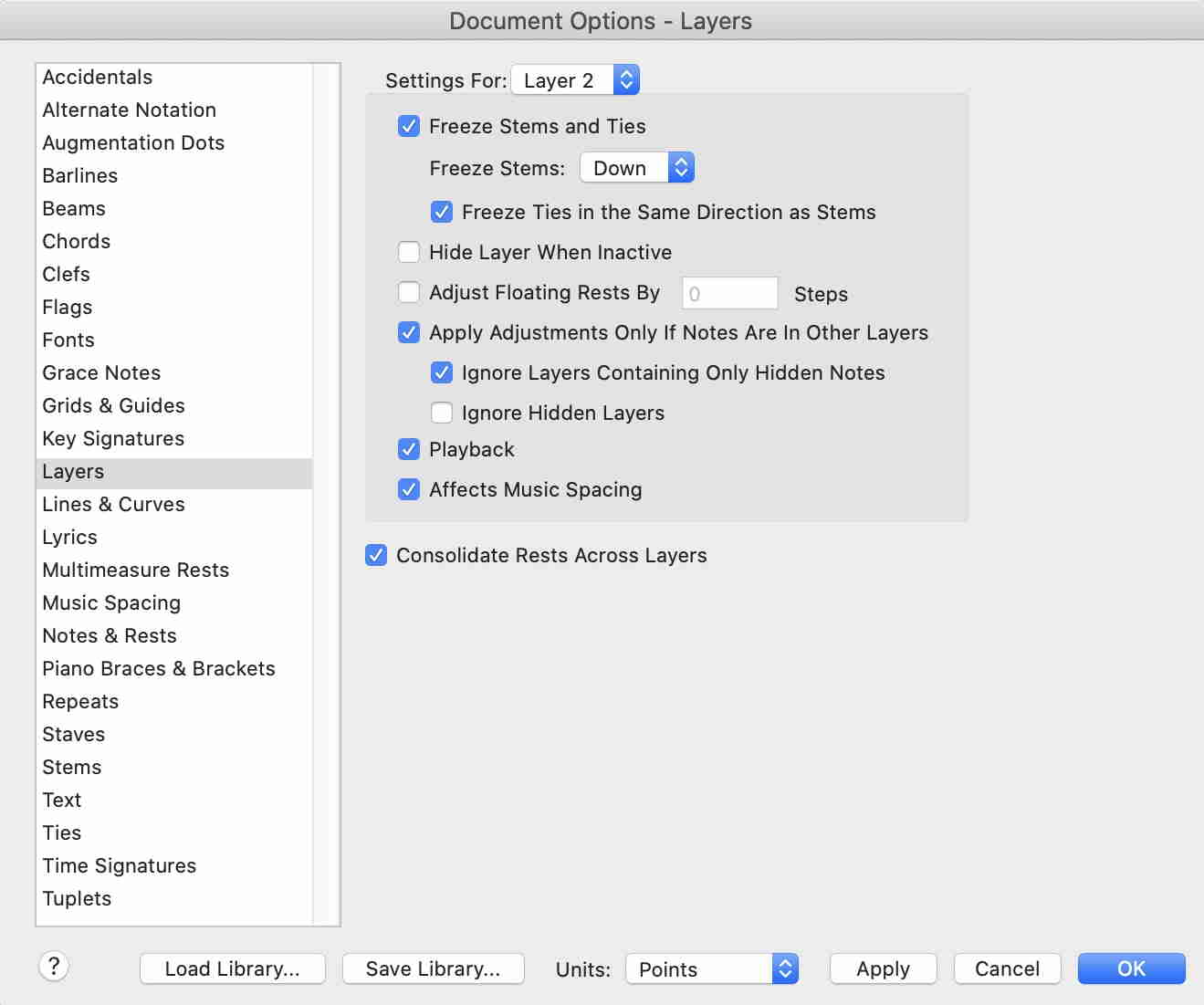
Document Options - Layers

and change the settings for Layer 3 and Layer 4.

Comment actions Permalink
Avatar
0

I could swear I suggested he not use layers 3 and 4 in an earlier post...

Comment actions Permalink
Avatar
0

Unless Robert has changed the colors, he is using Layers 1 & 3 on the top staff and 2 & 4 on the bottom.

Comment actions Permalink
Avatar
0

I answer an all together,

I'm using the 4 layers to have a good recognition of the voices. In the choir, it is asked that I sing some times an other voice and it's easier for me to follow the color. 

I don't have changed the colors, only the pink not very visible and I took a darker one.

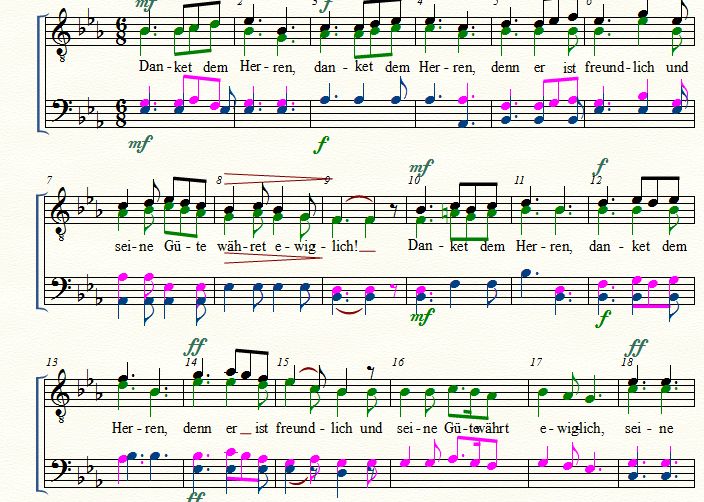
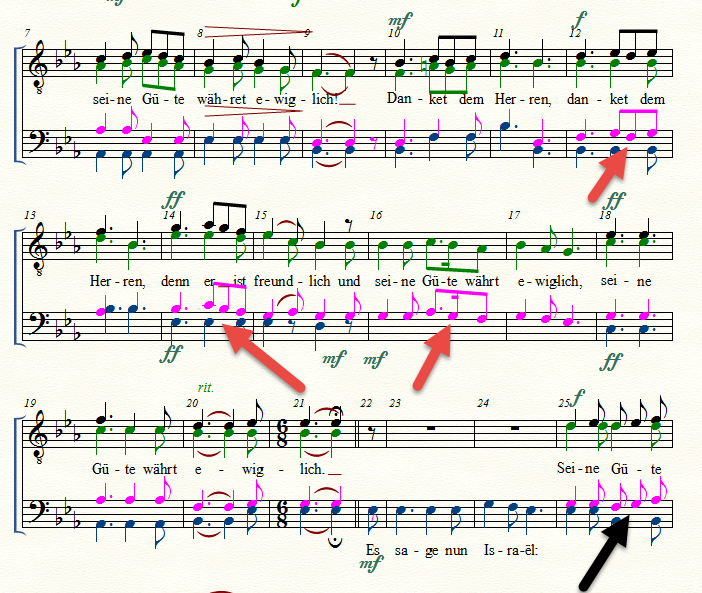
I tried the Peter's solution 2. Only the stem of the first staff layer 3 turned up. Not the other

Result:


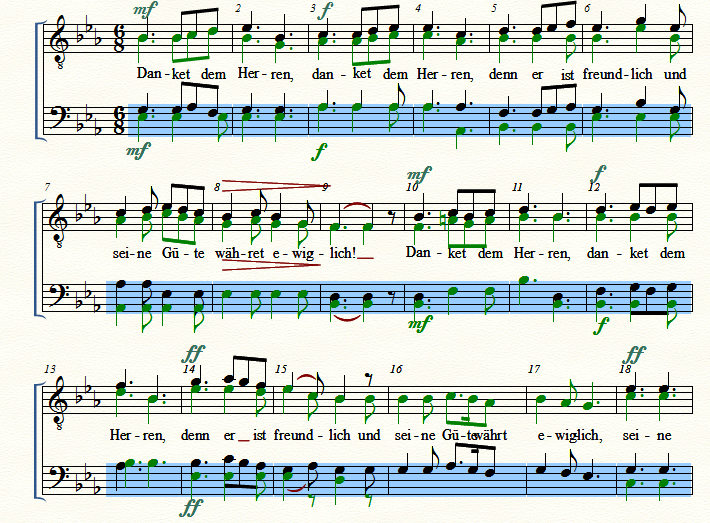
I tried Peter's solution 1, with displacing the layers: no success for the stems:

Comment actions Permalink
Avatar
0

A question: why it should be a misunderstanding of the layers to use the 4 layers, one per voice? My goal is to extract after the score for only the voice I need to learn, as I have a score with 4x1 staffs and separate each voice, but for place reasons, for Lyric reasons and to be conform to the conductor which use 2x2 staffs I write them like this and will try to extracts them after.

I think with JW tool polyphonie.

A question, When I write the lyric in the 2x2 staffs, how could I have the lyric written in the scores for the 3 other voices? 

Comment actions Permalink
Avatar
0

The layers are 1 and 2 for the top staff (black and green), 3 and 4 (pink and blue) for the bottom staff

Comment actions Permalink
Avatar
0

Robert Nissels,


Two ideas:


1) If some of the stems have the wrong direction, then the culprit could be that the stem direction has been manually flipped.

Moving the notes to another Layer will not cancel a such “forced flipping”.


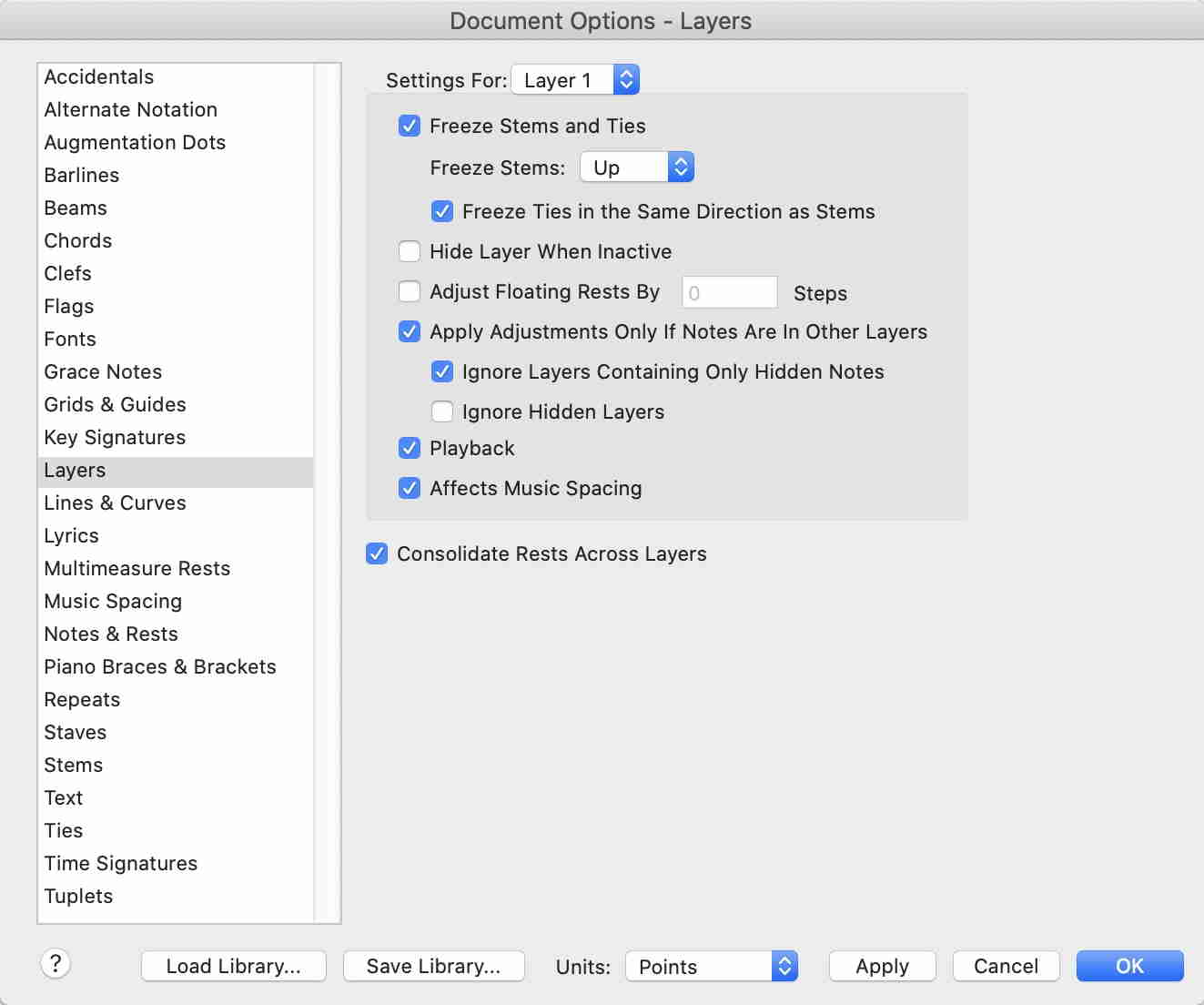
2) Perhaps you should experiment with the Layer settings.

Use the same settings in Layer 1 and Layer 3, e. g. these settings:


and similarly, for Layer 2 ands Layer 4:


Comment actions Permalink
Avatar
0

I don't remember if I had manually flipped the stem.

I tried the second solution with the setting you gave, but didn't had success.

The only solution I fand is to erase the notes in layer 3 and rewrite them. But I have a surprise, one time, the stems of the 1/8 are not bound (black arrow) as the other time. I don't ask why, but how could I bind them?


Comment actions Permalink
Avatar
0

Double-click on the last note that gets beamed; in your case, the Ab. Tap the / key, and it will beam to the G. Select the G, and tap the / to beam to the F.


Note: this is on a US QWERTY keyboard. If you have a French AZERTY, it may be a different key. Look in your Help files for BEAMS, and it should tell you what it is.

Comment actions Permalink
Avatar
0

1) If you need the notes to be beamed automatically as you enter them, use the Time Signature Tool, and define the 6/8 time signature as 2 beats with the duration of a dotted Quarter.

The 1/8 notes will not be beamed together if you define the 6/8 time signature as 6 beats with the duration of an Eighth.


2) You can manually beam/unbeam notes by using one of the Entry tools (= Speedy Entry Tool or Simple Entry Tool).

I do not know the Beam/Unbeam keyboard shortcut in your french Finale version.

Try the / key, or look in the sub-menus.

Comment actions Permalink
Avatar
0

Fantastic the Peter's solution 1.


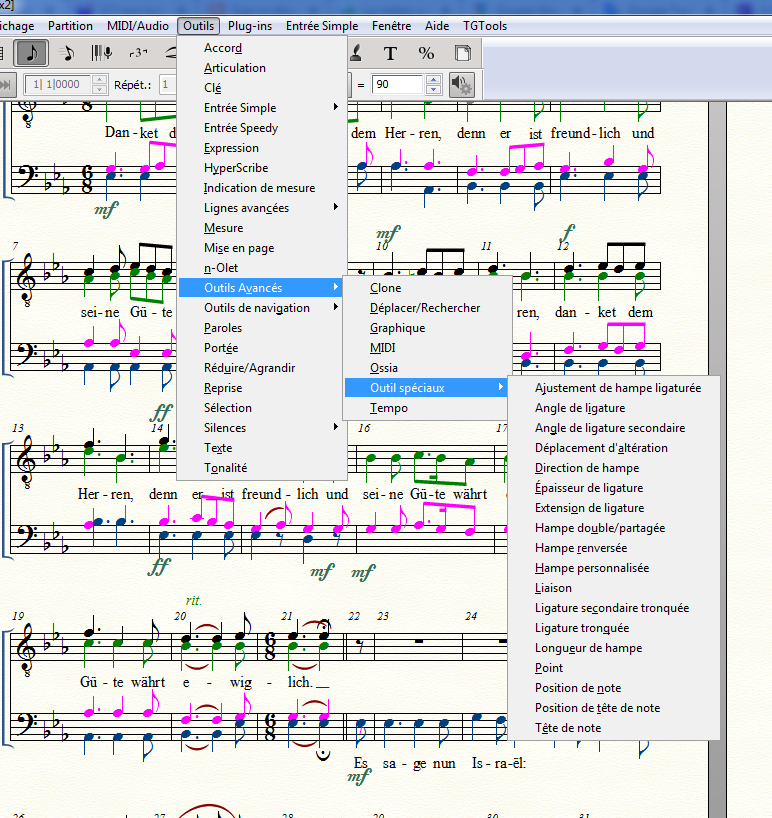
I don't understand how to do solution 2 or Mike' solution. I have Swiss keyboard

Some short-cuts:


Comment actions Permalink
Avatar
0

… Fantastic the Peter's solution 1.


I don't understand how to do solution 2 …


In your screen shot you have pulled down the menu Outils.

Instead, pull down the menu Entrée Simple, and look for keyboard shortcuts in the submenus.

I think that you will find a keyboard shortcut for Break/Join Beam.

Comment actions Permalink
Avatar
0

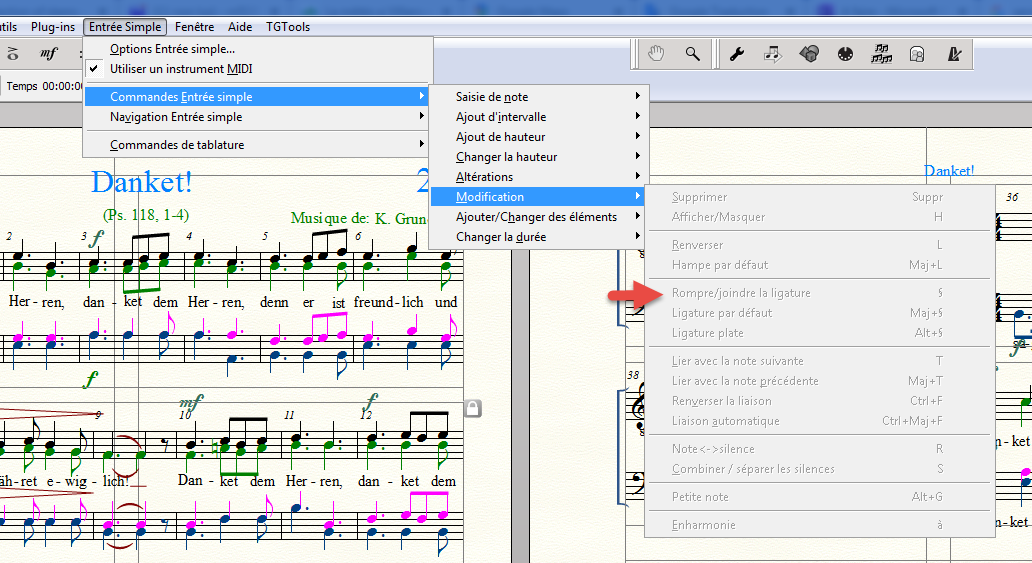
I see it should be the short cut : §, but it is not active.

Comment actions Permalink
Avatar
0

It doesn't look like you have any notes chosen. That may be why the menu item is greyed out.

Comment actions Permalink
Avatar
0

In your screen shot it looks like no entry is selected.

Try again, with an entry selected.


While being in “Entrée Simple”, to select an entry, hold down the correct modifier key (which, I think, is the Ctrl key), and click on the entry.

Comment actions Permalink
Avatar
0

Double-clicking on a note selects it in Mac. Does that not work in Windows?

Comment actions Permalink
Avatar
0

… Double-clicking on a note selects it …


When you are in the Selection Tool, double-clicking on a note switches to the Simple Entry Tool, with the note selected.


Also, you can use the arrow keys to move the selection between the entries (in case you selected the wrong note).

Comment actions Permalink
Avatar
0

Yes, you are right. I had to click on the note not to use the arrow, which made the selection away.
It is functioning. Thank a lot.

If I have an other problem, I will open a new topic.


Bets regards


Robert

Comment actions Permalink
Avatar
0

Is it possible to parameter the ritenuto rit.?

Hearing the sound file of the score, when the cursor arrives to the expression rit. the speed comes at least 4 times slower.

When I take the option adapt to the tempo, I don't hear a difference as without the rit.

Following what the leader will say me, how should I program the expression?


Comment actions Permalink

Please sign in to leave a comment.