New post
Avatar
-1

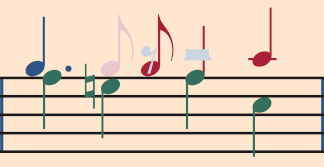
In the attached image of 2 Finale (v25.5) measures, the first 2nd interval (2 dotted quarter-notes) are properly typeset.  The second 2nd interval (dotted quarter-note over a quarter note) is not properly typeset, in my opinion.

No matter how I change it (Note Position Tool, etc.), Finale just changes it back.

How can I get the second 2nd interval to typeset like the first 2nd interval, with the dotted quarter-note's dot extended to the right to make room for the lower quarter-note's notehead?  

 

8 comments

Date Votes
Avatar
1

In the second 2nd interval the lower note is not dotted.


Actually, what Finale does, is considered “properly typeset”.


What you consider “properly typeset” (= the lower note to the right), is used in some editions.


But other editions position the upper, dotted note to the right.

And it actually makes sense.


Quoting Elaine Gould:

“However, so that the duration dot does not look like a staccato marking for the lower part, some editions place dotted upper notes to the right. Thus the dot is clear of both parts.”


Personally I would not bother.

What Finale does, is clear, and can not be misunderstood.

Comment actions Permalink
Avatar
-3

I intend to "bother," no matter what it takes.


Comment actions Permalink
Avatar
0

… I intend to "bother," no matter what it takes …

… No matter how I change it (Note Position Tool, etc.), Finale just changes it back …


To avoid that Finale “just changes it back”, go to Preferences - Edit, and de-select Automatic Music Spacing.

Now you can adjust the Note Position as you like - without Finale changing it back.

You can still Apply Music Spacing manually, on the region you select.

In Other Words:

only when and where you need Music Spacing.

Comment actions Permalink
Avatar
0

To avoid that Finale “just changes it back”, go to Preferences - Edit, and de-select Automatic Music Spacing.


Now that was some useful information.


Here's my solution by force:


Comment actions Permalink
Avatar
0

So long as your users do not think the F has been dotted, you are home free.

Comment actions Permalink
Avatar
0

You can still Apply Music Spacing manually, on the region you select.

Yes this will bring up another issue. You will have to make sure you keep that measure(s) unselected when you do apply music spacing which I assume you will or that measure(s) will also be corrected.


Curious, I suppose if that passage was slow enough I would figure it out but why?  We are all different.

Comment actions Permalink
Avatar
-1

The second 2nd interval (dotted quarter-note over a quarter note) is not properly typeset, in my opinion.


Ok... This is one of those times I'm glad that I am not conducting a particular piece.


Here's my solution by force:


Finale got it right — clear and understandable. Notation exists to get your ideas across to the performer/ensemble. Your solution by force is runs counter to that goal would require explanation by the conductor (who would be wondering what kind of an editor would let that pass).

Comment actions Permalink
Avatar
0

Agree Mike H but it shows the beauty of Finale. Anything's possible right or wrong, just knowing how to accomplish it is the key.

Comment actions Permalink

Please sign in to leave a comment.