New post
Avatar
0

There are a lot of things in Finale that simply don't work to be honest...

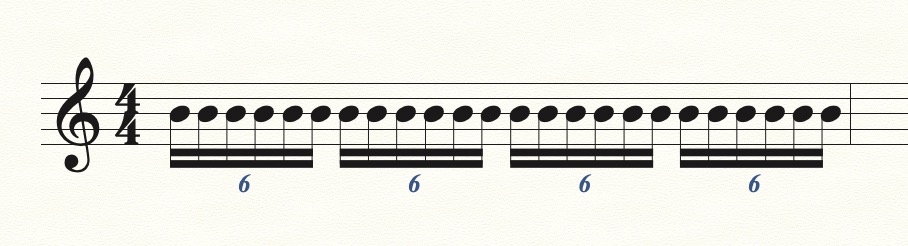
My current issue is that my 6-tuplet will only input 5 notes. It seems to think that it runs out of space after that, and will only accept a 6th note in a smaller note value. Obviously this is a glitch of some kind, as in the tuplet tool I specifically told it "6 16th-notes in the space of 1 quarter", yet it only accepts 5. I spent 45 minutes fighting with Finale, and ultimately opened Musescore and did it no problem in a few seconds. I don't know why I bother with Finale sometimes.

Running on macOS Monterey.

8 comments

Date Votes
Avatar
0

I literally had the same problem. I am considering just buying Sibelius and never looking back. Good luck - There are no tutorials or troubleshooting guides on how to correct issues like these in Finale anywhere online.  The only idea I can suggest is to write the part in Musescore, and export that MusicXML file into Finale. I am not sure if it will make a difference or not, as importing Musescore files often creates all sorts of new problems.

Comment actions Permalink
Avatar
0
Comment actions Permalink
Avatar
0

Mike R. is correct. Tuplets work and the documentation can be confusing.


It's hard to know what advice to offer without knowing: a) What version of Finale and build? b) What OS—Mac or Windows and version? c) What steps have you tried that didn't work?

Comment actions Permalink
Avatar
-2

As written in my original post, I am using MacOS Monterey.

Running Finale v.27.3.

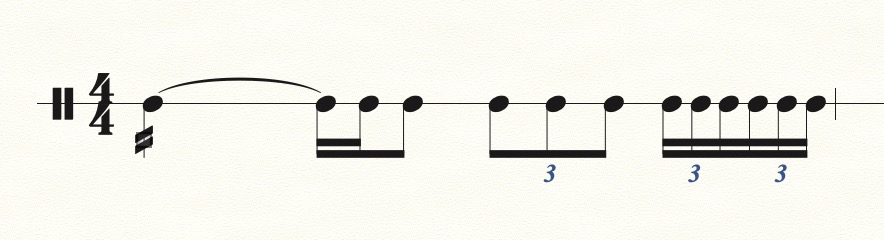
Thanks for both of your suggestions. So far nothing has solved the issue.  As you can see in the attached image, I am attempting to divide the last two eighth notes of this bar into six 16th notes (two triplets), but Finale is only allowing 5 notes total to be inputed. It will allow a sixth note to be added but only in a smaller note value than all the others in the tuplet, i.e. a 32nd or 64th note, but obviously that is not what I am looking for.

I feel like this should be an easy fix, but so far nothing works. I hope it is simply that I am missing something obvious. Any other suggestions?

Comment actions Permalink
Avatar
0

… Thanks for both of your suggestions. So far nothing has solved the issue …

… Any other suggestions? …


Dominic Everett,


Please specify the steps you’ve already taken (to solve the problem), so that we can rule out things.


Just to get things clear:

You have already tried everything suggested previously in this thread?

Mike Rosen suggested his Tuplet tutorial.

* Have you tried that?

As you can see in Mike Rosen’s post, his steps work for him.


* Are you using the Speedy Entry Tool, or the Simple Entry Tool?

In your screen shot it looks like you are using Simple Entry.

* Have you tried both the Speedy Entry Tool and the Simple Entry Tool?


Also, it might help to know the settings in your entry tool (Speedy or Simple?).


In the Speedy Entry Tool:

Speedy menu > (which menu items have a check mark?)


In the Simple Entry Tool:

Simple menu > Simple Entry Options…


I am confident that there is an easy fix, but we need more info from you.

Comment actions Permalink
Avatar
1

Dominic, I don't know what to tell you. Did you follow my tutorial?


I'm happy to help you via Zoom. My email is encoded in my signature. Drop me a line, and we'll set something up.

Comment actions Permalink
Avatar
0

Dominic,


Yes, you told us what OS but Lin has not.  


Per Peter, “Please specify the steps you’ve already taken (to solve the problem), so that we can rule out things.” We know that you are not doing something correctly but without knowing your steps, that’s all we know.


Feel free to post screen shots of your own.


Comment actions Permalink
Avatar
0

I have seen over the years that quite a few things that were reported as bugs or quirks in Finale was simply not knowing or understanding how. "Mike R. is correct. Tuplets work and the documentation can be confusing."  And if you follow his suggestions they do work correctly.

Comment actions Permalink

Please sign in to leave a comment.