

Before I get into the whole hullabaloo over suffix fonts and how they seemingly work in Finale I'd like to say that most of the program is user friendly except for the chord suffixes. It is very, very confusing and I'll explain why. Firstly there are a multitude of places where chord suffixes can be changed. All of them are different, and all of them handle the process to varying degrees of success and failure.
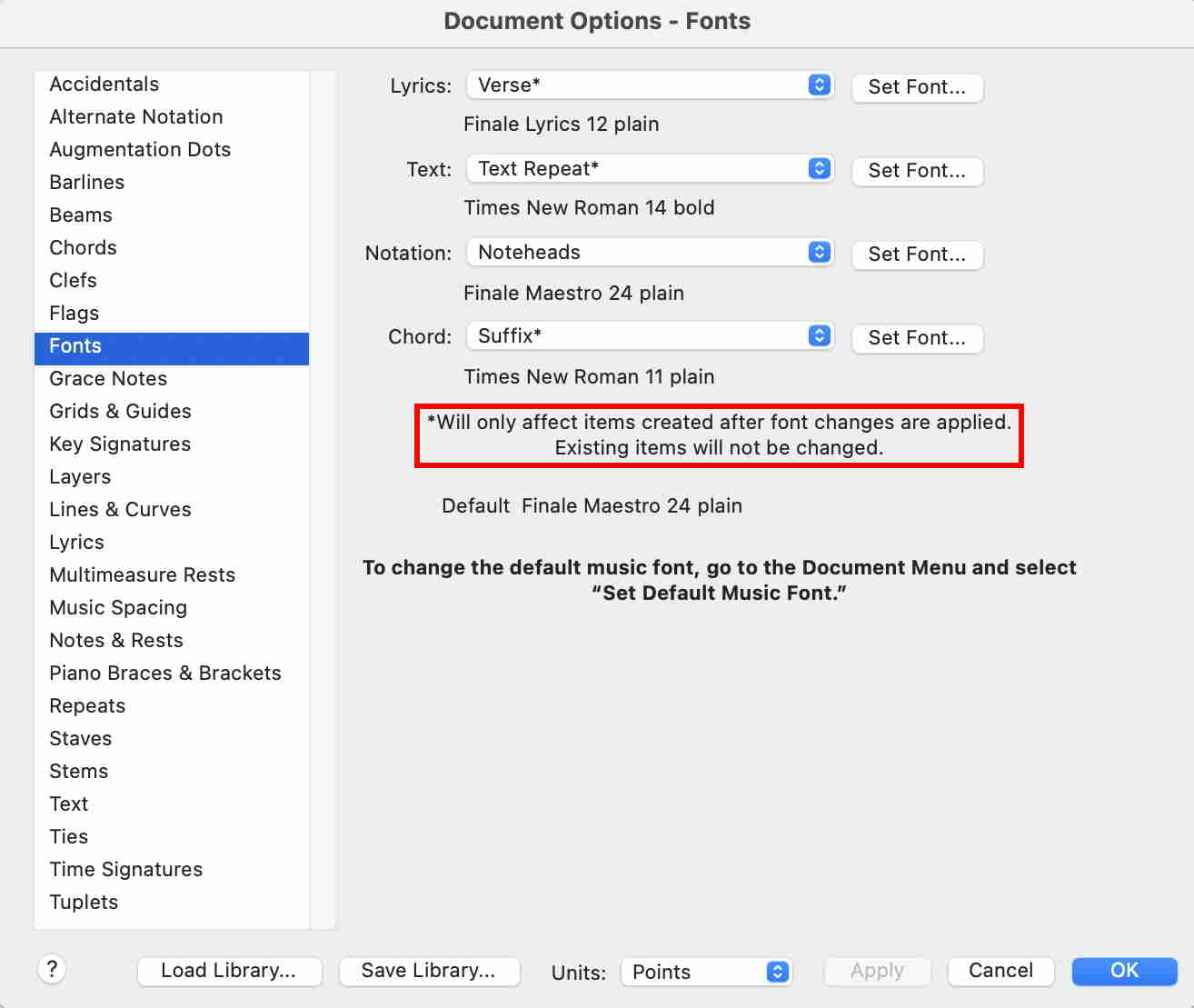
Let's look under Document>Document Options>Fonts>Chord>Suffix*
Hmmm. Nothing happens when I change the fonts or size of the fonts in the Suffix and then place them in my document. This is a fail. This option does nothing for me, therefore I will ignore the Options suffix setting. The other settings appear to work correctly under Document>Document Options>Fonts>Chord
Let's try adding a suffix library. That works, but as we will see it actually appends the new library to other libraries already existing in the suffix pool, (Chord suffix selection) That is buried deep within the bowels of the chord section. This is very problematic because in order to adjust anything meaningful you will need to definitely access this page.
The next option is to highlight the chord tool and from the chord menu that appears on top scroll down to Change Chord Suffix Fonts. A word to the wise. This option can be very dangerous and fraught with peril. Using this option can change every character in the suffix to the font that is chosen.
I think that a little explanation is needed here to describe how the suffixes and the associated fonts really work. Simply put, a single suffix can have multiple different fonts. Therefore, a D#∆7 chord where ∆7 is the suffix really consists of two different fonts and two different sizes. Crazy right? How can one expect the first option listed above to even work right where you have two different fonts involved with only choice for one font.
Click on the chord tool, and in the chord menu at the top scroll all the way down to Change Chord Suffix Fonts... Here you will wind up with a similar dilemma if you select Search for All Fonts, and then replace them with a single font. Only with this setting you need to me a little bit more careful, since this will also change the Chord suffix selection pool. How to get there to see what's really going on? With the chord tool double click on an open bar of music and the chord definition box will come up then click on advanced settings. Look down at the suffix section. You will see a box with ID: 0 and then another button with the work select.. Click on that. This is the only process that allows you to see and accurately edit or create each of your suffix fonts. Highlight one of the boxes with a symbol and number in it. The chord suffix editor should come up. So for this symbol ∆ it is a Maestro 36 font size and for this symbol 7 it is an Arial 14 font size.
If that doesn't confuse you then just look at this:
Using Change Chord Suffix Fonts will change some or all of the suffix fonts unintentionally in your current Chord suffix selection pool. It can really knock things out of whack. My suggestion for Finale, get rid of option 1 listed above. Combine the windows for Change Chord Suffix Fonts with the Chord suffix selection table, and get this modified window placed in the chord menu where Change Chord Suffix Fonts currently exist. It would be good to have a sample display where you can view changes in real time before committing to save to the whole table. Thanks, Pete.
Mac M2 Pro
Ventura 13.4.1



13 comments
Date Votes