Hi there,
how can I chance the performance practice markings?
The bar above the word "TEXT" isn't continuous.
I want it to be continuous above the whole word "TEXT".
Font: Broadway Copyist
THANKS A LOT FOR YOUR HELP!
Best regards
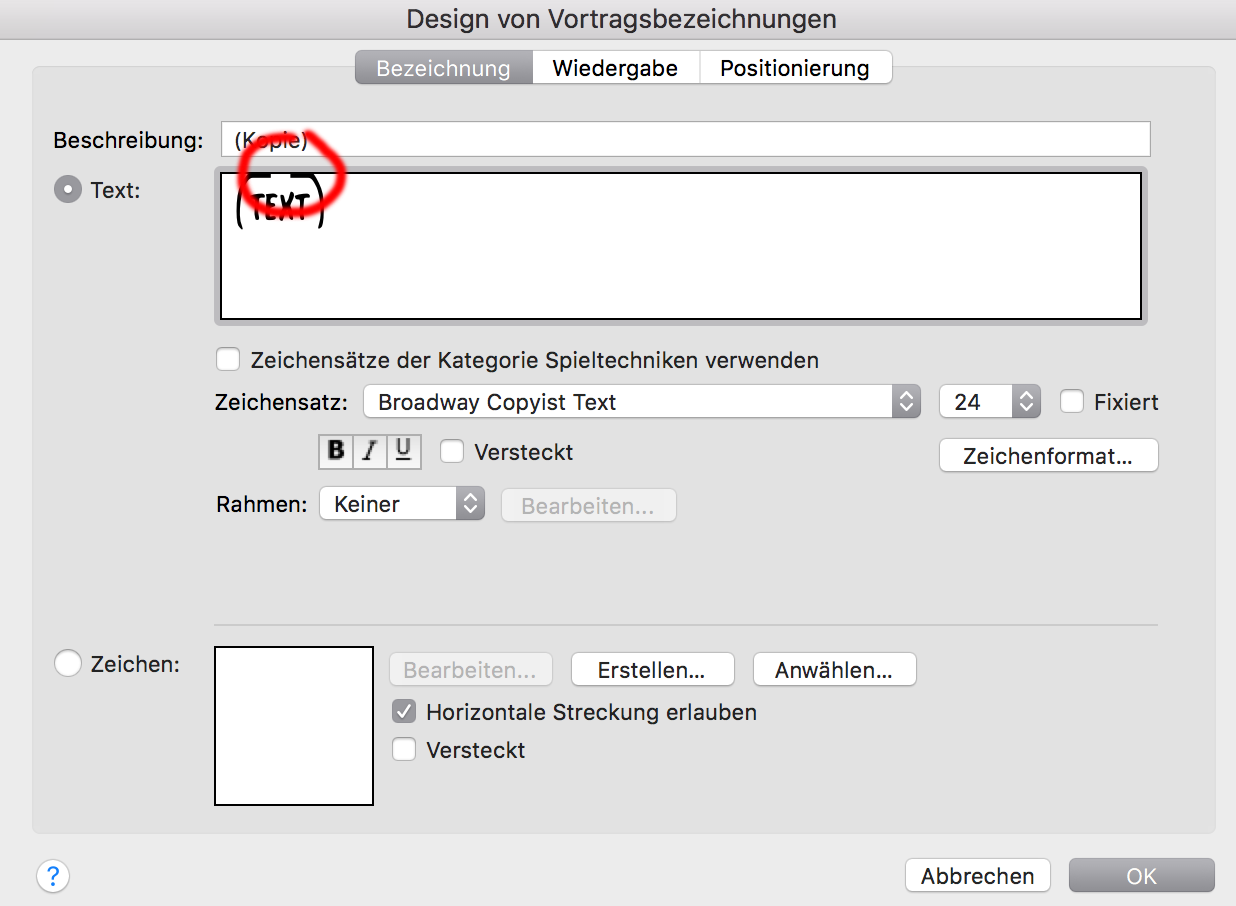


Place the blinking cursor between T and E and type "Shift-6". That's the keystroke for the extension bar.
You might have to repeat this if you have longer text. A quick way is to start at the beginning and type "shift-6 - right arrow - shift-6 - right arrow - shift-6 - right arrow, etc." until the bar is complete.

I have the exact same problem as Mr. Schmidt, but the 'Shift F6' solution is not working for me. I want to do this same thing in the Expression Designer - to copy and modify some expressions, but I usually get the broken line. I have tried several approaches and sometimes I can fiddle with the letters and make the expression look OK, but it usually does not work. Mr. King (or someone else), can you give me more information? For example I take the term 'MUTE' which is under the bar and copy it. Then I put a longer expression under the bar and I get the same thing that Mr. Schmidt experienced. Using 'Shift-F6' does not seem to do anything at all.
Many thanks.
Bob Quatman, Florida USA

Please sign in to leave a comment.
7 comments
Date Votes