New post
Avatar
0

I have Finale 2010 on an older windows computer, which I updated from Finale 2000 academic edition. I know, I'm ancient. I'd like to instead install it on my new MacBook. Is this possible? I can't seem to find a download link for Finale 2010 for Mac. I do see update files, but not the full application. Even when I go to my registered applications, it says the download link is not available. Can anyone help?

7 comments

Date Votes
Avatar
0

I don’t think that 2010 will run on a new MacBook (assuming that “new” means a current generation.) 2010 was a 32-bit application, and all new Macs are 64-bit, now.

Comment actions Permalink
Avatar
0

Yeah, it's a 2019 Mac. So not run -- meaning the program itself will not run? Or aspects of it like the music playback will not run? 

Comment actions Permalink
Avatar
0

What is the OS? As of OS 10.15 Catalina, 32-bit programs will no longer work. Earlier OS versions may or may not work.


If I remember correctly, all “updates” are the full installations.

Comment actions Permalink
Avatar
0

OS15. Bummer. Good to know about the updates. I'll give that a try. Thanks!

Comment actions Permalink
Avatar
1

A Mac made 2019 or newer cannot run 32bit applications—last year for that was a 2018 Mac as those can run macOS 10.14 Mojave. Your 2019 runs Catalina through Sonoma or Sequoia depending on the Mac.


In this case, it's not an issue anyway since only 2014.5 and newer can run over Mojave. I'm forgetting the last macOS that can run Finale 2010 but it was probably Yosemite — and then only if installed and verified in El Cap or earlier, then the OS updated to Yosemite. Finale 2011 had that same, weird restriction. Fun, huh?


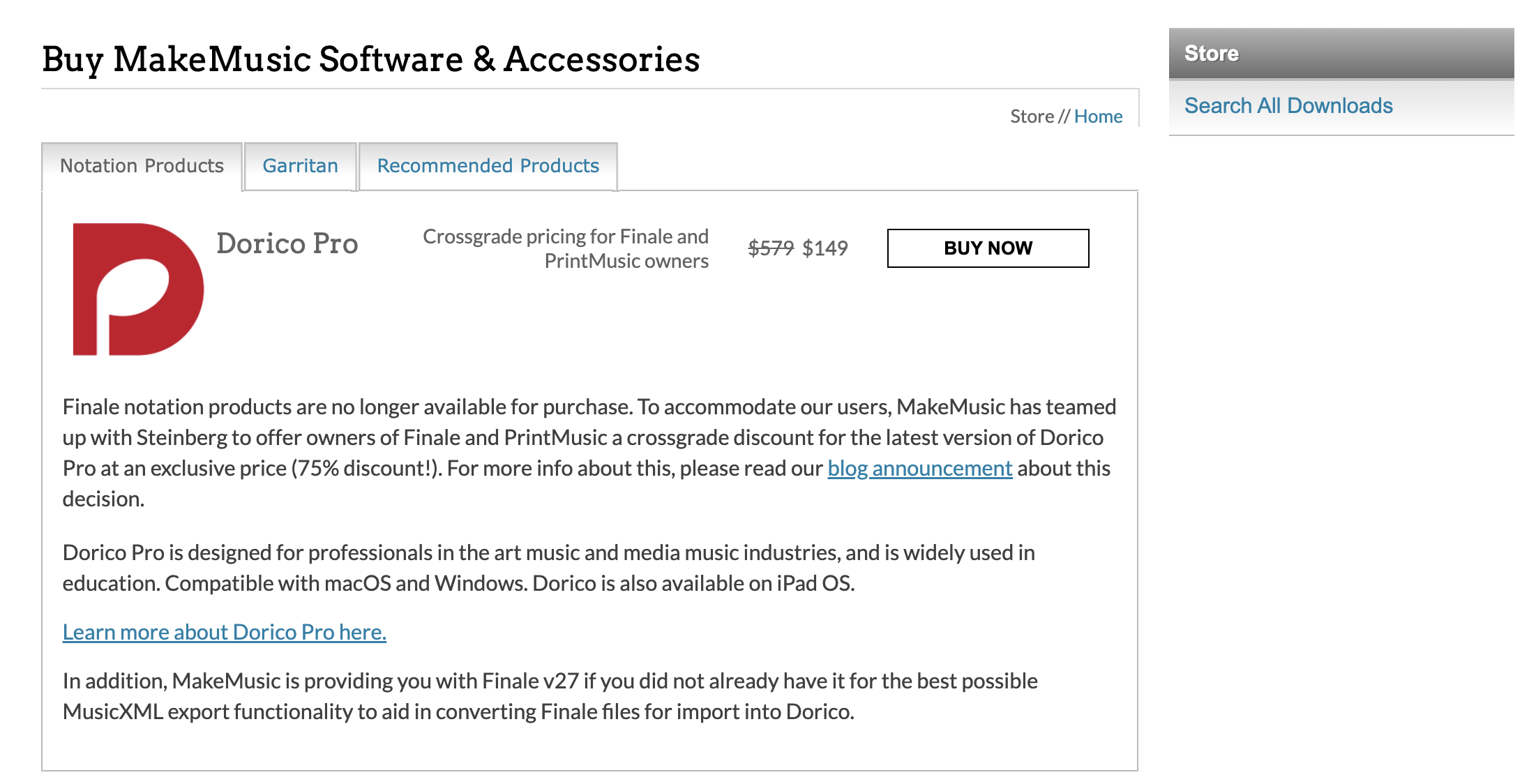
The good news is that you can take advantage of the Dorico crossgrade in your User Account. This will include a license for Finale 27 and tech support through August 2025. 27 runs over all current macOS back to Mojave.


Comment actions Permalink
Avatar
0

MIKE HALLORAN - that sounds amazing! How do I access the crossgrade? I do not see it in my finale account.

Comment actions Permalink
Avatar
1

It should be in your account under the STORE tab. If not, go to this link https://www.finalemusic.com/  For me, it's the first screen that I see every time I log in (I have three eligible licenses but I bought Dorico Pro back in version 2).


Because of browser preferences and cookie settings, it may be difficult to find but don't worry, they do want to sell it to you. When you find it, will look like this.


Comment actions Permalink

Please sign in to leave a comment.