
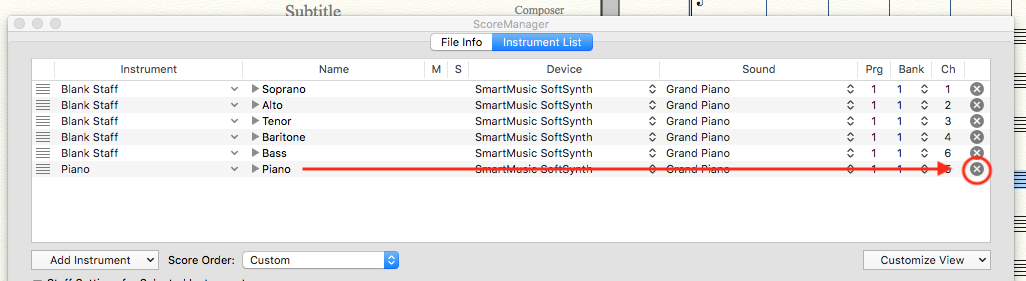
I have not found anything in the online users manual, nor comments and blogs that address my problem. Recently I set up my Choral Composition for Soprano, Alto, Tenor, Baritone and Bass plus Piano . After I set up my page and started composing I decided not to use piano accompaniment. My Choral piece is 133 measures long and all accapella. I do not want a Piano accompaniment with this composition. I tried to delete the Piano part and extra Treble Cleff line below it and cannot remove it. When I clicked onto change region and put in measures 1-133 and lines 6,7,8, and hit the delete key after those 3 lines were highlighted the lines did not go away. I also double clicked with my mouse onto the highlighted section and then hit my delete key and they extra lines did not go away. I read my manual and there is nothing that addresses this particular problem. So my composition has the 5 Choral parts and the blank Piano staves and the extra Treble Cleff line at the bottom of this music. I was told that I no longer can receive technical support because I have Finale 2012. I have been using Finale products since 2005 or 2006 when I started with Allegro then I went to Finale 2007 and then 2012 which I now have. I have Windows operating system.




9 comments
Date Votes