

Finale 25.5, Windows 10
I have been dealing with tech support for two weeks trying to get the issue of missing and incorrect sounds in custom percussion layouts resolved. One tech told me, after a week of dinking around, that upgrading from Finale 2012c to Finale 25 should solve the problem. I uninstalled Finale 2012c and ARIA Player as completely as I could, and did a full install of Finale 25. It didn't solve the problem. The second tech gave me some unhelpful woo about percussion MIDI maps and the uselessness of trying to use MIDI numbers for most of a week, then finally told me just before going home for the weekend that "Custom MIDI maps are not designed to build a la carte percussion staff full of Garritan sounds." I find that odd, as it is a selling point for Finale.
Anyway, as I am trying to make a document for playback rather than reading, I have decided to make a score with extra percussion parts using standard layouts containing the instruments I need. So I opened the original Finale 2012 document (including the abortive percussion layouts) in Finale 25, saved it as a separate Finale 25 version, edited it a bit in Finale 25, saved it and closed it in Finale 25, opened it again in Finale 25 and set out to notate the multiple percussion lines I shouldn't need.
UNFORTUNATELY, although the ScoreManager window and its Perc. MIDI Map dropdown menus (Garritan Instruments for Finale --> Basic Orchestral Percussion, Percussion Toys, Marching Percussion,... Rainstick, Washboard) acknowledge the fact that I am working on a document in Finale 25 (a fact also affirmed by the bad main tool bar), each time I add an instrument and select Percussion, I get a warning that
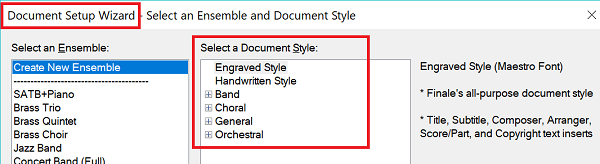
"The selected Document Style does not include the Percussion
Layout required by the intrument(s) **.
To ensure proper notation, you can either:
- Select a different Document Style,
- Select a different Percussion instrument, or
- Manually set up or load the necessary Percussion Layout."
1. I did not select a Document Style. I opened a Finale 25 document in Finale 25.
2. I have no idea how to select a different Document Style. (This is not for a lack of trying to find out.) The document in question is a band score that is complete except for the effing percussion parts. I have no idea how to change the Style of an existing document.
3. I need to notate percussion parts, so selecting a different instrument would not help.
4. I have no idea how to manually set up the necessary Percussion Layout. (This is not for a lack of trying to find out.) It appears that I need to get the Finale 25.5 percussion layouts to apply themselves, but I have no idea how to do so. (This is not for a lack of trying to find out.) Besides, I just spent two weeks finding out that I can't set up percussion layouts. Phooey on that.
Despite the notice, I have selected sounds and MIDI maps for three percussion parts:
Basic Orch. Perc | Basic Orchestral Percussion
Orchestral Toms | Orchestral Toms
Percussion Toys | Percussion Toys
per the Finale 25 ScoreManager menus.
However, when I go to the Settings... for these three parts, the Percussion Layout Selections are from Finale 2012, and the layouts I'm stuck with are Orchestral Percussion, Concert Toms/Tenor Drum and Auxiliary Percussion, respectively.
How do I get those nice new percussion layouts and MIDI maps to show up and make themselves useful in my old documents? On bad advice, I spent $149 for more Garritan Instruments, percussion layouts and MIDI maps (and a bunch of other stuff that I don't like the look of); I might as well get the use of them. I'm under a deadline; it's been two weeks already and I can't spend another week while technical support puts on a very slow show of assisting me with no result.
Thank you.
DF



15 comments
Date Votes