New post
Avatar
0

Mac High Sierra, Finale 25.5 xxx   I can't figure out what is happening.  Songs previously set to play are no longer playing out through my connected speakers. However, the mixer controls show sound going to both channels.  I also used hyperscribe to start a new piece, and it plays back fine (although rather quiet compared to garageband).  Sound is playing back fine through garageband.   I don't see any midi /audio settings that are different between the pieces that play and the ones that don't.  I'm stumped... Any ideas? 

8 comments

Date Votes
Avatar
0

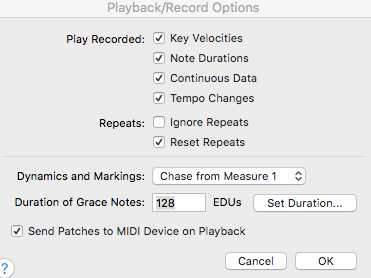
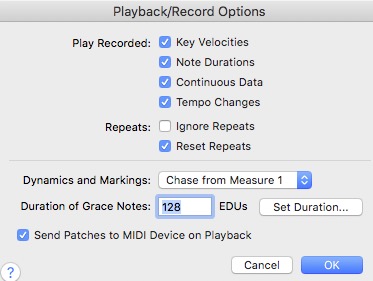
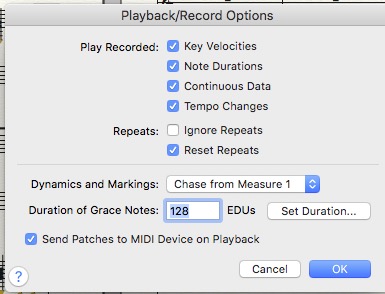
Post screen shots of your settings, .png or jpg only. Check the Playback Options window.


Comment actions Permalink
Avatar
0

Hi thanks. The settings are the same on both those that play and don't:

Comment actions Permalink
Avatar
0

btw, I turned off send patches and it didn't make any difference either

Comment actions Permalink
Avatar
0

… I don't see any midi /audio settings that are different between the pieces that play and the ones that don't …

… The settings are the same on both those that play and don't …

If I understand you correctly, this issue is document specific, right?

Some documents do play back, while other documents do not play back, right?


… I can't figure out what is happening …

Please specify the steps you've already taken, so that we can rule out things.

Have you e. g. examined/compared the settings in the Instrument List?

Instruments will not play back if they are muted in the Instrument List.

Comment actions Permalink
Avatar
0

Hi, I don't see any muting of the instruments.  I've checked the Mixer and I see sound levels  and I have checked instrumentations in ScoreManager. Where exactly would muting occur??  And why suddenly?   This issue IS document specific.  All previously created files seem to be mute while only the newest has sound that plays through my speakers.   

Steps I've taken are mostly to try and reconfigure the midi options. One file I got to work by switching from play through midi to play through audio units, but that did not work for another file.   I got one to work using Aria sound bank but another would not. 

Finally I got the last one to work switching from Aria to Garritan sounds.  The newest one works with SmartMusic SmartSynth  but none of the others would.   I also found the Aria sound bank completely empty and loaded a few sounds into it, but they were underlined in Red for Edit sounds in the ScoreManager. 


This is really confusing.  I made no changes since last month when I used the program . I am wondering if Finale lost track of instrument locations or something. 

Comment actions Permalink
Avatar
0

… I've checked the Mixer, and I see sound levels, and I have checked instrumentations in ScoreManager.

Where exactly would muting occur? …


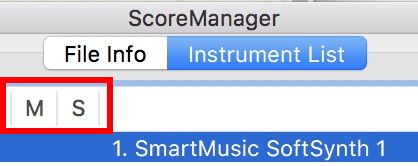
In the ScoreManager, click the chiclet Instrument List (not the chiclet File Info).

In the Instrument List you can customize the view, to hide/show various columns (use the pop up menu in the lower right to customize the view).

Usually the columns for Mute and Solo are shown.

See the screen shot.

Comment actions Permalink
Avatar
0
get out of trouble
open a new file and copy the music and you're done
Comment actions Permalink
Avatar
0
another option makes a duplicate of your file to ensure it.
in the new one he does the following the following.
select all
clear selectect items
uncheck all
check only midi data
and press ok

You will be performing or cleaning the midi information.
Comment actions Permalink

Please sign in to leave a comment.