New post
Avatar
0

[Windows 10 - Finale 2012]

Hello guys,

one of my user is having a problem with the page view mode.

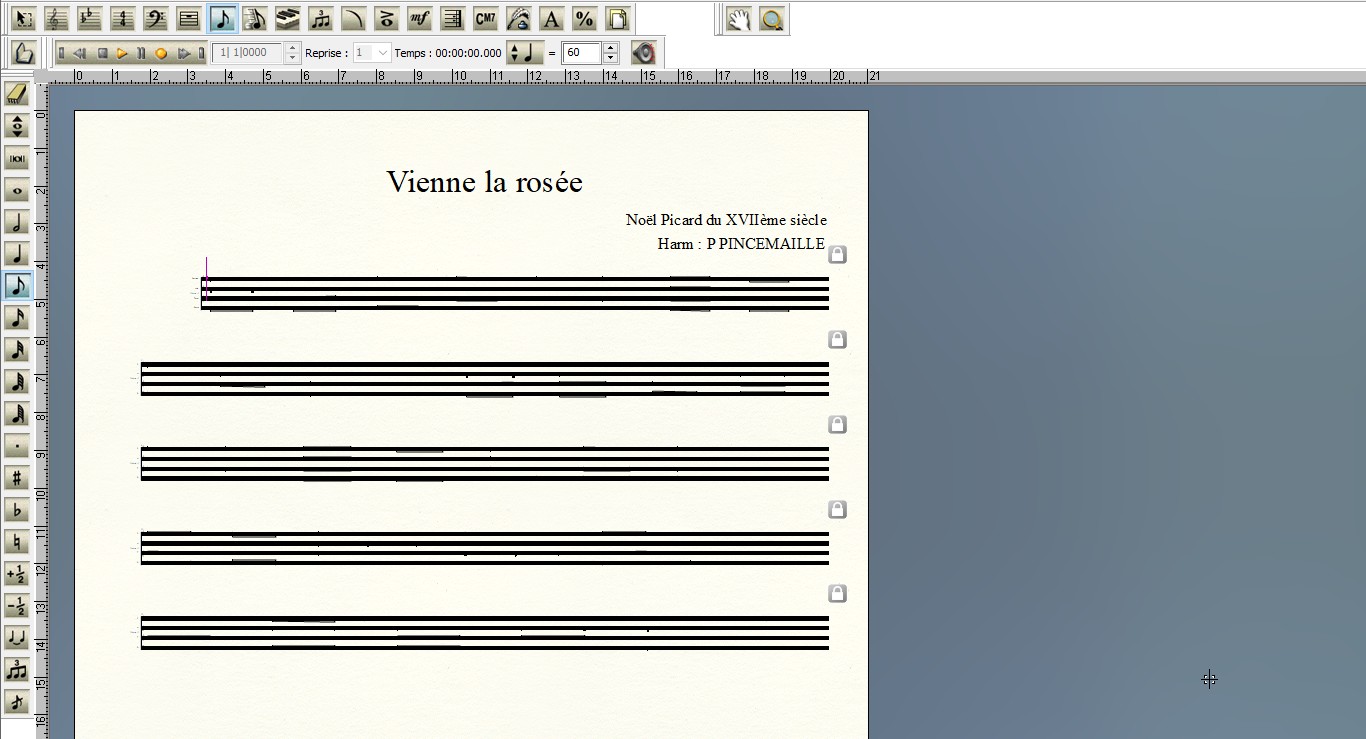
The partition becomes unreadable when displaying it in that mode, everything else works fine.

I tried reinstalling it but it still the same.

It actually never worked because I just changed her old computer by a new one, with a less old Finale too.

Thank you for your help, I hope I made myself clear, I can always do a screenshot if needed.

12 comments

Date Votes
Avatar
0

Yes, a screen shot might help.

Comment actions Permalink
Avatar
0


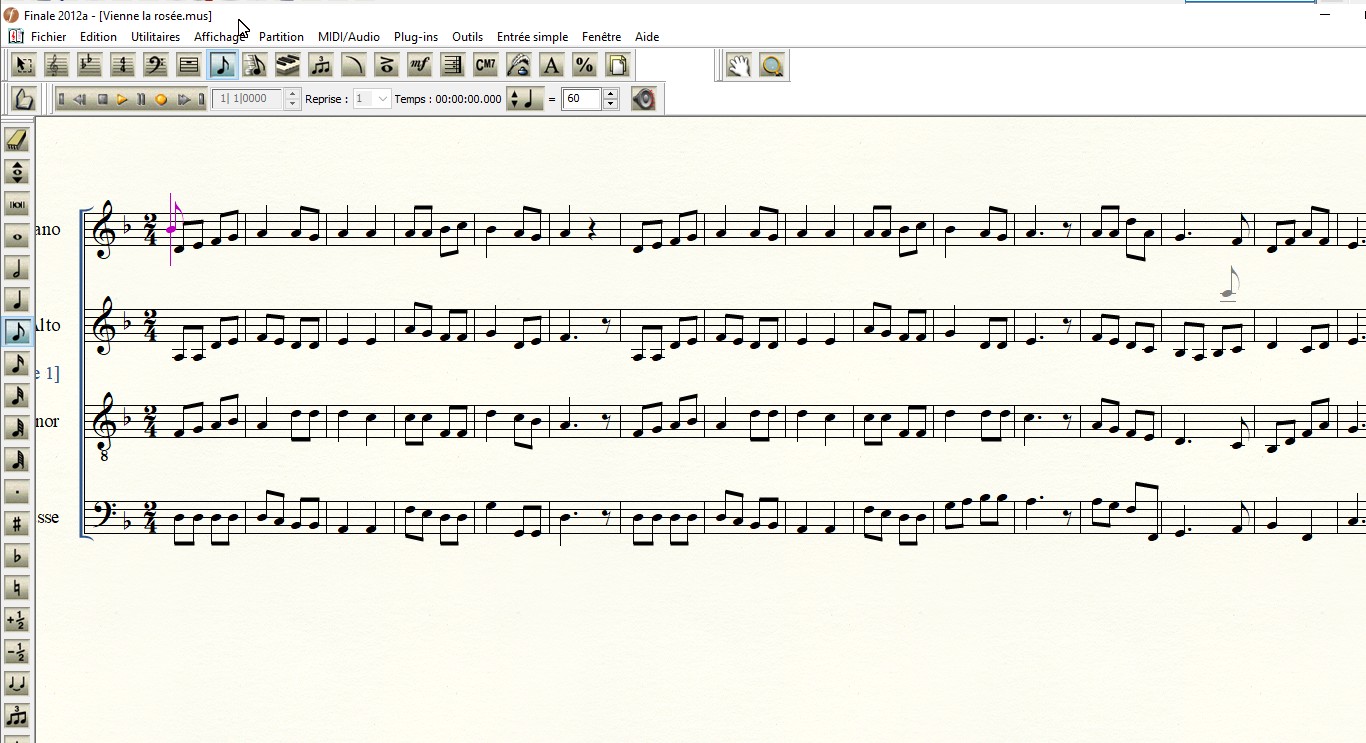
So this is the mode by default which works fine and below in page mode


Comment actions Permalink
Avatar
0

What happens if you set up a new document, and copy the score into that? Have you tried other options in the page view?

Comment actions Permalink
Avatar
0

It works fine when doing that !


Option like the one in the first screen?

Comment actions Permalink
Avatar
0

Just out of curiosity, I would like to see what the original file's page view looks like with

  1. Systems unlocked
  2. Staff size (%) checked and set, if necessary, to 100%.
  3. Staff spacing checked
  4. System spacing checked
Comment actions Permalink
Avatar
0

Can you guide me please I did not find how to do that

Comment actions Permalink
Avatar
0

Ciao, quello che penso di vedere è una parte.
Prova a eliminare la parte e quindi a ricrearla.
Può essere che questo è il modo in cui ti accontenti.

Comment actions Permalink
Avatar
1

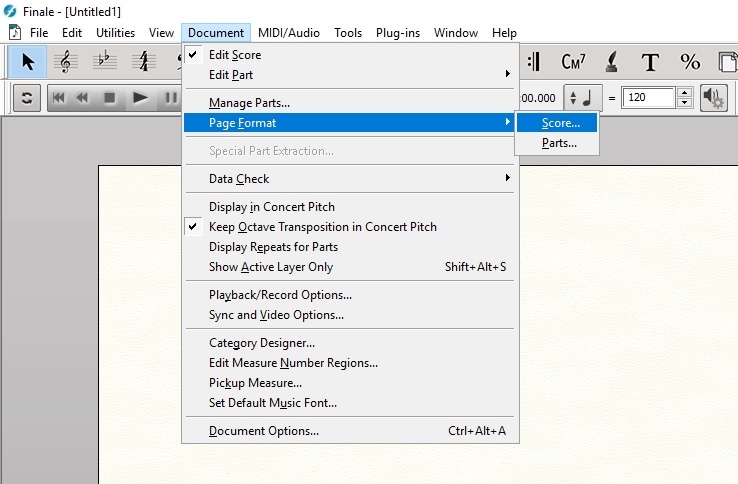
There are a number of ways you can do it, but I guess the most direct way is using the "Page Format" dialog box.


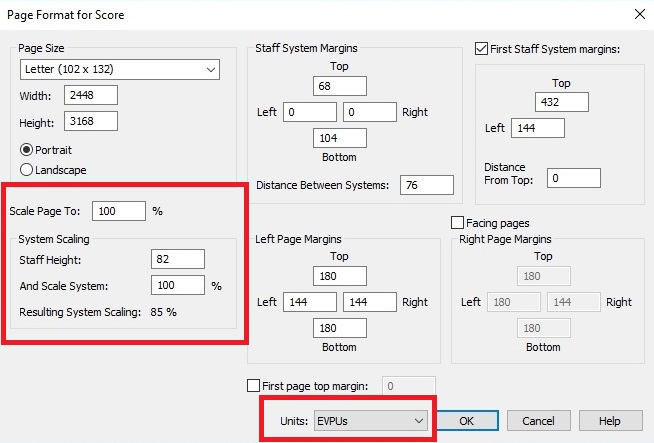
This is what you should have. The "Staff Height" is the Finale default settings measured in EVPUs:


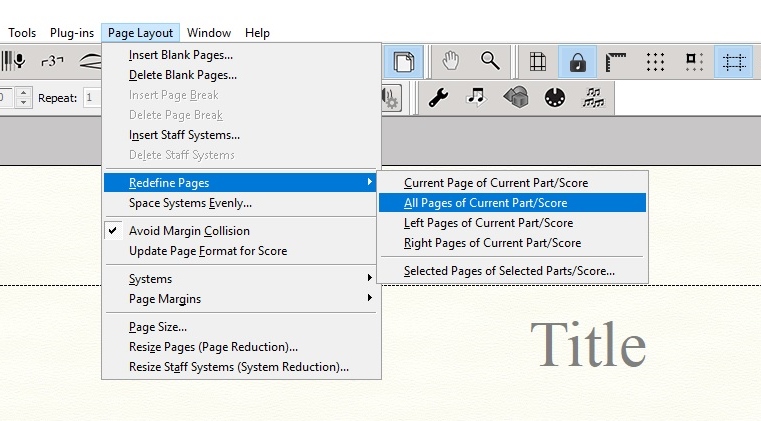
You will need to "Redefine Pages" using the "Page Layout Tool" after clicking "OK:


You may need to do the same thing for the "Parts."


To remove system locks, hit CTRL-SHIFT+U while in the "Selection Tool."

Comment actions Permalink
Avatar
0

Thank you very much. I don't have the "page layout" menu, how can I display it?

Comment actions Permalink
Avatar
0

Click on the "Page Layout Tool" icon. It looks like a piece of paper.

Comment actions Permalink
Avatar
1

… I don't have the "page layout" menu, how can I display it? …


Jérémy Verner,


In your screen shot above you have the Page Layout Tool icon at the right end of the palette, just next to the % icon.

Comment actions Permalink
Avatar
0

It works ! Thank you all for your time, it's great ! :)

Comment actions Permalink

Please sign in to leave a comment.