My score has colored noteheads, apparently at random. I've opened up the Score Manager window, and "colored noteheads" is not checked. What else do I have to do so all my noteheads will be black?
Windows 7
Finale 2014,5.6359


Different layers show in different colors, as do notes out of range for a given instrument. Are you sure neither of these conditions apply?
At any rate, such notes will always print in black, and you can change your preferences to show them in black regardless--although I wouldn't recommend it.


I just upgraded to the Finale 26, and am opening up some existing files. I want to add colored noteheads to an existing score. In my Finale version 2014, it was not a problem to add colored notes via the Score Manager tab. I clicked the "color noteheads" box, and adjusted the colors, and hit "ok", and the score was colored. I have taken a break from music arranging, and decided to upgrade to the version 26.
When I tried doing the same thing in the new version, I went through the motions, but no colored noteheads appeared.
I then tried going to the manual via the help link. It said to color noteheads via the Staff menu, and showed an old layout for the Staff Attributes page. There is no "color noteheads" box to check, like there used to be from this page----at least it is not in the position that is shown on the help page, and I can't find it in the list of boxes to check.
I am getting a handbell choir going, and I really would like to have the program put in colored notes for me, so I don't have to highlight everyone's music by hand.
Please help. I would attach a file, but I don't see an option to do so from this message. If anyone can tell me how to do that, I will upload the file. Thanks so much.
I have made sure each staff has been selected before checking the "color noteheads" box in the Score Manager tab, as some others have suggested in an earlier thread. However, this did not solve my problem. I forgot to mention that in my post above.
Can I have two versions of Finale installed at the same time? I wonder if I go back to my old version, if it would work. I am constantly disappointed in buying new upgrades for Finale.....it seems I have never been able to seamlessly go from one version to another without a lot of problems trying to get the new version to work. sigh. I thought it would be different this time, but it isn't.
Shelley Houser
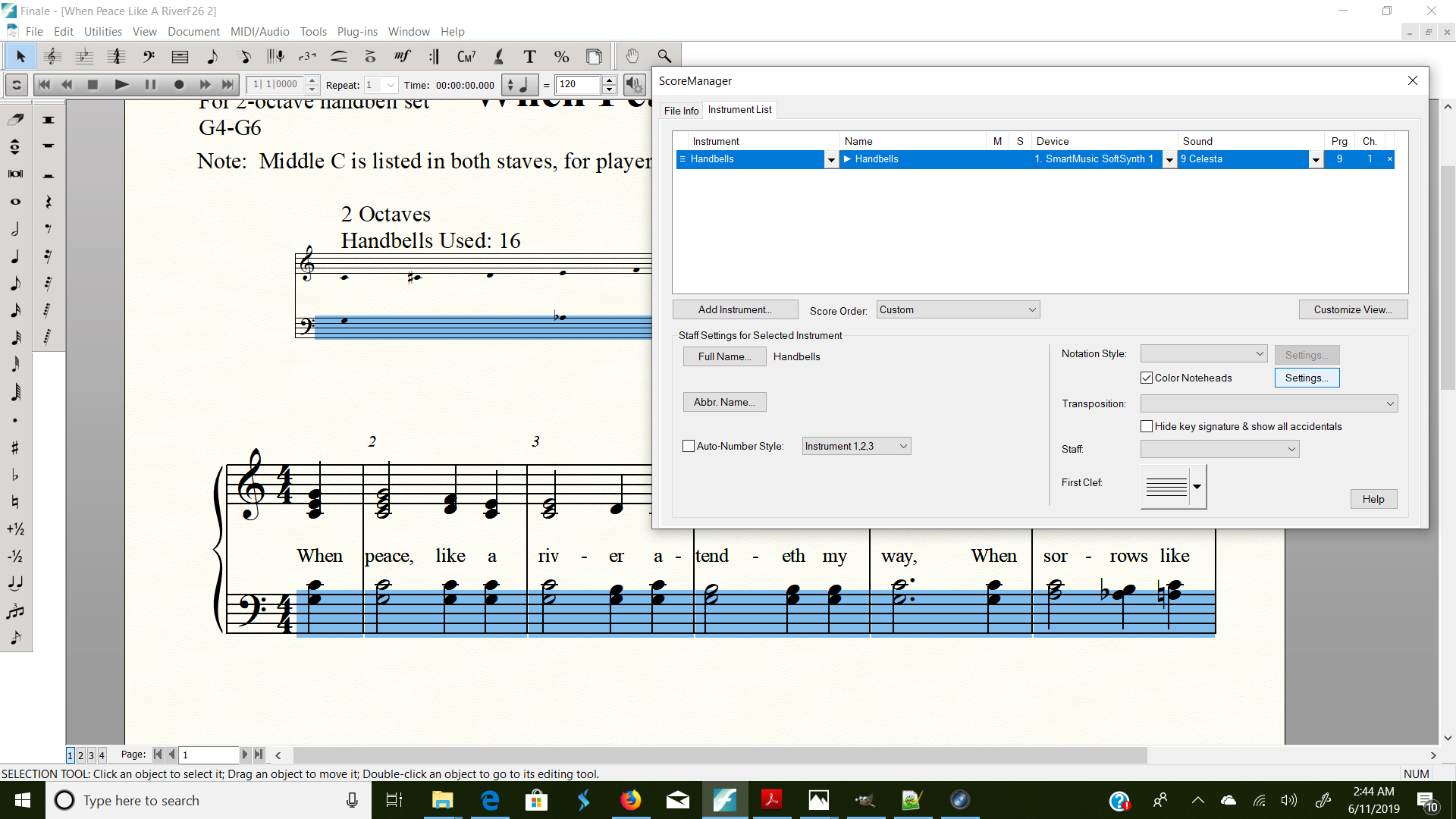
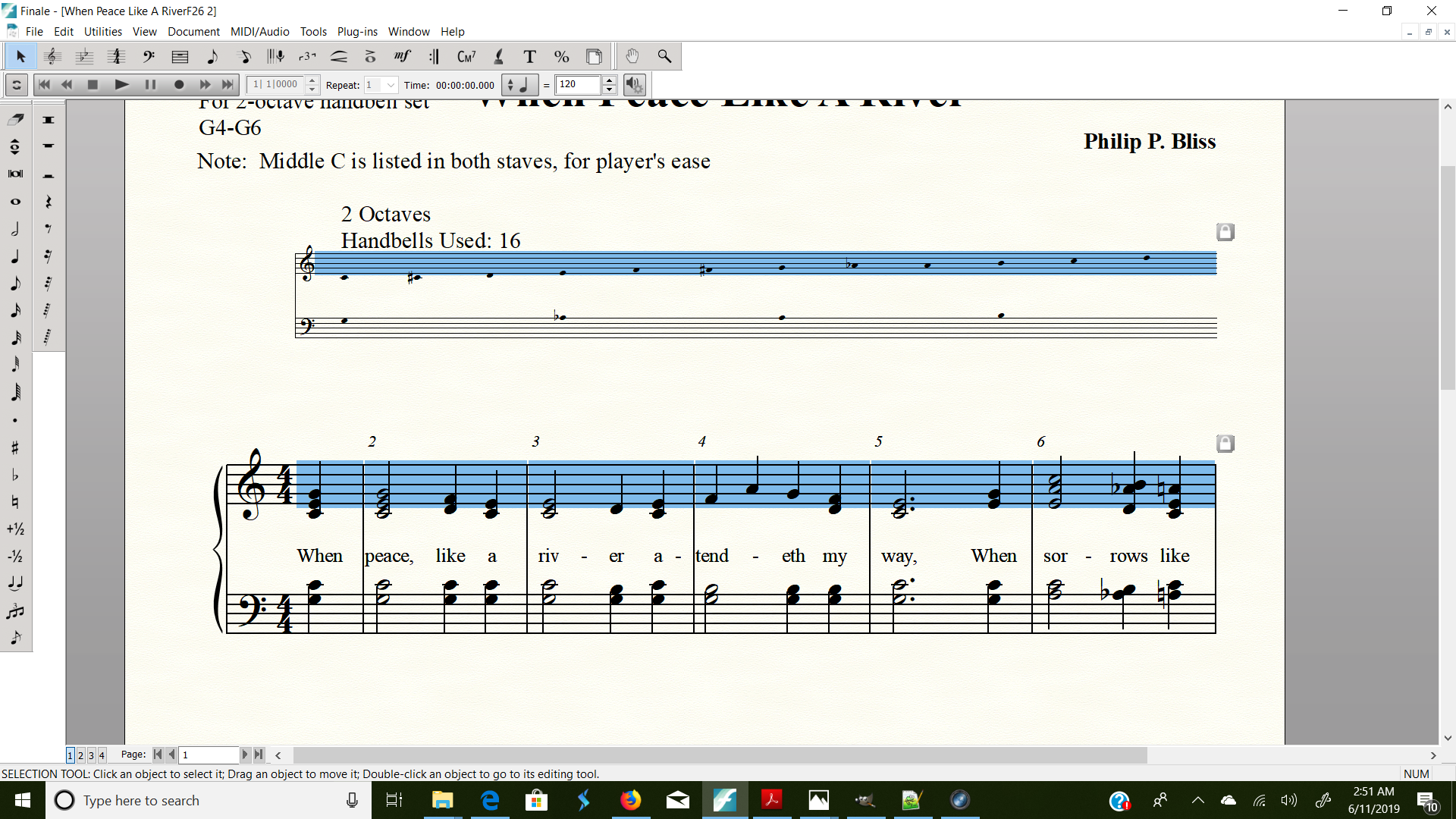
Here is a screen shot of me trying the first phase of changing the notehead colors in the bass cleff. I have the staff selected, and I have gone into the Score Manager diaglog box, and have checked the "color noteheads" box. I am ready to adjust the colors, which I will post another screenshot in a minute.
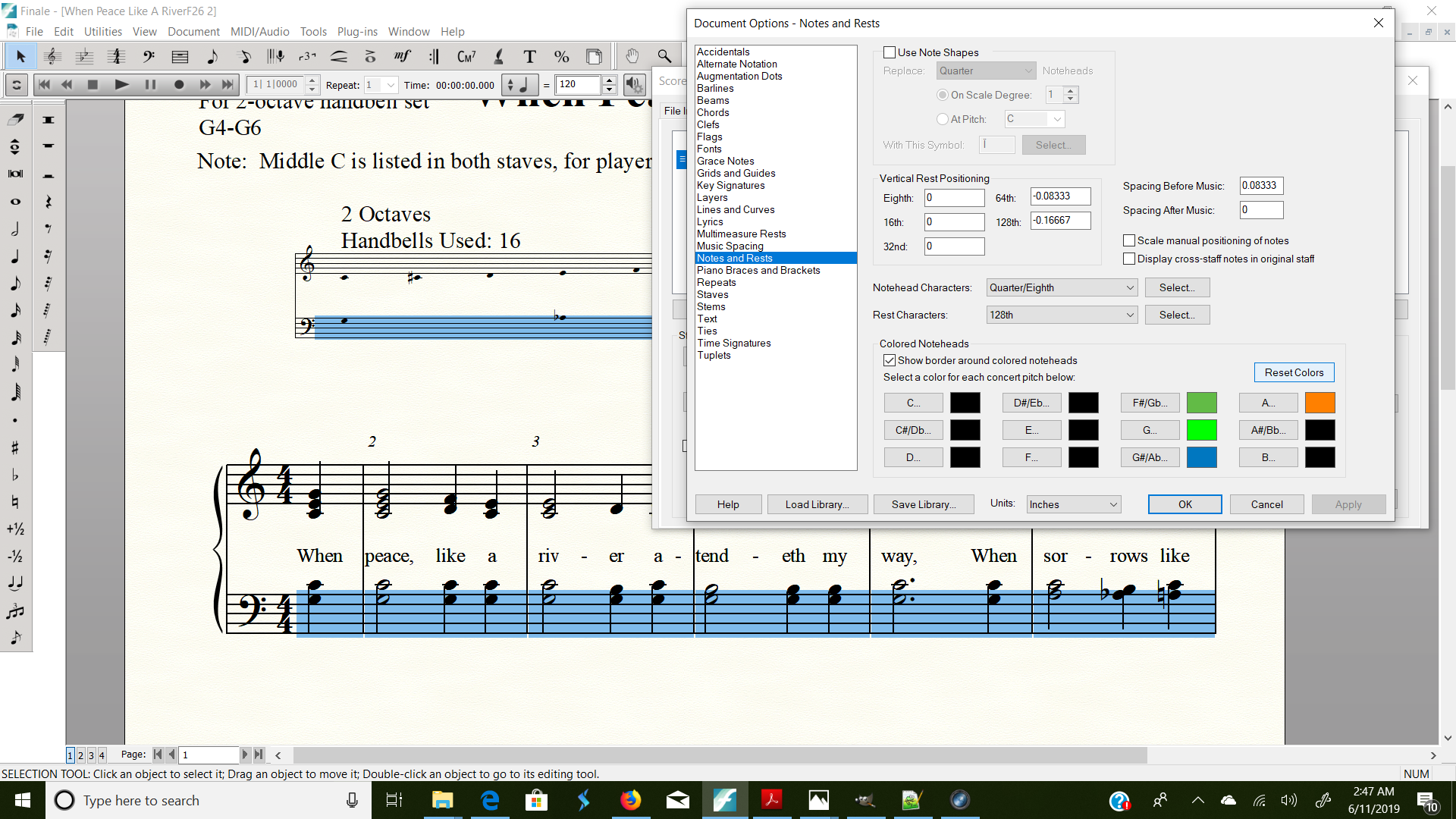
Here is my score after trying to change the colors of the noteheads via the Document Options--Notes and Rests dialog box. I have hit the "ok" button that was showing above, and there is no change in the color of any of the noteheads. I had selected the treble cleff from the discussion above, and when I went into the "Document Options", you see that it unselected the staff. However, when I hit the "ok" button, the treble cleff is back selected again, but no notes are colored.

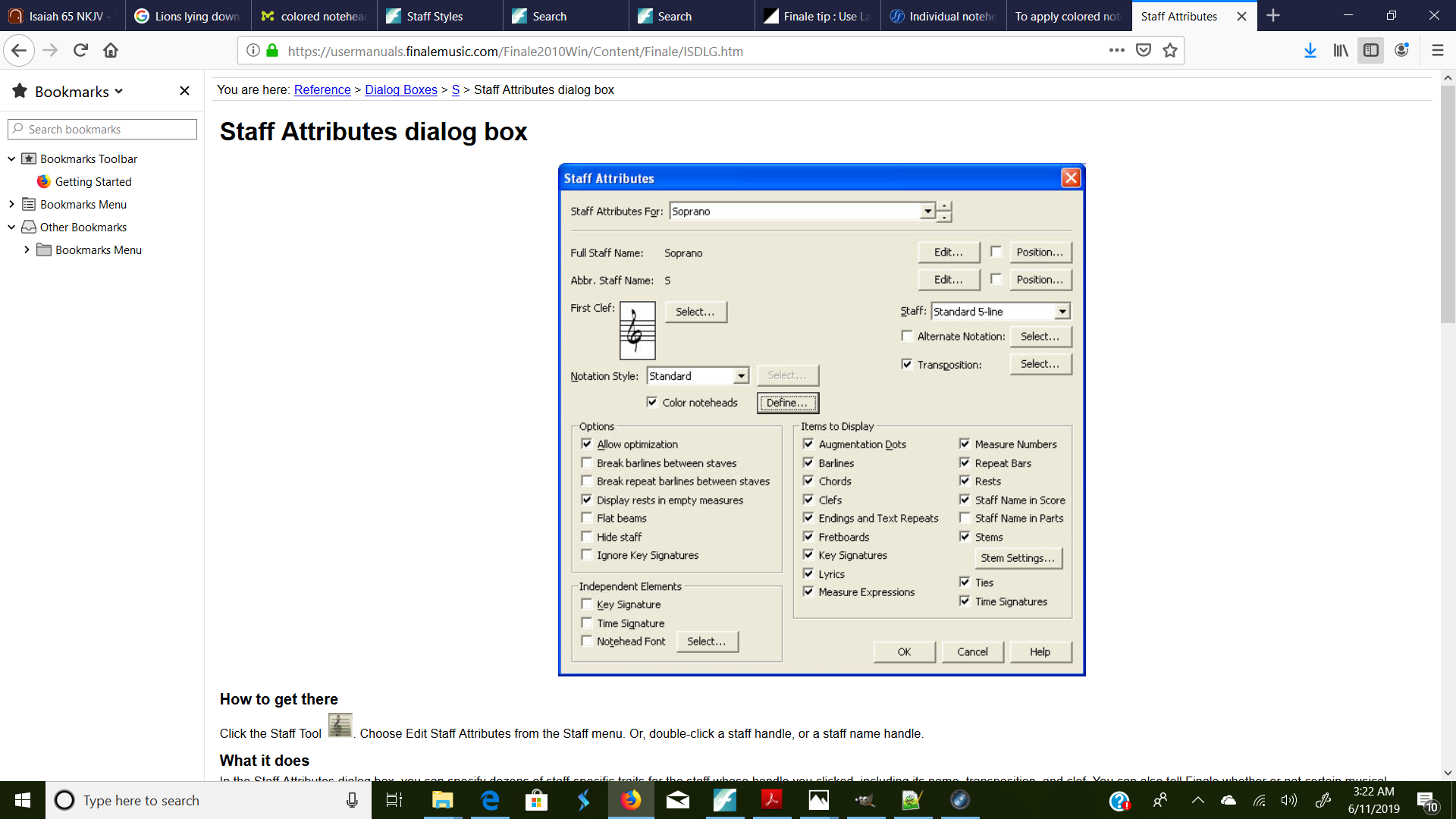
Sorry: One more screenshot. Here is the help page that suggested I could change the notehead colors via the Staff Attributes page. Notice this is a different layout than the first screen shot I posted on this subject. I clearly see the "color noteheads" on this screen that is shown below, but in my program, that view is not what I see. So, I am at a loss of how to use that as a help. You can see the URL link in the screenshot. It is for a Finale 2010 version, not version 26. It looks like that page has been totally redone in this or other previous versions.
Shelley

… I would attach a file, but I don't see an option to do so from this message. If anyone can tell me how to do that, I will upload the file …
In this forum you can not attach a Finale document.
Instead, you can upload the Finale document elsewhere, and then here add a hyperlink to the document.
Meanwhile, your screen shots tell a lot.
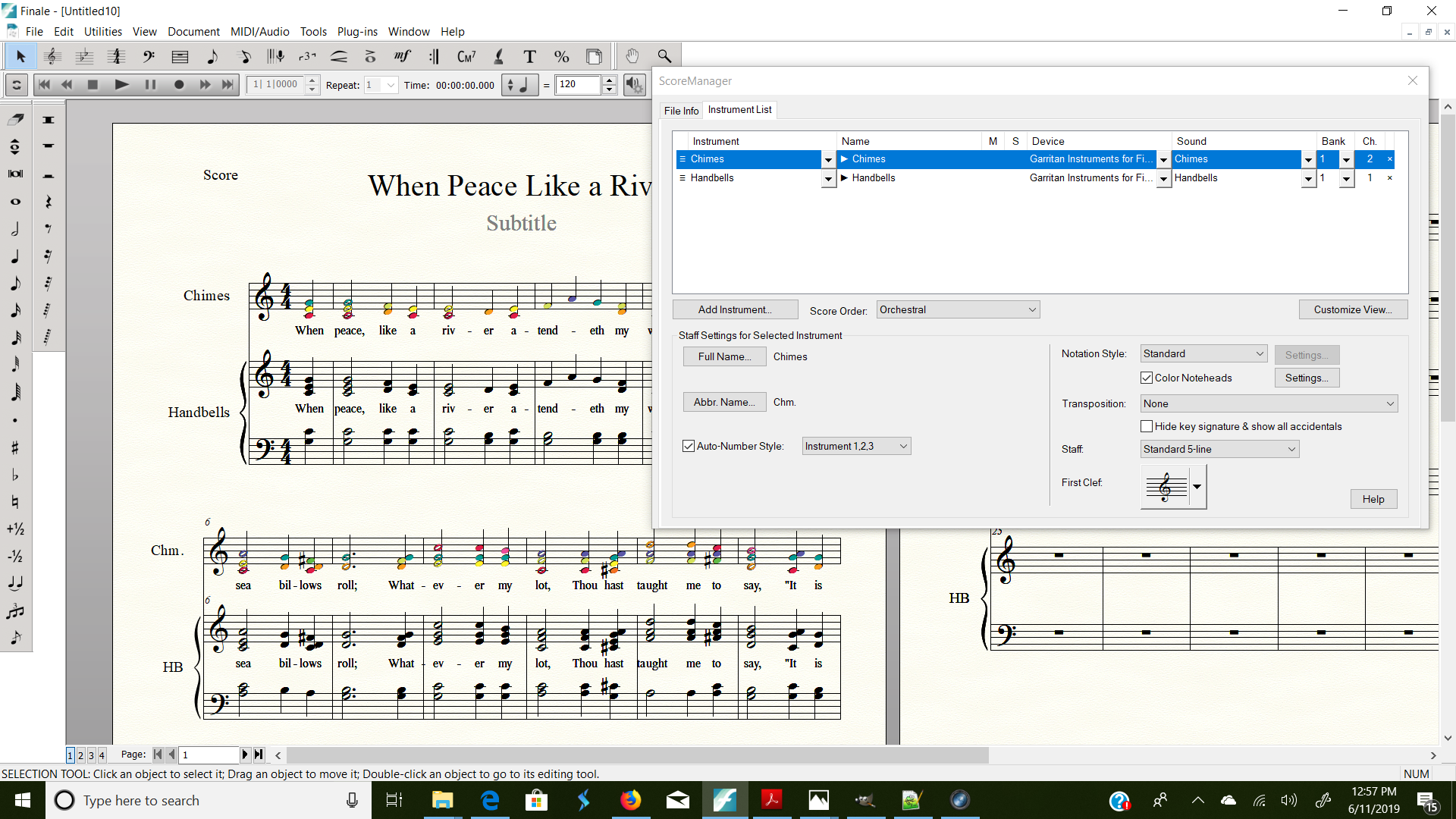
The screen shot of the ScoreManager’s chiclet Instrument List shows that there is something going on.
Several pop up menus are greyed out:
Notation Style
Transposition
Staff
First Clef
This “grey-out” indicates that the settings are not the same in all the document’s measures.
I note that the Finale document was created in an earlier Finale version (2014).
To find out whether the problem is document specific, as a test, try with a new, blank v26 document.
You can also try the utility Change Instrument.
Selection Tool.
In the score, select the staff, then go to
Utilities menu > Change Instrument…
Change the instrument to something else.
Then, try - via the Instrument List - to get colored noteheads.
If it works (= you get colored noteheads), then use the utility to change the instrument back to the desired instrument.
On Windows at least, the color checkbox in the Score Manager works for me on a file from 2014 (which suggests it must have been created in Finale 2014 or 2014.5.
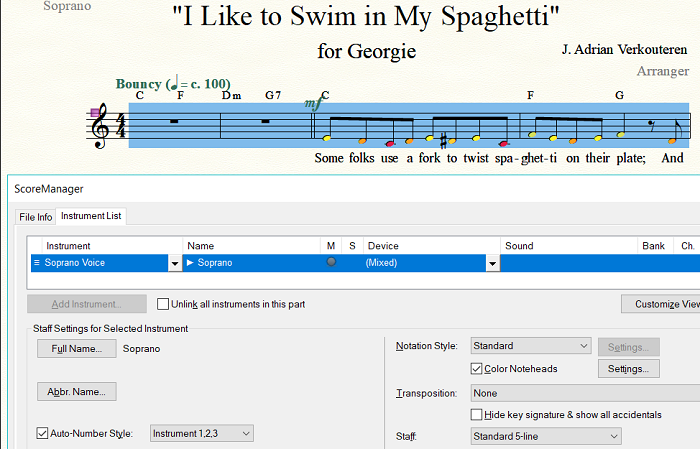
I tried changing one note to black in the color pallet to simulate what you were doing, and that worked fine too. I include a screenshot of my Score Manager in the hopes that you may be able to set standard values for the fields Peter noticed were blank or grayed out.
Thank you, Mr. Verkouteren, for your responses. I had a glimmer of a hope when I started a new file, and copied over my old information on the new file. I picked "chimes" as the instrument, because I am actually using chimes for the new ensemble group. However, it only had the treble cleff, and I need bass cleff, too.
I tried to color the noteheads that were on that staff, just to check out whether it would work on a new file, and it did work. The noteheads went to the default colors in that staff.
So, I went back, and tried again with a new file, and copied over my information, this time using the Handbells instrument, so I could get treble and bass cleff. Now, however, it will not colorize any of the notes. Here is the screenshot after I have tried to colorize the score.
I am about to just give up on this process and dig out the highlighters. I could have been finished by now with all the attempts I have made at colorizing this on Finale. I am extremely disappointed that the functionality of the program is not working for me, though.
Shelley Houser

More strange stuff going on. So, this time, I thought if I could get a piano score to be colored, I could use that for my handbell music. This is the result. No colored noteheads in the piano part.

So, it looks like the color noteheads is only working in the chimes instrument in my version.
So very disappointing.
Shelley

Hi Shelley,
What you are seeing is expected behavior of a grand staff. Each staff within the grand staff has it's own staff properties, like Notation Style, Transposition, etc., this way they can be controlled individually. This includes Colored Noteheads as well. Click the disclosure triangle in the Name column for the Piano staff. Now select one of the staves within the Piano grand staff and then click the Colored Noteheads checkbox. This should get you the results you are looking for.
Please sign in to leave a comment.




20 comments
Date Votes