New post
Avatar
0

Looking to get a dual monitor setup, and had a question about the resolution.  Right now I have a Full HD (1920.1080) monitor.  While it is fine, I'd like a crisper, more detailed look, as I look at it for hours a day.  When I look at the same scores on my MacBook Pro (with Retina display), it is so much crisper looking.  So I'm thinking of getting two QHD (2560x1440) monitors.  Will this make Finale look better and more like my MacBook Pro?

10 comments

Date Votes
Avatar
0

Assuming that monitor is in a brick-and-mortar store, why not take your laptop in, and ask if you can plug it in to try. I think that’s the only way to know for sure, since “crisper” is really a subjective decision.

Comment actions Permalink
Avatar
0

Also, you should have Finale 26 for optimal results.

Comment actions Permalink
Avatar
0

>Also, you should have Finale 26 for optimal results.<


Oh yes. Retina and 4K display support was much improved.


>Assuming that monitor is in a brick-and-mortar store, why not take your laptop in, and ask if you can plug it in to try. I think that’s the only way to know for sure, since “crisper” is really a subjective decision.<


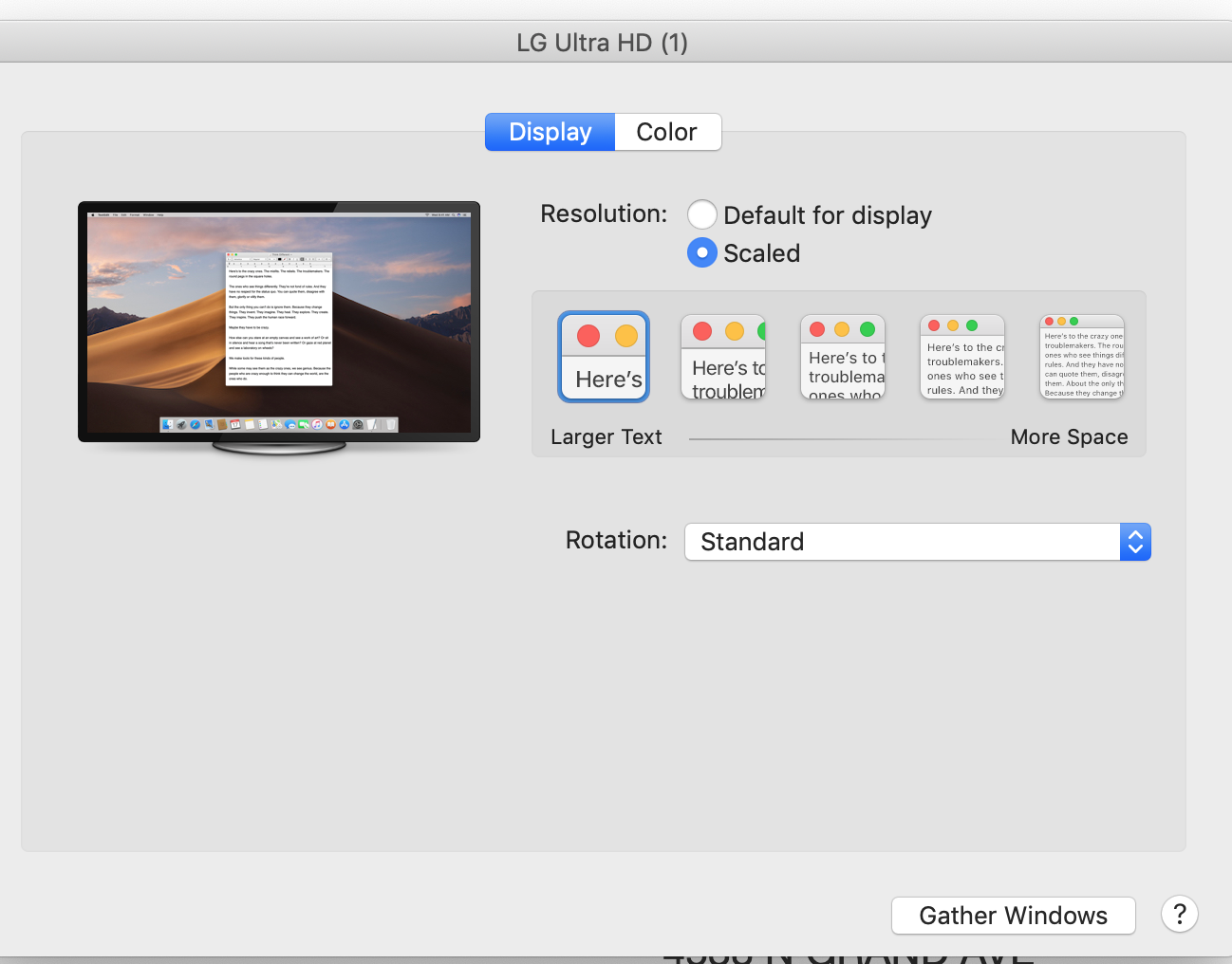
With the display connected, go to System Preferences/Displays and you'll see the Default. Click onto Scaled, and it will show 5 options that you can click through to see which is ideal. You can customize if further by holding the Option key but the basic 5 should show you what you need. With 4K monitors hitting the $250 price point fir 27", you have lots of choices nowadays.

I have two LG 4K side monitors and can select a different setting for each if I wanted to.

Comment actions Permalink
Avatar
0

Rather than 2 monitors, I'd recommend a single 40+" 4K display. I got one a couple of years ago and I'd never go back to a double monitor setup.

Comment actions Permalink
Avatar
0

Mike,


With the two monitors, do you find pop-up panels end up split between the two screens? I had this problem when I used two monitors; so (like William) I opted for a 40" 4K display driven by an NVidia card when I upgraded my computer a few years ago. I am very happy with it.

Comment actions Permalink
Avatar
0

With Finale 25.5 Mac, I use 2 monitors  (main : 27" 16/9, optionally pivoting, second : 24" 16/10 for palettes, secondary Finale window, like parts ; and other software).  It works well, but whatever I do (saving preferences), the position of palettes and especially the Playback Controls window gets constantly lost, even when the monitors go to sleep !

It is really annoying... and MakeMusic doesn't seem to want to fix this.

I can imagine that the problem doesn't appear on a single 40" monitor. But I need pivoting once in a while.

Comment actions Permalink
Avatar
0

I have a 27” iMac Pro with 27” LG 4K monitors on each side. I move the palettes at the start of the session and they’ll stay put but only till done.


I only let the displays go to sleep; never the iMac so the palettes do stay in place. With solid state drives only,The computer uses very little energy with the displays sleeping — it works for me.


They do not stay put once I quit Finale for any reason. Other apps do such as Chrome, Digital Performer and so on. Why can’t Finale?

Comment actions Permalink
Avatar
0

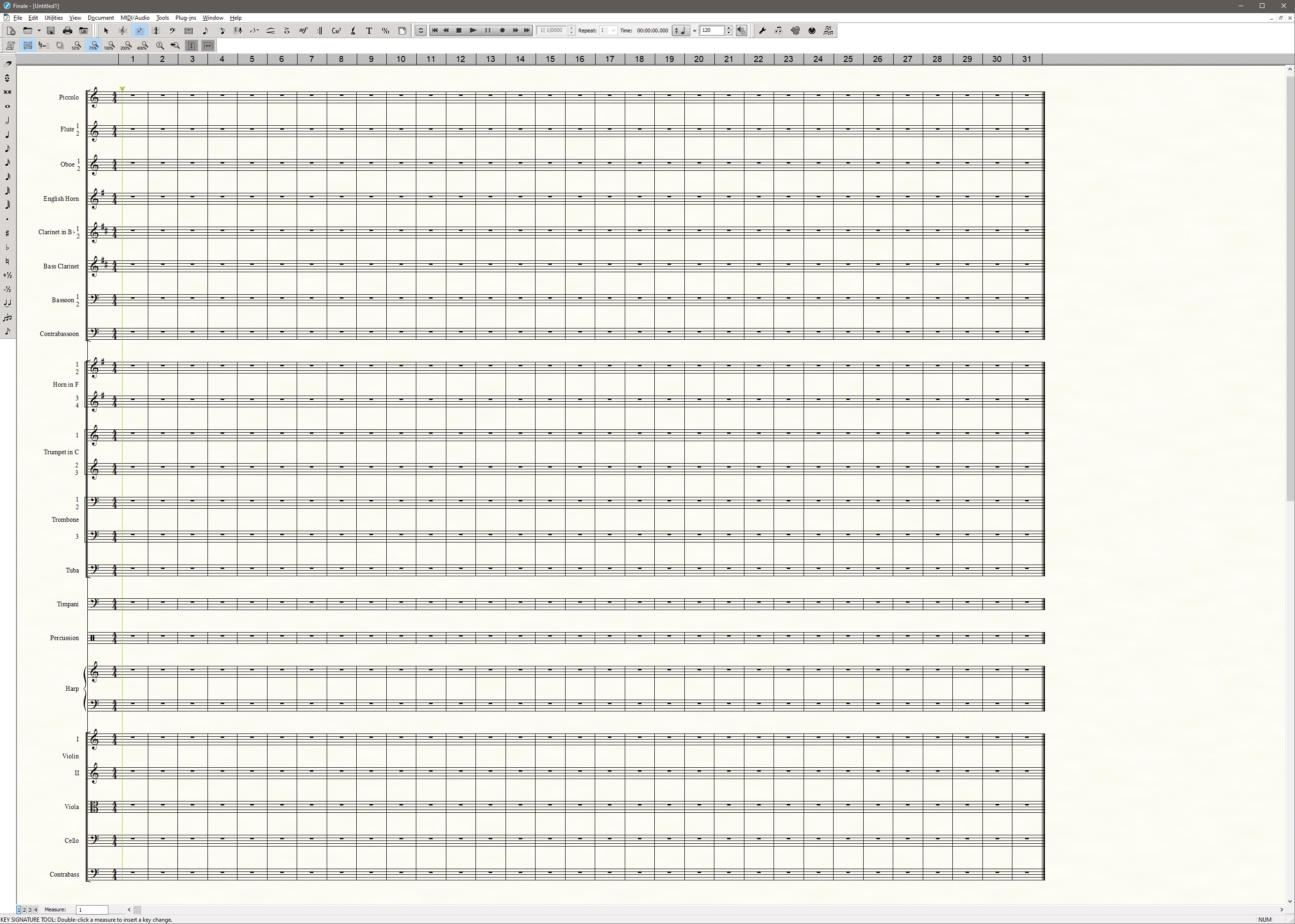
Thanks for the help.  Trying to get an idea of the screen real estate I would have with a 4K monitor.  Take the default Finale "full orchestra" template (with 25 staves) for example.  On a 4k monitor, in scroll view at 100% how many inches do I need to see the entire score? (on my 1440p monitor it takes about 15.5 inches.) Is it readable/useable at 100%, or is it too small?

Comment actions Permalink
Avatar
0

A 4K monitor has the space of 4 standard HD monitors. To run at 100% scaling you really need a 40/43" monitor. The default Orchestral score takes about 18 vertical inches.


Comment actions Permalink
Avatar
0

Back to the graphic I posted. The "more space" tab is full 4K resolution, about 4x the real estate of 1080 in a 27" monitor. The "Larger Text" setting gives you less room, of course, but is still much easier on my eyes than my non-Retina 2010 iMac. There are three other default settings in between.


You can use the Option key to create additional resolutions. Some will be unusable but it's easy to get back to the defaults.


Comment actions Permalink

Please sign in to leave a comment.