New post
Avatar
0

Hello,

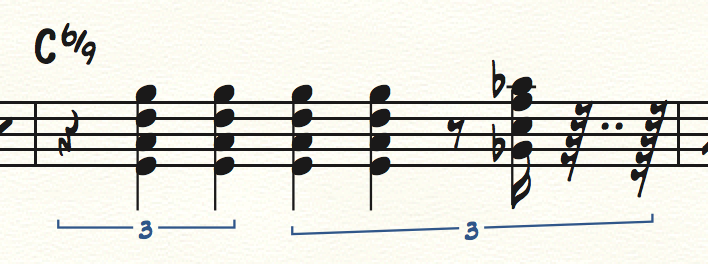
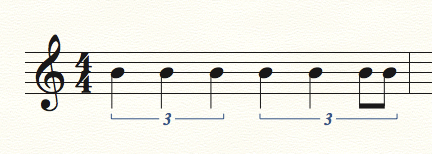
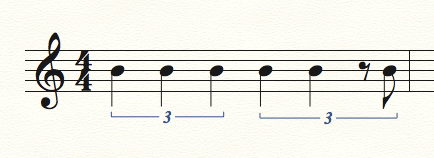
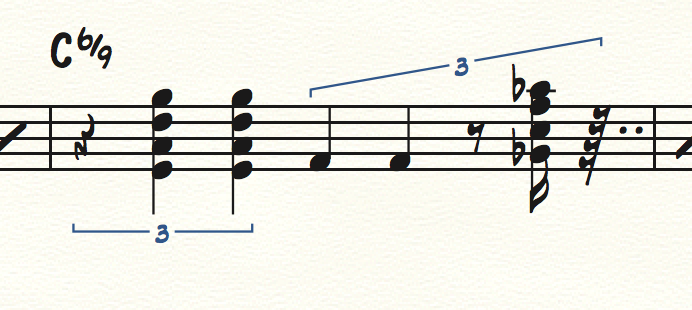
I need to enter a quarter-note triplet where the last note is separated into 2 eighths. Finale will not let me enter this... I can enter a single eight note, and then am blocked. After clicking a new measure, finale enters a rogue sixteenth note rest at the end? Why would this be?

I'm using Finale 25 with a MacBook Pro. Thanks for your help.
7 comments

Date Votes
Avatar
0

Great... I figured I would just work around it and enter my chord in the rogue sixteenth, and now this?! This is completely senseless.


Comment actions Permalink
Avatar
0

And another rest?!?! Please let me know how I can contact the programmers for this...This should definitely not be this complicated.


Comment actions Permalink
Avatar
1

Finale has several ways to enter tuplets.

It looks like you are using exactly the (only) way that gives trouble.


You are using the Simple Entry Tool, right?


1) Try de-selecting “Check for Extra Notes”.


2) On this web site:

http://www.specialmillwork.com/finaletips.htm

you can find a tutorial about tuplet entry.

Comment actions Permalink
Avatar
0

Hello Peter,


That "Check for extra notes" was the culprit.

Thank you very much for your help, it is very appreciated!

Comment actions Permalink
Avatar
0

Check for Extra Notes is not the "culprit," implying there is a bug in its use. Rather, the culprit was the entry method, which doesn't work on the last beat.


Using the method described in my tutorial, you can enter the tuplet easily, without deselecting CFEN.


Or with a rest starting the last beat, if that's what you want.


Comment actions Permalink
Avatar
0

In my version of finale, there is no Simple>Keyboard Shortcut Set>Laptop Shortcut Set. So these numpad hotkeys do not work, unless somehow I'm doing it wrong.

Forgive my questioning, but I simply can't wrap my head around why that entry method wouldn't work. Intuitively, these beats should simply add up. Why is it that entry methods aren't consistent throughout the bar?

Thank you.

Comment actions Permalink
Avatar
0

I don’t use a laptop. If your keyboard doesn’t have a numberpad, I would suggest you get one. The USB types are quite inexpensive.


The reason the entry method doesn’t work, is because Finale doesn’t know you are entering a tuplet, at first. So, when you try to enter the notes first, planning to turn them into a triplet afterwards, Finale sees it as simply an overfilled measure, and returns an error. If you have Check for Extra Notes deselected, it lets it go, and so the triplet works. It makes sense to you that the notes add up, but not to the computer.


With my method, you enter the first note only. Then, you hit the numpad 9, which tells the program that a triplet is coming. Then, it will account for the “extra” incoming duration.


The Laptop Shortcut setting is there, I promise. Look here: https://usermanuals.finalemusic.com/FinaleMac/Content/Finale/Simple_Entry.htm?Highlight=Simple%20entry%20menu


It’s all the way down at the bottom of that page.

Comment actions Permalink

Please sign in to leave a comment.