Hi
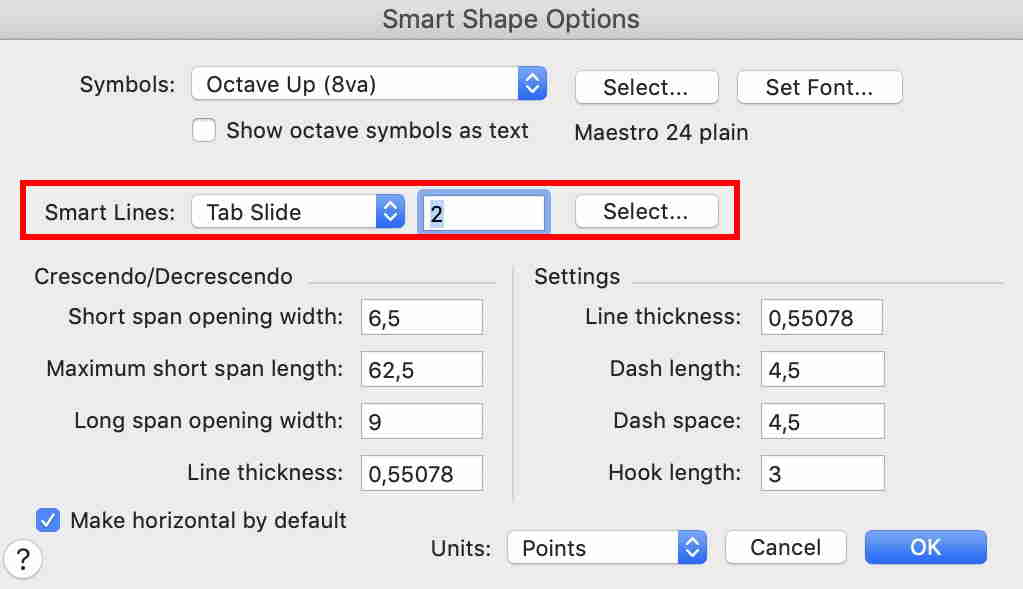
When I use the tab slide tool it no longer creates a short line between notes, instead it makes a"tr."-sign and a wavy trill line. Does anyone else have the same trouble? Any solution?
(Win 10 + Finale v 26.2.2.494)


I use the mouse and icon, so no it wasn't the keyboard either. But I think I might have tracked something down...
In order to demonstrate for you I created a brand new sheet from scratch, filled in a few notes and used the tab slide tool and to my surprise it worked flawless. So I went back and opened the piece I had trouble with, tried a new tab slide but there I still got a "tr.~~~~". It appears that for this piece I made use of a template found on the net called "Bergmann Edition" with predefined symbols for Barre, guitar fingering etc. I've used it before without any trouble (but it might have been an earlier edition). Apparently this template redefines the tab slide tool. I wasn't aware this was even possible! Did you?
Thanks for your effort to help.
Please sign in to leave a comment.
5 comments
Date Votes