New post
Avatar
0

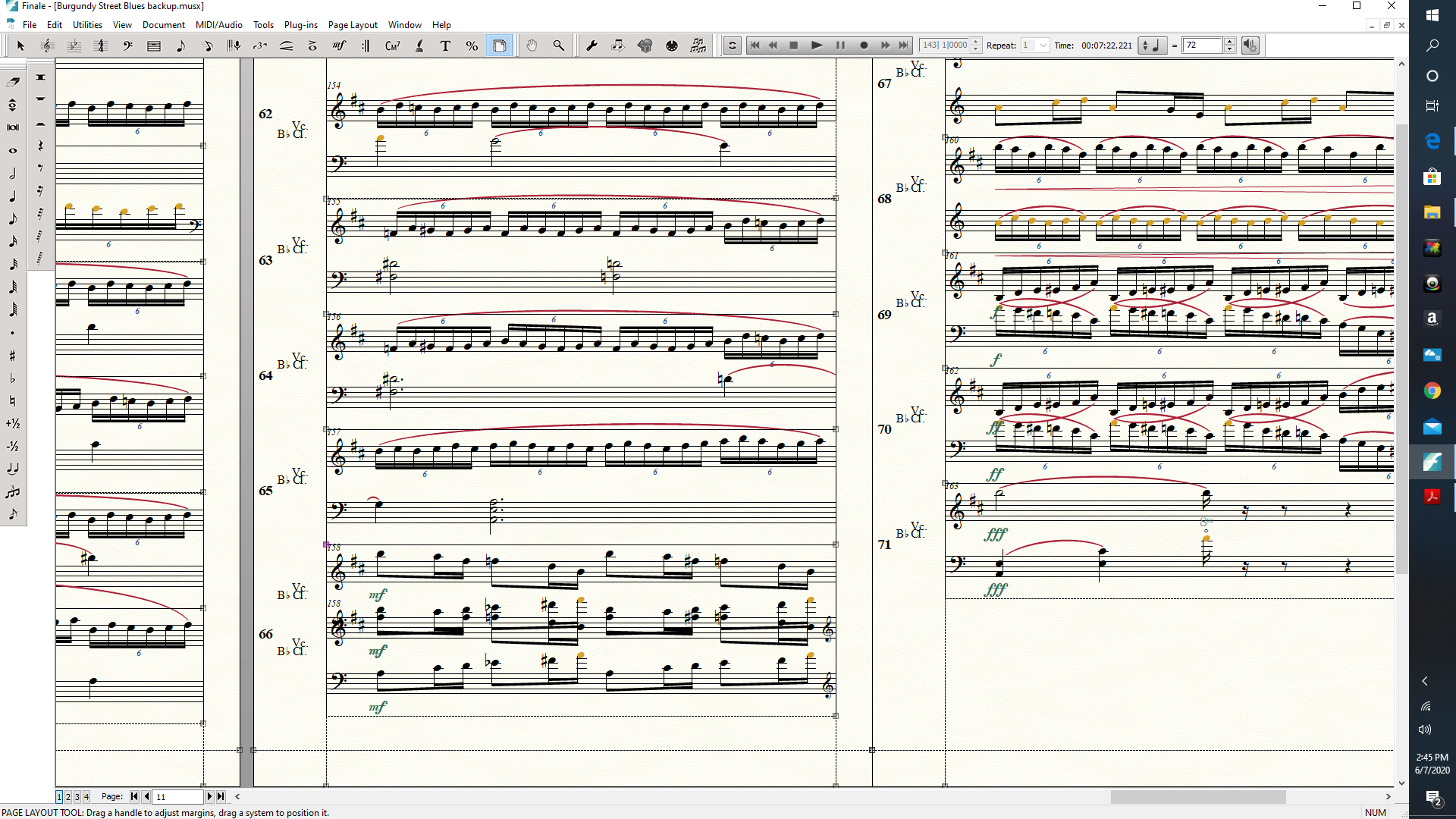
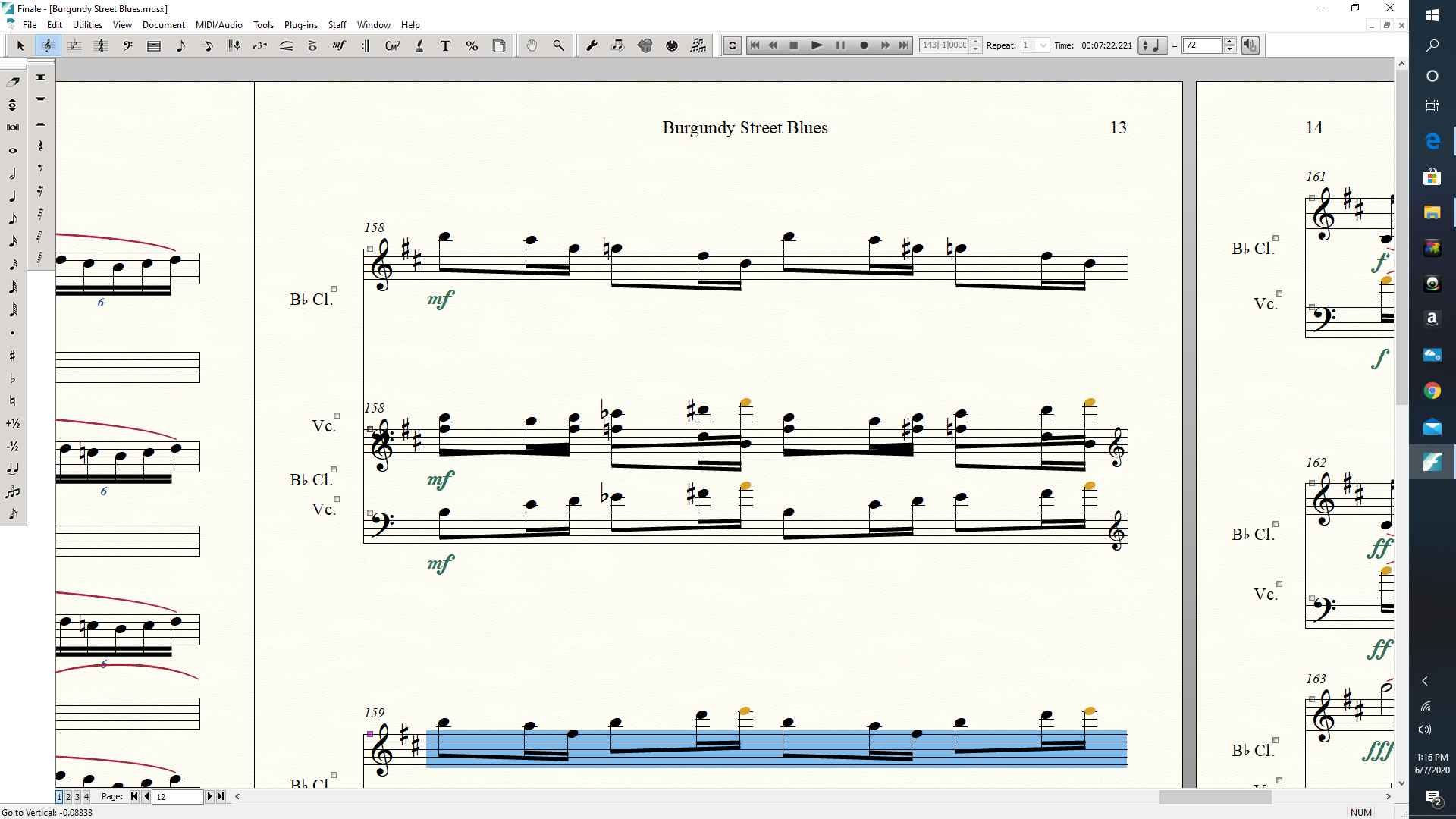
Hi, I'm using Final 26.2.2.494 on Windows 10.  I am writing a duet for two instruments.  I was dragging around staves, adjusting things when suddenly I have one measure in which I have the same measure: (1) replicated (2) overlapping with itself.  I've tried deleting the measure but the next measure just turns into that monster.  I looked in past issues articles and I tried changing numbers in the Staff/Staff Usage dialog box, but all that does is send one of the staffs into outer space.  How do I get my measure back?  Thanks.

Tim
 

6 comments

Date Votes
Avatar
0

Can you delete the whole thing, insert a blank measure and reenter the notes?

Comment actions Permalink
Avatar
0

What I would do:


1) Make a backup copy of the document, and open the backup copy.

If something goes wrong with the backup copy, you still have the original copy.


2) In the backup copy, switch to Scroll View, and examine that measure in Scroll View.

You can use the dialog box Staff Usage in Scroll View.


3) When the staff spacing is fine in Scroll View, switch back to Page View, and use

Staff menu > Respace Staves…

Choose the option {Set to Scroll View Spacing}.

This step should fix the entire document.


4) If that does not fix the problem, switch to the Page Layout Tool, and try

Page Layout menu > Redefine Pages > …

Comment actions Permalink
Avatar
0

Neither of your suggestions worked:

1.  When I delete the measure, the problem rolls to what was the next measure.  When I re-insert a blank measure, the problem transfers to the new measure.  It's as if the problem is in one physical location and anything there becomes another creature.

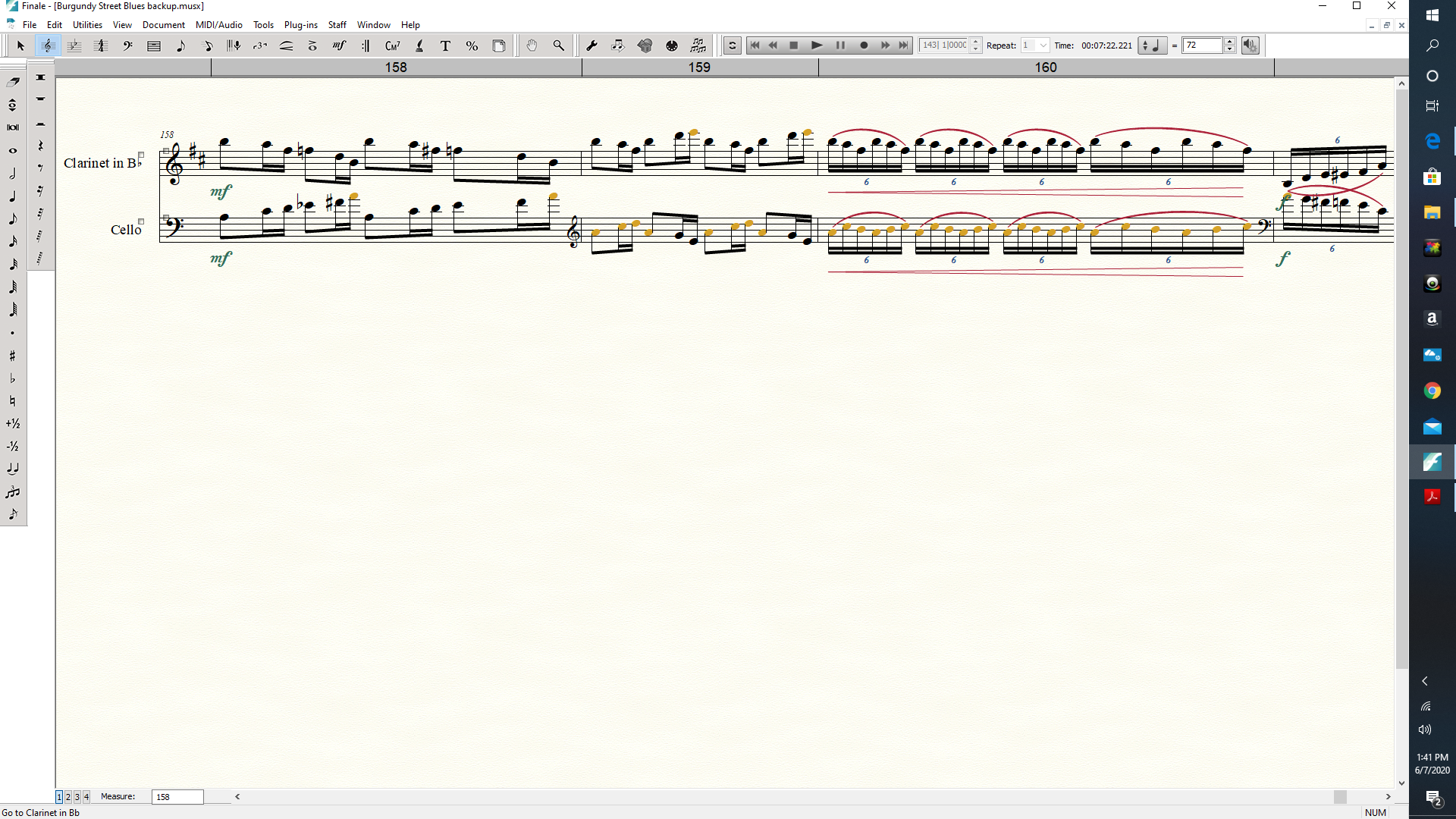
2.  The measure looks perfectly fine in scroll view (see left measure below).  There's nothing to see.  When I go back to page view after doing the Scroll view spacing choice, it's still there.


Any other ideas?

Tim

Comment actions Permalink
Avatar
0

Did you also try

Page Layout menu > Redefine Pages > …

?

Comment actions Permalink
Avatar
0

Yes, all that did is make this nicely spaced, but kept the overlapping measure intact.


Comment actions Permalink
Avatar
0

Since we are grasping at straws here, try exporting the music as XML and then importing it to a new Finale document.

Comment actions Permalink

Please sign in to leave a comment.