New post
Avatar
0

Hey!

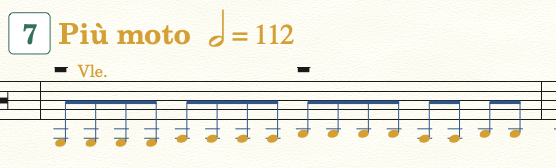
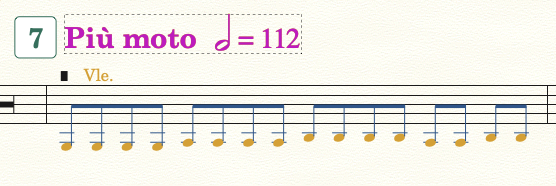
I can't seem to figure out how to fill empty bars with a double whole note rest (breve) as default. The empty bars have a single whole note rest as default as it is (see included image). Any hint of a solution would be highly appreciated!

I use MacBook Pro with 10.14.6 and Finale 26.

Best wishes and don't forget to wash your hands!

/Patric


10 comments

Date Votes
Avatar
0

If you want a breve rest in empty measures, you'll have to put it there manually. There is no programmed option to do it automatically.

Comment actions Permalink
Avatar
0

Oh, that's disappointing. Thank you for answering anyway.

/P

Comment actions Permalink
Avatar
0

If you want a breve rest in empty measures, then you must change it in the Document Options.

This means that the Default Measure Rest will display as a breve rest everywhere in the document, no matter the actual time signatures in the document (such as 4/2, 3/2, 2/2, &c.)


Obviously, if the time signature is 4/2 everywhere in the document, then you will be fine with a breve rest as Default Measure Rest.


The change is done here:

Document menu > Document Options > Notes & Rests > Rests Characters > Default Measure Rest

The breve rest is located in character slot #227.

Comment actions Permalink
Avatar
0

Yes, my thought was that it shouldn't be impossible to change the default rest. I just couldn't find out how, despite googling and manual reading. This is perfect. Thank you so much!

Comment actions Permalink
Avatar
0

>If you want a breve rest in empty measures, then you must change it in the Document Options.

This means that the Default Measure Rest will display as a breve rest everywhere in the document, no matter the actual time signatures in the document (such as 4/2, 3/2, 2/2, &c.)<


Peter, is this something that can be done in a template or is the change global?

Comment actions Permalink
Avatar
0

… Peter, is this something that can be done in a template or is the change global? …


I am not sure what you mean by your word ‘global’.


Anyway:

The setting is in the Document Options, so it is document specific (not program specific).

You can set up a template with this setting.


But it is a document setting, not a measure/staff specific setting.

In Other Words:

The chosen symbol for Default Measure Rest will be the Default Measure Rest symbol for all empty measures in the entire document. Unfortunately you can not change the symbol ‘locally’ for only some specific measures in the document.


Hey! That is an idea for a feature request …

Comment actions Permalink
Avatar
0

>I am not sure what you mean by your word ‘global’.<


It’s a common term used to describe a setting that applies to everything. A document or template setting would not be — which answers my question. Thanks!

Comment actions Permalink
Avatar
0

Hello again!

I will continue this thread since I have a follow-up question similar to the initial one and because I am still the same person:

when I insert cue notes the default rest automatically is a whole note rest, but I want it to be a breve rest. The only way to get around this as I have found is

1. to put in two whole note rests


2. manually insert a breve rest (which then is not centered)


I would like the breve rest to be automatically centered. Any hints would be highly appreciated.

Stay well!

/Patric

Comment actions Permalink
Avatar
0

It can be done with a workaround:


1) Hide or delete the whole rest.


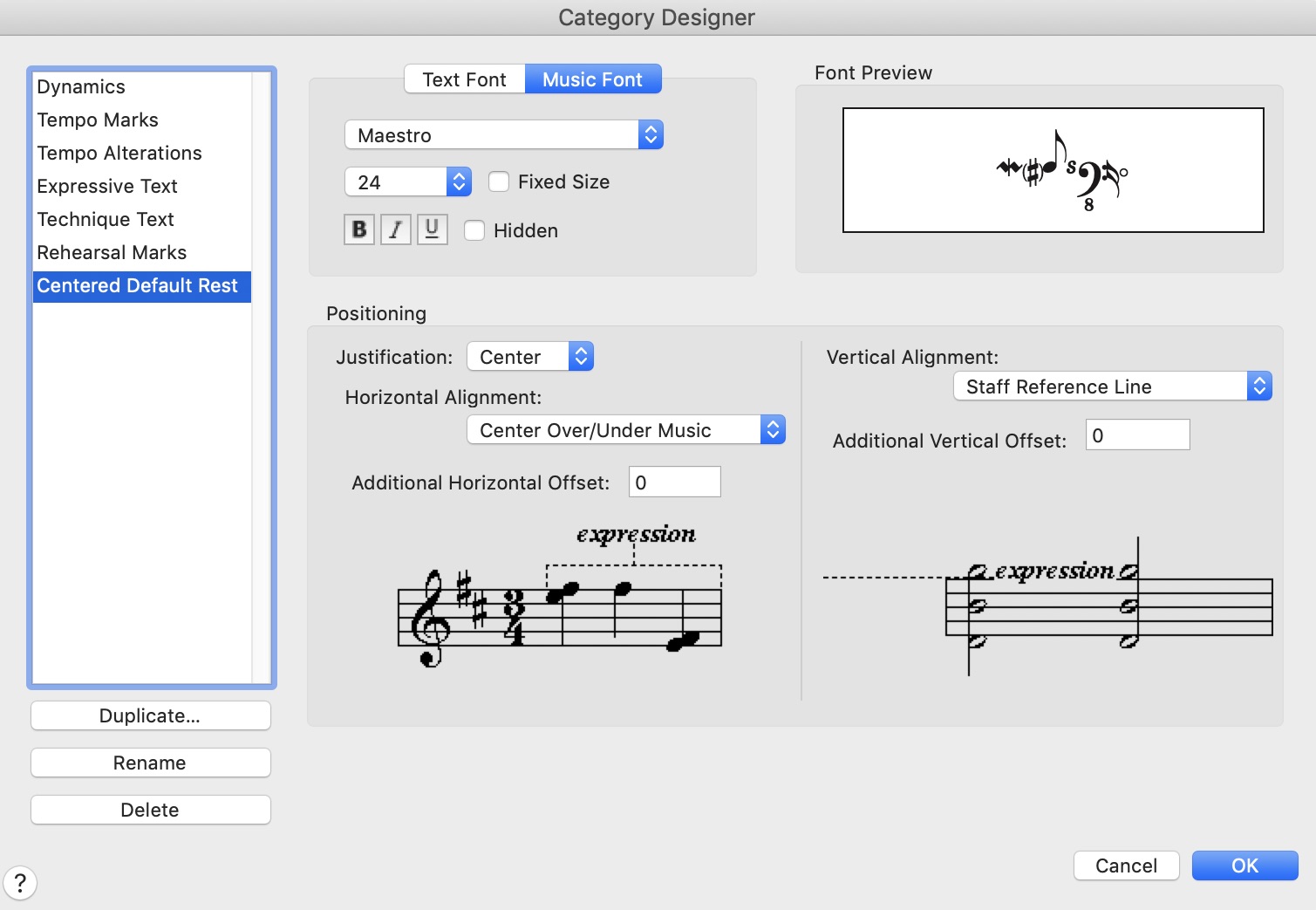
2) Add a breve rest as an expression.

Comment actions Permalink
Avatar
0

Aha, thanks. I will try that!

Comment actions Permalink

Please sign in to leave a comment.