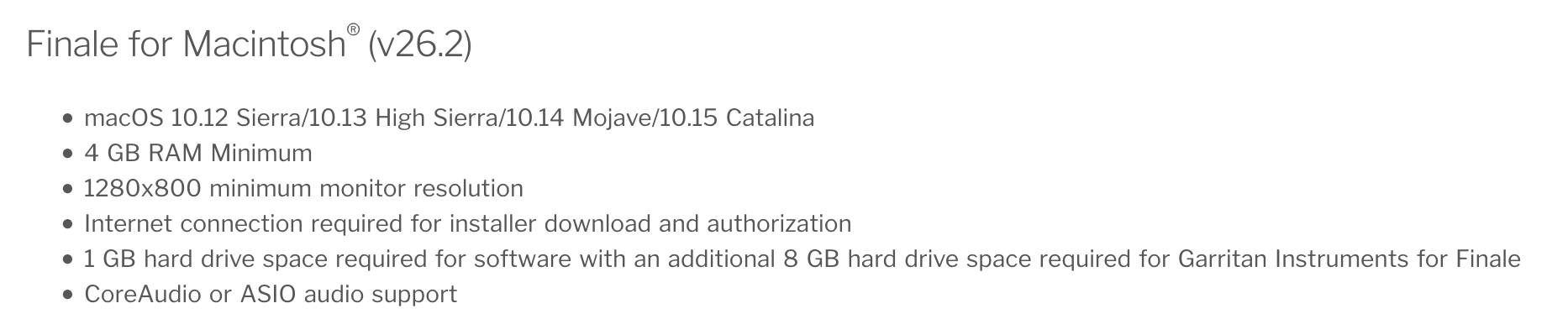
I cannot download the finale demo on my Mác. I have the 0S X Yosemite, 10.5 software. Do I need to have Mojave?


Hi,
I just updated my Mac mini to Monterey. I bought Finale 27 to Woodbrass and I will receive it in a few days.
The shop said that I could download the demo version on the Makemusic website and then later I could add the serial number.
Ok, I did that B U T impossible to open Finale. When I click on it it says : "One of the files this plug-in needs cannot be found, please reinstall ..."
I reinstalled it 4 times and no change. Before updating to Monterey I used Catalina and same thing ! Impossible to open.
Any ideas ? Thanks
The demo does not include the ARIA Player and the Garritan Instruments for Finale. You can use MIDI or any VIs and players you may have.
WWBW should have emailed you a download code. You log into your User Account and enter this code. The license is created and you should now be able to download both installers. If they did not send this to you, then you will have to wait for the package to arrive.
Thank you Mike,
I was able to solve the problem. In Audio VsST and VST3 folders, there was the Aria Player. I threw them and now it's ok.
And I have a question. In general, when I install a new software and because I use a Mac with Monterey and Digital Performer, do I need to install all the VST plug-ins as asked at the installation or do I need to install ONLY AU Components ?
Thank you for your help !
Finale for the Mac installs AUs. There are 2 installers — you need to run both. With 27.2, the current version, the second installs an updated ARIA player — this is not available to you when you install the demo. Because of this, when you have your new copy registered, download the full installer package and run both installers as they open up.

I purchased and downloaded 27.2. It works on my MBPro but my iMac won't open or mount the FinaleSetup.dmg file...
Shut down your Mac. Reboot. Try again.
This rarely happens but you might have to uninstall 26 completely.
https://makemusic.zendesk.com/hc/en-us/articles/115003352327-Uninstalling-Finale
Mike H, a question: is there a difference between restarting, and shutting down and rebooting? Does the “full off” let more stuff happen, computerwise?
Yes, more so nowadays than it used to be. If there’s a problem with extensions, plug-ins or attached peripherals not properly loading, a reboot might not correct it when a complete shut down and restart will. I’ve also noticed this with updaters not behaving even after a reboot.
Mike R:
You are on Mac, but an article I read recently about Windows says that unless one disables the quick boot function (and darned if I can remember where that is), reboot clears out settings that shut down saves in order to start up more quickly the next time. So reboot on a Win 10 and newer machine actually gives a more thorough restart than shut down will.
See if this makes sense:
https://computer.howstuffworks.com/restarting-shutting-down-computer.htm
Please sign in to leave a comment.
18 comments
Date Votes