New post
Avatar
0

I have v25.4..... I use Finale a few times a year but usually for a fairly intensive projects... such as writing out 20 lead sheets in a week. Sometimes I have to start all over again with the learning curve.... oh well, that's my problem. Well, one of those projects has just happened. I went into my Finale files just to open something up

and get familiar again and found that I could not open any of my year old files most likely done in version 25 or previous. Upon researching more I found a folder called backup that had what looked like everything I've ever done as a bak file..... I never created this folder or these back up files..... 

Does Makemusic expect us to buy an upgrade if we want to open old files? BTW, I did a get info and these files are called " legacy" files.

Somebody please clue me in..... thanks in advance.

8 comments

Date Votes
Avatar
0

The so called “legacy” file format has the file name extension .mus.

The .mus file format is not downwards compatible, meaning that files created in e. g. Finale 2012 can not be opened in Finale 2011 or earlier.


Finale 2014 and later use the .musx file format which is downwards compatible, sp that Finale 2014 can open Finale documents created in later versions.


To open a .mus file, try changing the file name extension from .mus to .musx.

Comment actions Permalink
Avatar
0

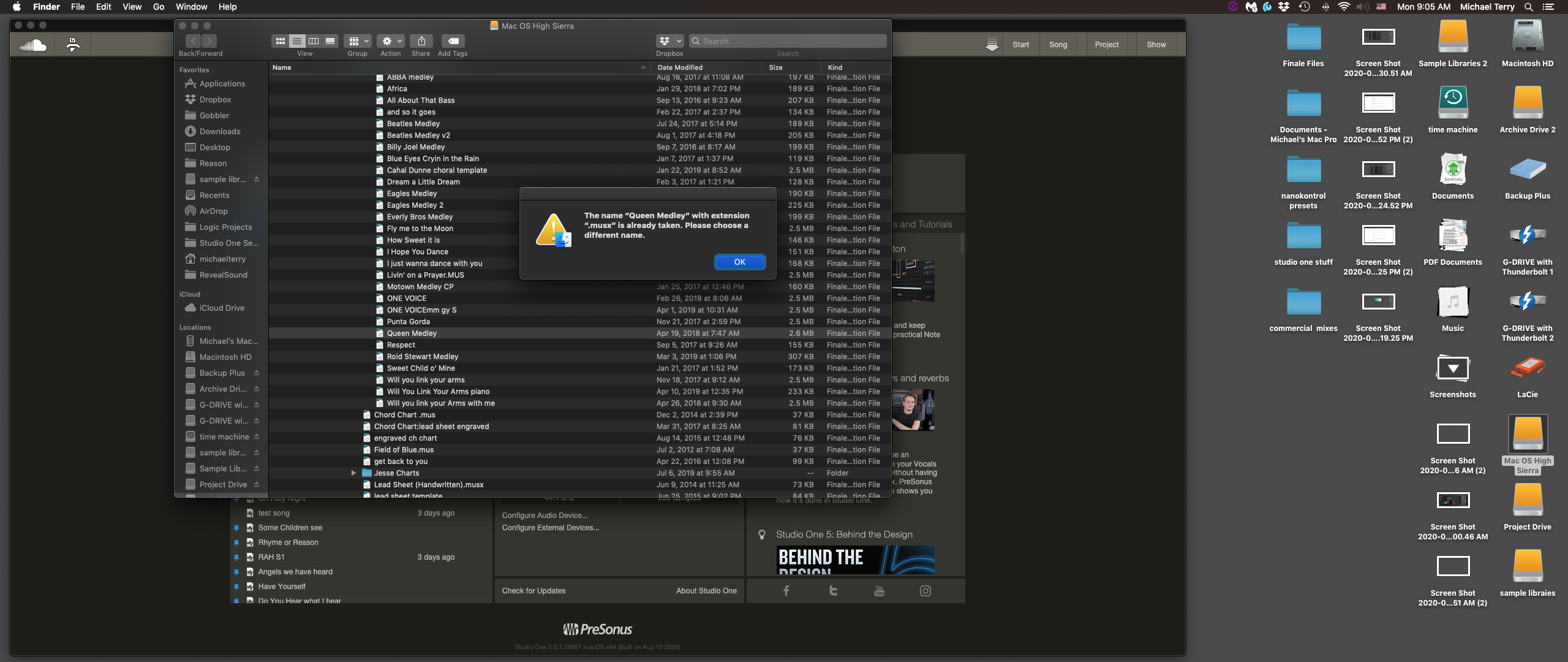
Thank you Peter..... however if I try to change the file extension to .musx the attached prompt comes up..... Not sure how to proceed. This makes for an extremely complicated file management system..... Also I own version 25.4 surely I can open 4 year old files with that version.

Comment actions Permalink
Avatar
0

Try changing the name to Queen Medley2 before opening it.

Comment actions Permalink
Avatar
0

Comment actions Permalink
Avatar
0

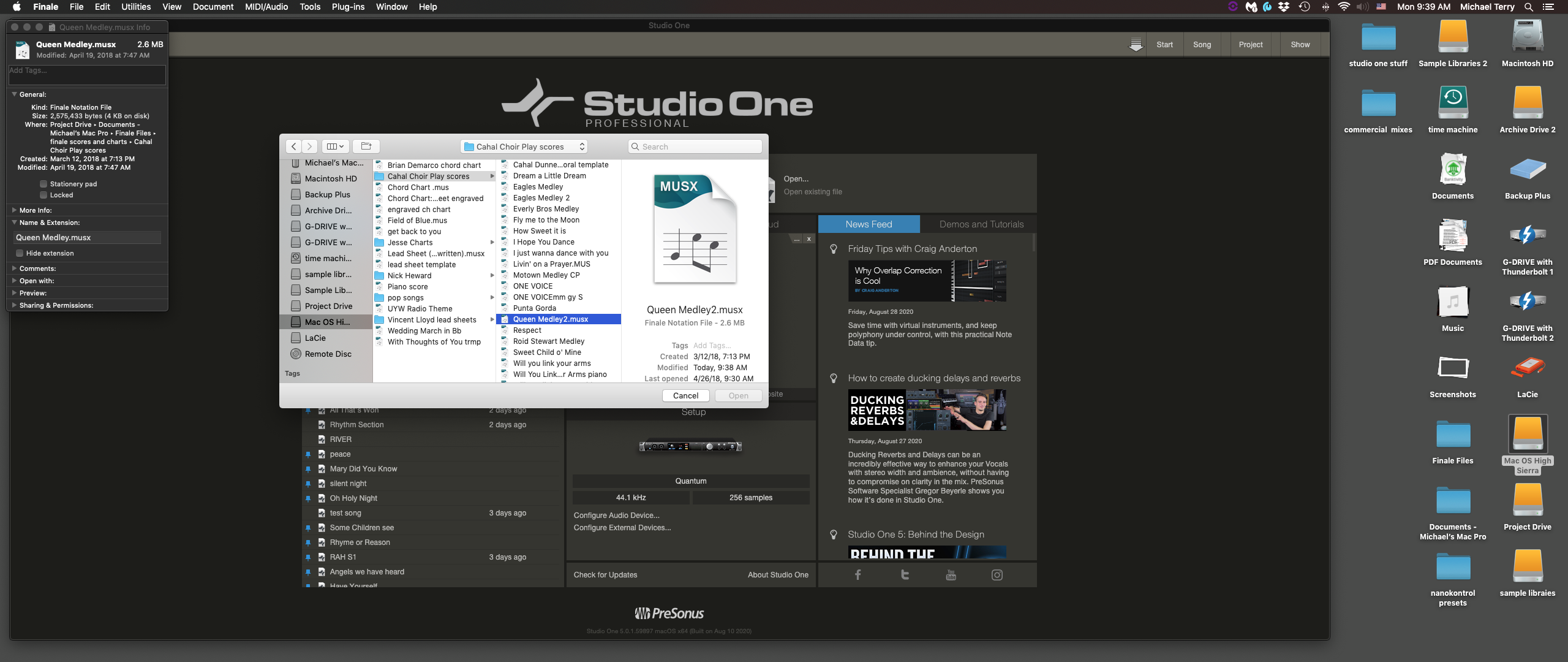
Thanks again Peter...... as you can see the open button is greyed out... no way to open it.

With much respect to you I find it so hard to believe that after upgrading three or four times to the latest Finale this is 

how the company treats its customers..... Every time I have a project where I need Finale, I go thru something like this and

a day is wasted getting up to speed again. And tech support is a week out..... Geeeesh!

Comment actions Permalink
Avatar
0
Comment actions Permalink
Avatar
0

… the open button is greyed out… no way to open it …


It Would Be Nice To Know the steps you have already tried, to open the .musx document.


Your screen shot shows a directory dialog box.

It looks like you are trying to open the Finale .musx document via File menu > Open…


What happens if you instead double-click on the file icon? - Have you tried that?

Comment actions Permalink
Avatar
0

First, in spite of having a large screen (42" 4K), I cannot read any of the text in Michael's images.


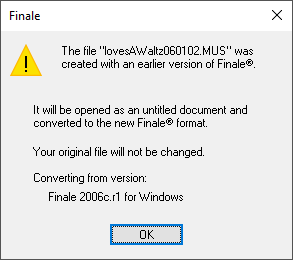
Second, I just tried to open a Finale MUS file from 2006 in Finale 26 and got the following message


The file then opened just fine.


I suspect whatever problem you are having opening your older files, it is not that Finale 25 is not capable of opening them. Since I cannot read your screens, I cannot offer any further advice at this time.

Comment actions Permalink

Please sign in to leave a comment.