Hello everyone !
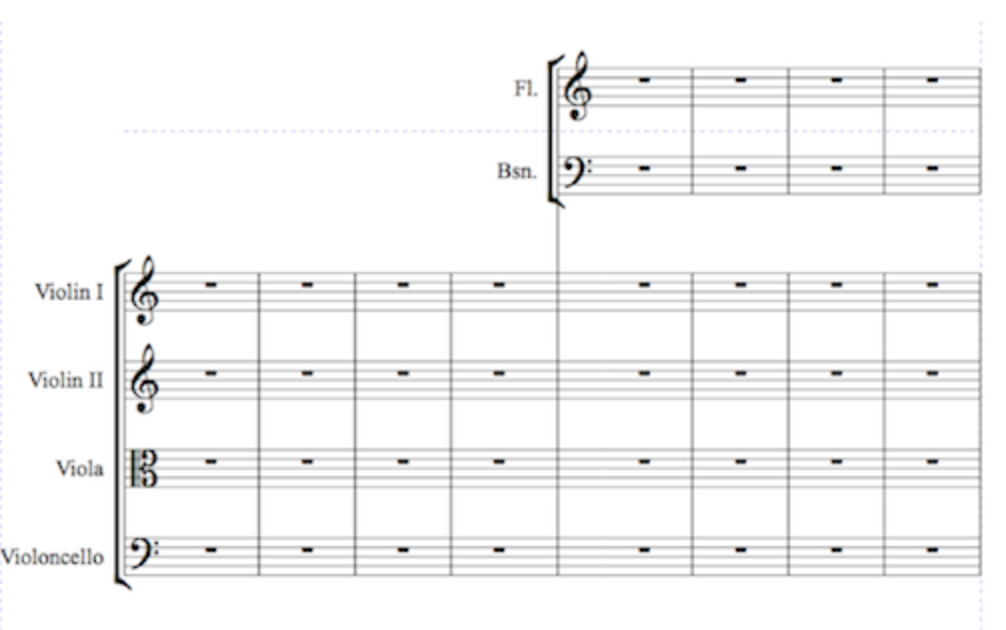
I want to make cutaway score like this.(I have finale26, Macbook 15-inch 2014 mid)
In Sibelius makes that easier... That's make me crazy.
Help me Please.


Kim Myeong Hyeon,
The layout you have attached, can be done in Finale.
I just did so, and it works (at least for me).
I am not sure what is causing you difficulties?
You can use custom staff styles to hide what you do not need.
You can move the group bracket for Flute/Bassoon to the right.
What, exactly, is the problem?
Please explain.
… I can make cutaway staff style but …
1) Do not use the Cutaway staff style - since it will hide everything (including e. g. the staff group bracket).
Instead, create a custom staff style that only hides, what you do not need, such as e. g. Default Whole Rests in the empty measures, and staff-lines, &c.
In that way you still have the staff group bracket (= the one that includes Flute and Bassoon).
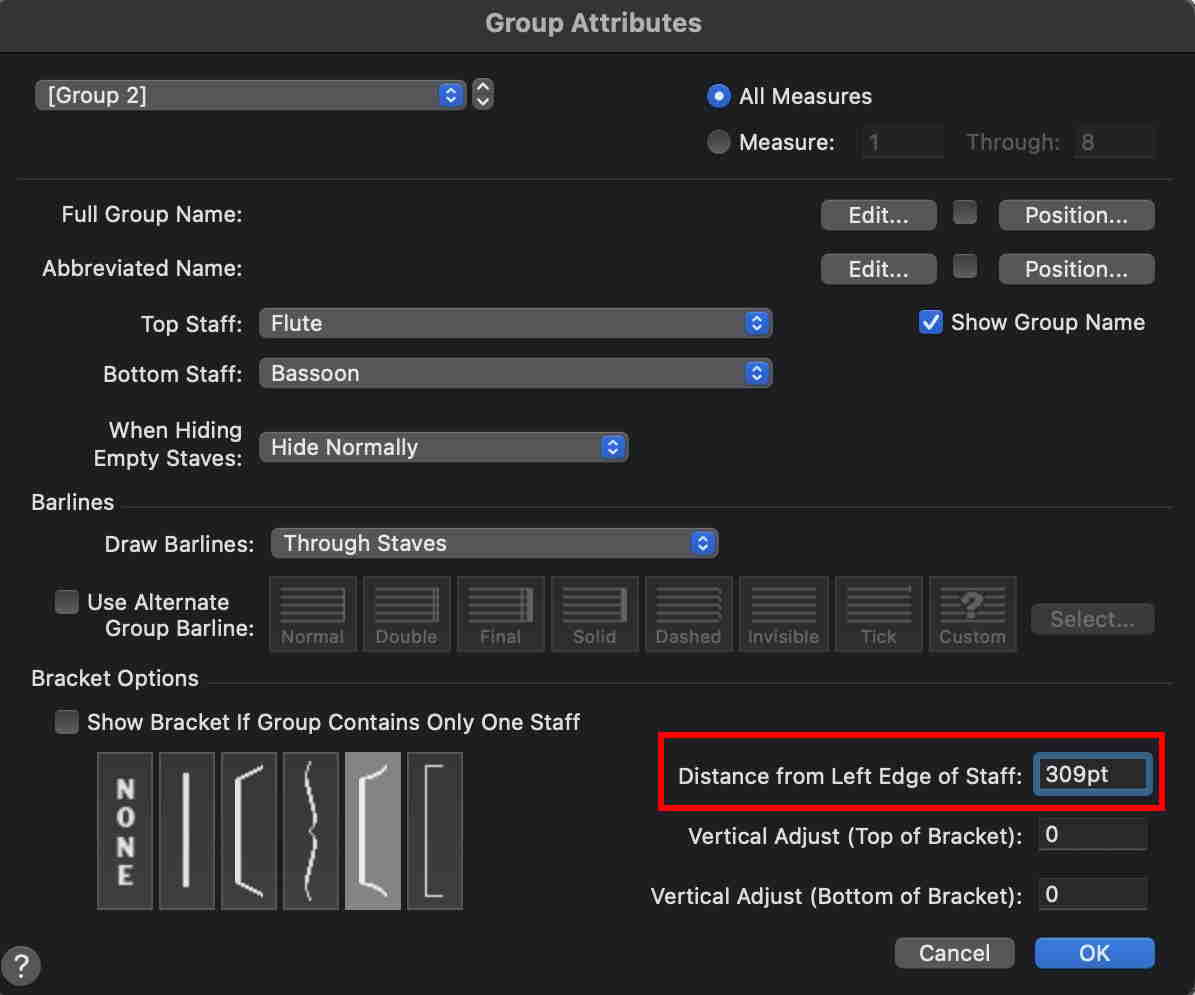
2) Then, adjust the position of the staff group bracket (= move the bracket to the right).
In this example I have moved the bracket 309pt to the right:
3) Similarly, you can move the staff names to the right.
4) Where the Flute staff and the Bassoon staff get visible, you need a barline going through all six staves.
To get that barline, add an extra staff group that includes all the six staves.
This extra staff group is not supposed to display anything.
In the Group Attributes for this extra group, select {Use Alternate Group Barline}, and choose Invisible Barline.
After you have added this extra group, you will not see any change in the layout.
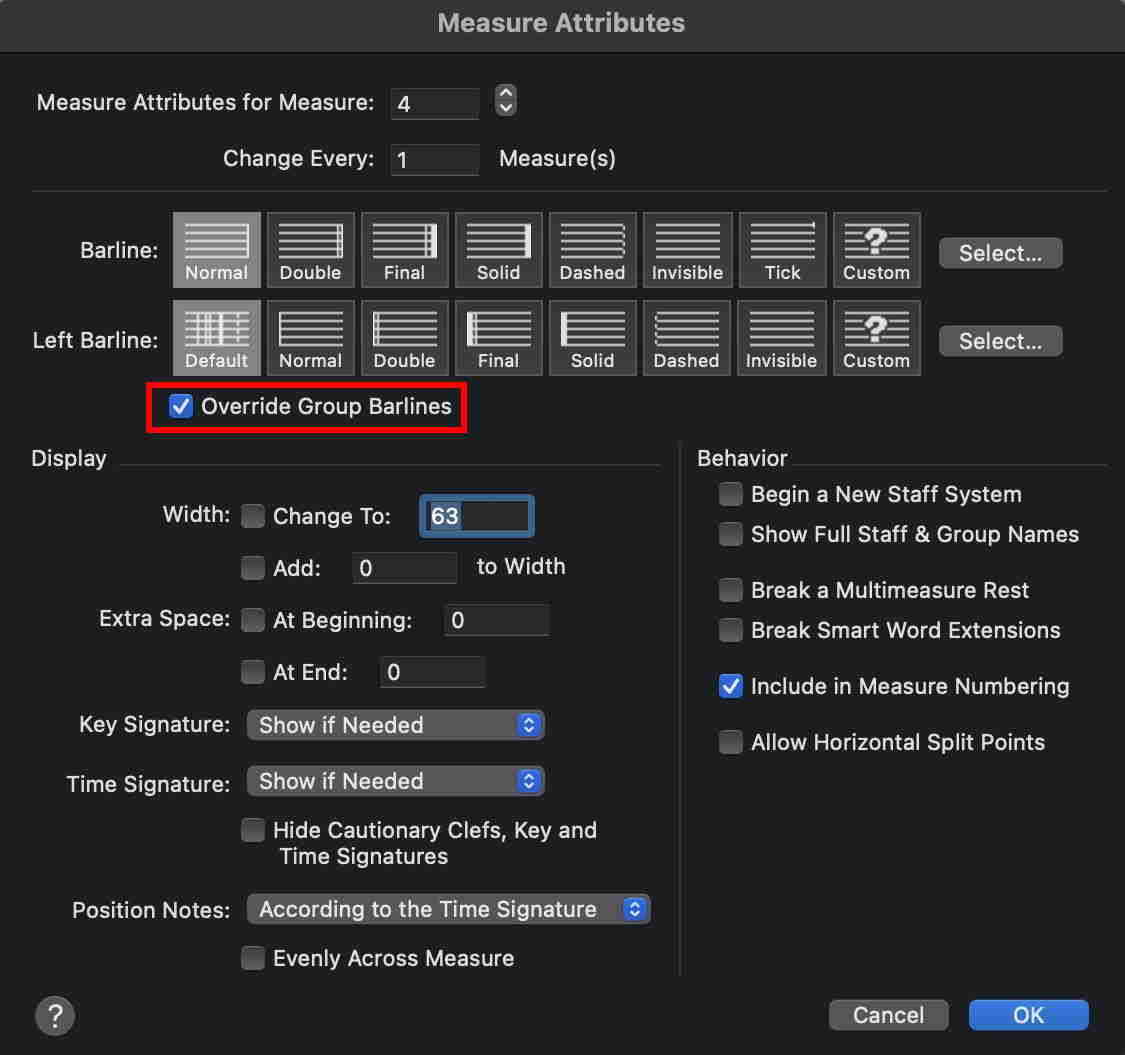
Next, switch to the Measure Tool, and double-click the measure just before the Flute/Bassoon appearance.
In the Measure Attributes, select {Override Group Barlines}:
5) I would use the Expression Tool to add clefs, and key signatures, and time signatures.
Please sign in to leave a comment.
5 comments
Date Votes