New post
Avatar
0

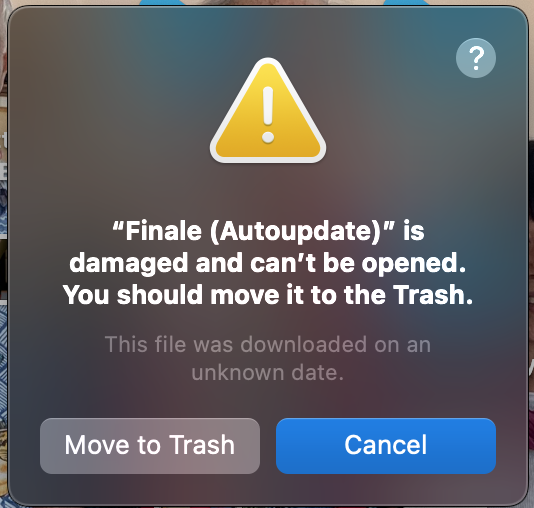
Never seen this one before; I updated to the third developer seed of Ventura and upon restarting, got the following error message that was very unexpected and unwelcome:
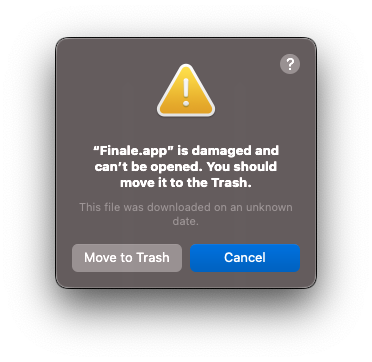
Same thing, of course, happens if I click on Finale to open it. I'm going to reinstall but are there any known issues like this others have experienced between Finale and Ventura? I know it's a beta, but pretty much everything else is working well with Ventura even at this early stage and I've never had issues like this with Finale and other early betas of macOS. Thanks.


UPDATE: on a hunch, I looked at the privacy/security panel in Settings. Sure enough, Gatekeeper was blocking Finale even though it was installed quite some time ago. I suspect Ventura isn't recognizing MM as a registered developer. So once I allowed it to open anyway, all is good. Whew. 

17 comments

Date Votes
Avatar
0

Thanks for letting us know. No surprises, just the usual security panel issues. This bodes well.


MakeMusic never weighs in on Apple beta releases except for the occasional press release just before release. 

Comment actions Permalink
Avatar
0

Actually, they were glad I reported it and had a solution, so that they can make sure to appropriately apprise folks should it happen to them and they file a help request with the Finale team. 

Comment actions Permalink
Avatar
0

David, could you elaborate on exactly what you did to allow Finale to open correctly? Did you toggle the switch for full disc access in Privacy/Security? I tried the later and the warning about moving the damaged Finale file to the trash popped up, even after a restart. Thanks. 

Comment actions Permalink
Avatar
0

This was quite some time ago but if you look at my update it does elaborate. It has nothing to do with full disc access. Thanks. 

Comment actions Permalink
Avatar
0

When Gatekeeper is blocking access, you should see this as you open the Security and Privacy/General panel. Unlock it and you should be able to allow it to open.


Comment actions Permalink
Avatar
0

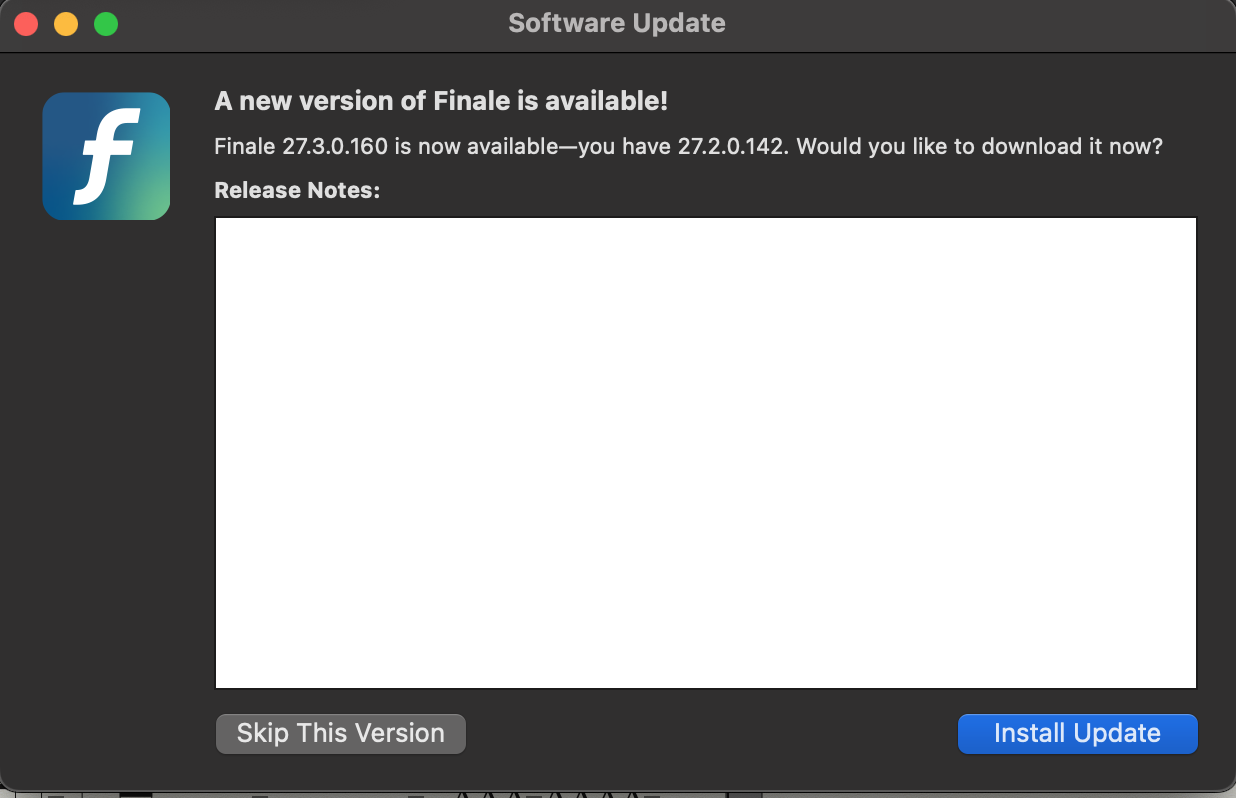
I had the same problem. When I started my Finale on my Mac running current Ventura, I got this box for 27.3 with nothing in the "Release Notes" box (which I found a little strange).

When I tried to install the update, I got this:

I finally solved things by deleting my current version of Finale (27.2), downloading 27.3 from the website and reinstalling it. Seems to work OK.


Comment actions Permalink
Avatar
0

There are many apps currently having this issue. They are Ventura compatible but a) the updaters don’t work properly or b) the app was installed but generates these errors after the Ventura update.


The recommendation is always a) reinstall the app after the Ventura update b) see if you still have the problem c) if so, Now send it to tech support.

Comment actions Permalink
Avatar
0

Interesting. I’ve been using Ventura early on as part of the development seed process and never saw this behavior. I have not had to reinstall any apps including Finale. 

Comment actions Permalink
Avatar
0

I'm having the same problem. I have Ventura running on my PowerBook. I did the newest Finale update. 27.3.3. It works, but I keep getting an update error, like the one above. That error message keeps popping up, even though I restart Finale and my computer. I am not erasing and reloading Finale. There should be an update for the update!

Comment actions Permalink
Avatar
0

I am not erasing and reloading Finale.


Unless you want to fix the problem. It won’t affect your files. It is often the first thing recommended by Support as a resolution for any issue.

https://makemusic.zendesk.com/hc/en-us/articles/115003352327-Uninstalling-Finale 


I have not had to reinstall any apps including Finale. 


Neither have I. So what? Many others have had this issue. 


Comment actions Permalink
Avatar
0

“Neither have I. So what? Many others have had this issue.”

yes but I guess what I don’t understand is why then this isn’t much more common. This is the first I’ve heard of this. It was not reported as best I’m aware during the development process nor does it appear to be highly prevalent. So that suggests it is more likely something less universal and more arcane. That’s why I commented. 

Comment actions Permalink
Avatar
0

You can always Google “Ventura File/App is damaged and cannot be opened. You should move it to Trash“ and start reading the 2,250,000 search results.


Comment actions Permalink
Avatar
0

I guess I’m blessed them. Not seeing it. So what makes my system so special? 

Comment actions Permalink
Avatar
0

I had the same exact problem with the update. I also removed Finale and re-installed the full version and that seemed to work, but we will have to wait and see if this issue pops up again on the next Finale update. 

Comment actions Permalink
Avatar
0

Since Apple’s Final Cut Pro X is one of the many apps where this is occurring, my money is on a Ventura update being where the problem is solved — or not. We know the workaround.

Comment actions Permalink
Avatar
0

In Ventura, Finale 27 scrolls 1/2 measure ahead of the audio playback. This is in scroll view. in Page view, it is fine. Is there a fix for this?

Comment actions Permalink
Avatar
1

In Ventura, Finale 27 scrolls 1/2 measure ahead of the audio playback. This is in scroll view. in Page view, it is fine. Is there a fix for this?


Need more information. What are you using to generate the audio?

Comment actions Permalink

Please sign in to leave a comment.