New post
Avatar
0

Hi all

I'm using a Macbook Pro. Finale v. 27.2.0.142

I am entering a score by hand (i.e. no MIDI). I set the tempo at the beginning as usual. There are a ton of time signature changes, but no tempo changes. But when I do playback, it seems that there are places where the music switches to a default that is MUCH faster than my tempo. Did I toggle something by accident??

Thanks

6 comments

Date Votes
Avatar
0

Three things control the tempo in Finale:


MIDI Tool (= the recorded tempo changes)

Expression Tool (= the expression tempo changes)

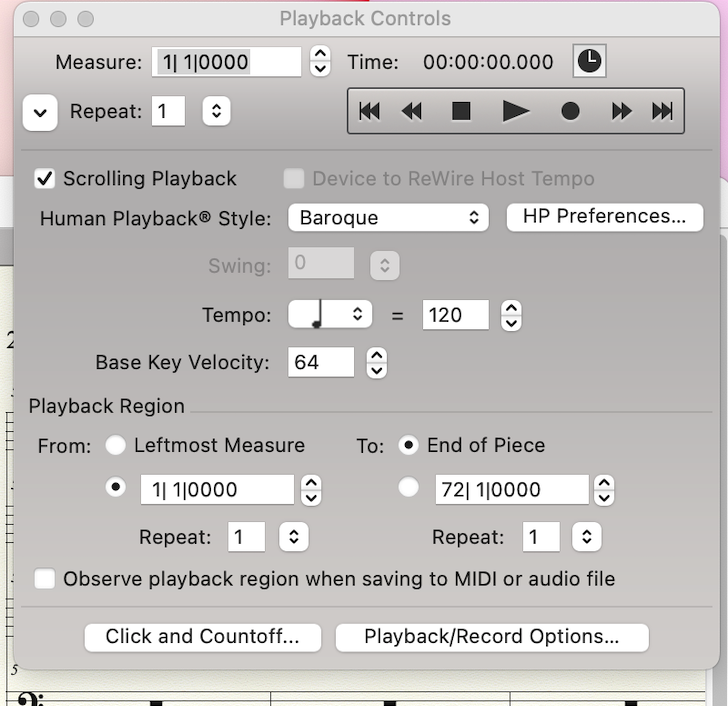
Playback Controls


And they work in a hierarchical fashion.


The tempo in the Playback Controls is overridden by an Expression that sets a tempo.

This is overridden by the MIDI Tool, which is at the top of the “Tempo Hierarchy”.


You tell that you “set the tempo at the beginning as usual”.

I suppose that you are talking about an expression - right? (not about the Playback Controls)


Try this (could not hurt):

Selection Tool.

Select All.

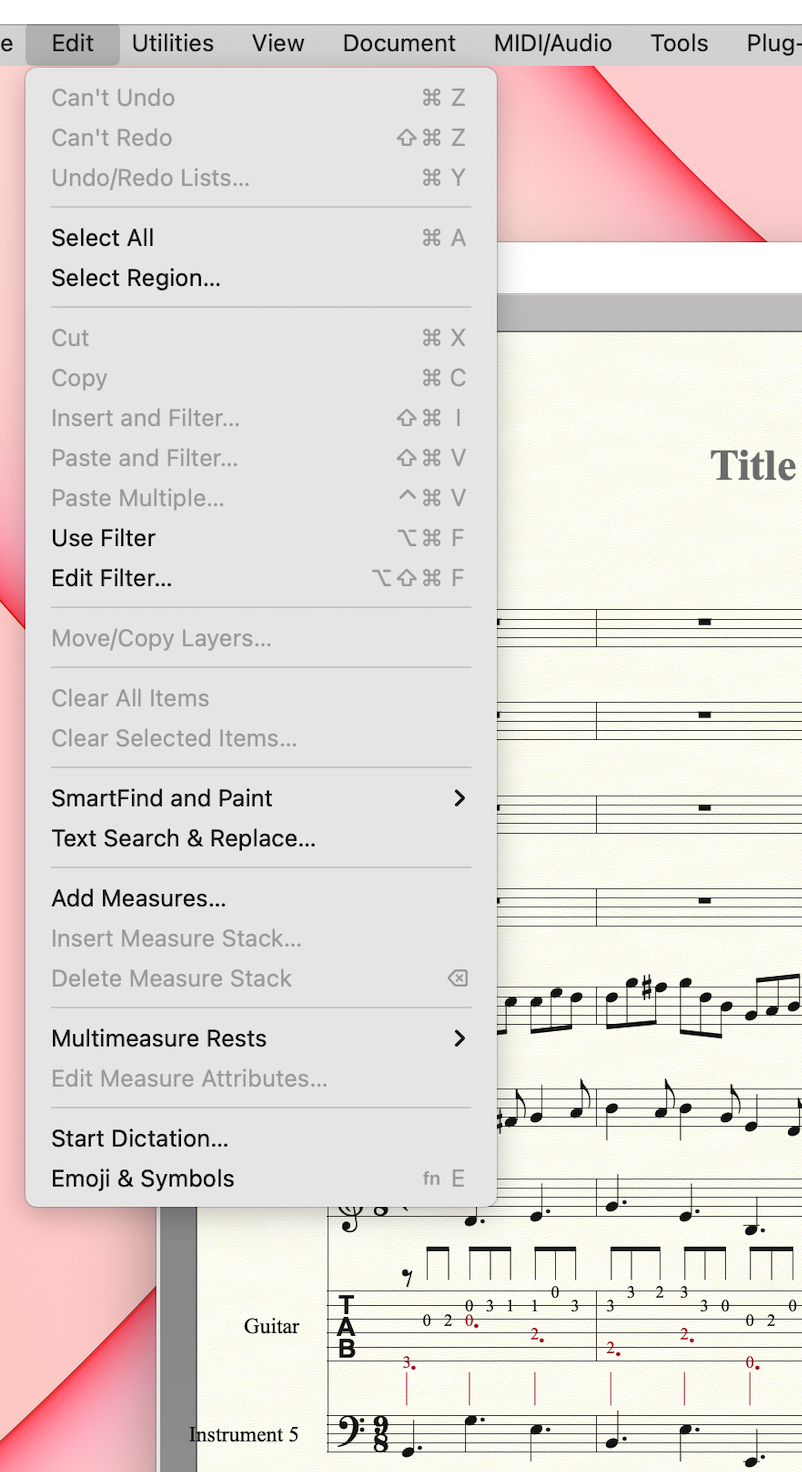
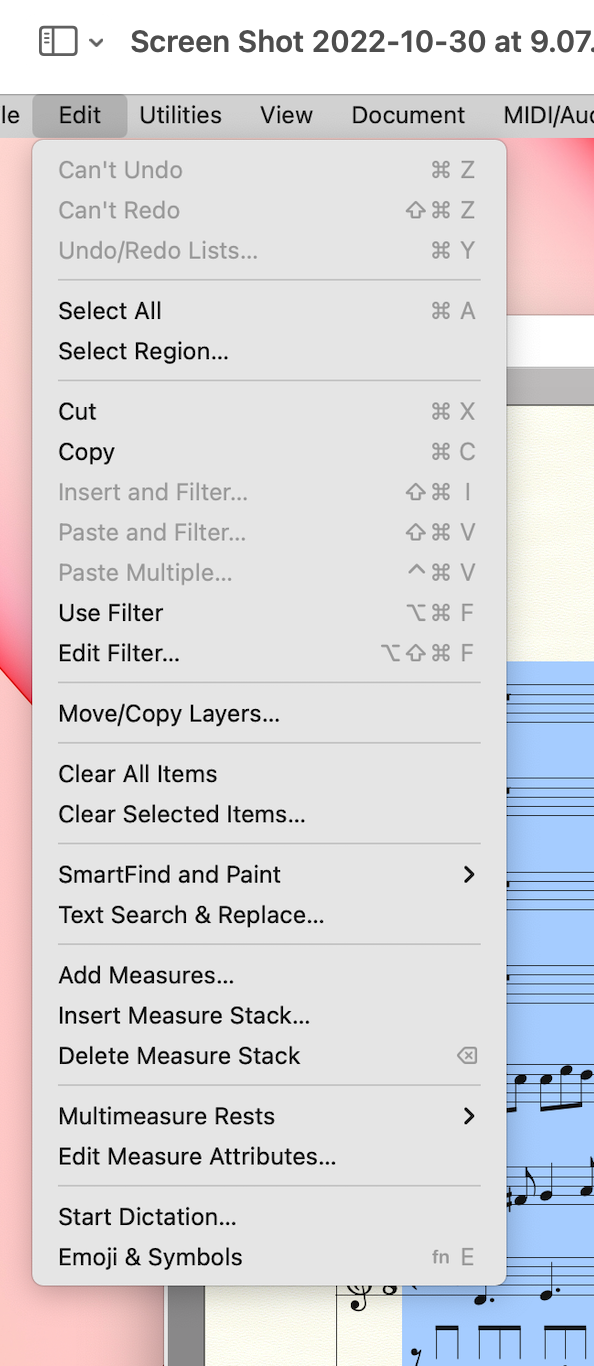
Edit menu > Clear Selected Items…

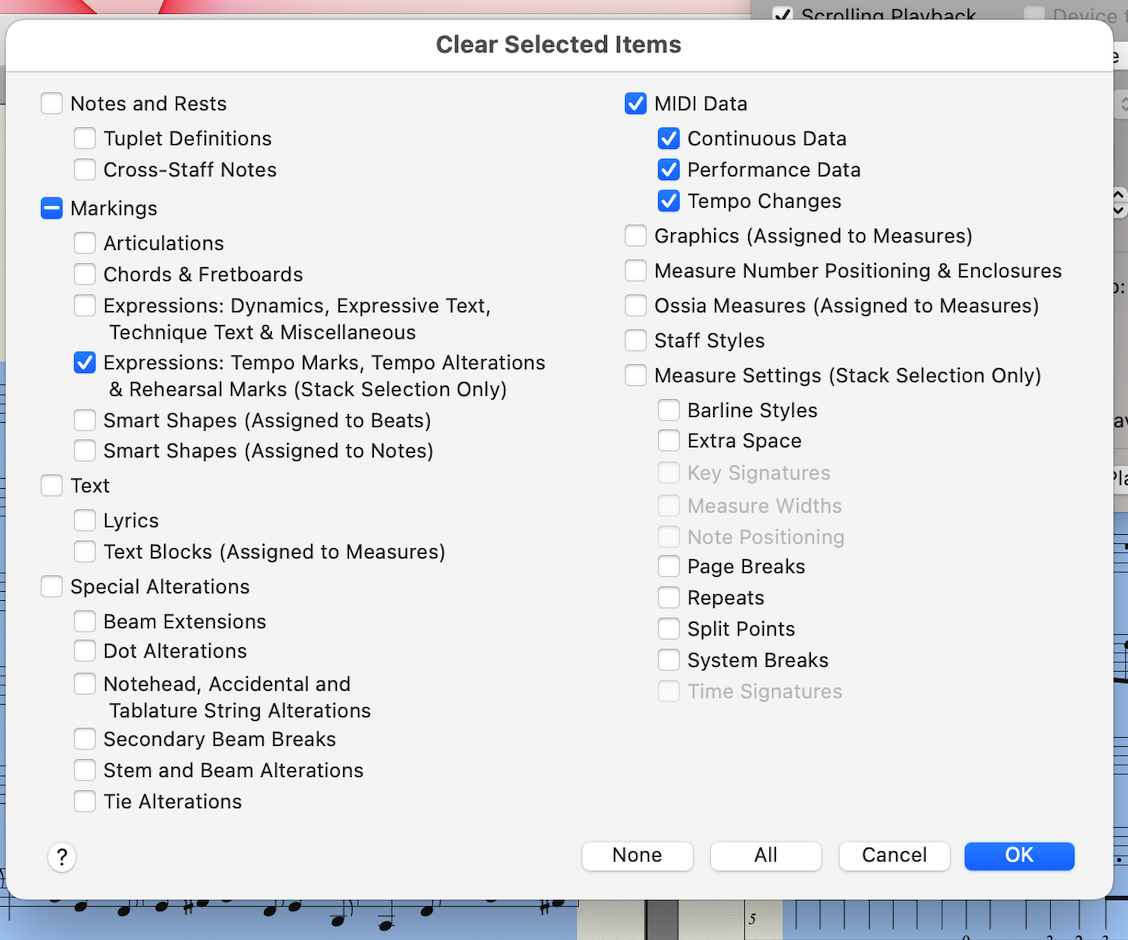
In the dialog box, de-select everything except Tempo Changes (in the pane MIDI Data).

Comment actions Permalink
Avatar
0

THanks, Peter. I've never known about that hierarchy.

And yes, I set the tempo with the expression tool at the beginning.

Comment actions Permalink
Avatar
0

Did this end up working for you?  I'm having the exact same issue and have already tried this fix with no luck.

Comment actions Permalink
Avatar
0

Back to what Peter said. Not only must you understand the hierarchy but it's important to know how to clear the data that is causing your problem.


In the Edit menu, Select All


Now Clear Selected Items…


This brings up the screen you want. Note that anything you want to Clear is checked and in Blue so check what is to be cleared and uncheck anything you want to remain. I am clearing all MIDI and Expression data but I don't have to. Often, clearing MIDI Tempo Changes works but if that doesn't do it (especially with imported files, it might not) clear all MIDI. Remember that Expressions are lower on the hierarchy and may need to be cleared as well—which is why I have it checked for this demo—but I almost never have to do this on files I import.


This window is for 27, your window might not look exactly the same.


It's also possible that the Playback Controls window has tempo changes. You'll see those at the measures where they occur. Remember that you must come to full Stop before you can apply changes as those fields are greyed in Pause.


Once again, this is the bottom of the hierarchy. Any data in Expressions overrides this and MIDI data overrides everything else.


Comment actions Permalink
Avatar
0

Thanks for the walkthrough, Mike.  This is the exact process I did after reading it suggested on other help forums as well as in Peter's description.  The problem has recurred in several projects now.  Hopefully Lawrence has a better result!

Comment actions Permalink
Avatar
1

You're welcome, Karyn,


This happens most often with files found on the internet including MuseScore exported as MIDI and MusicXML. You have no idea how those were prepared. With xml. you don't know how well the originating app integrated it nor what version etc. Knowing how to clear everything gives one a better chance of getting this right.


Comment actions Permalink

Please sign in to leave a comment.