New post
Avatar
0

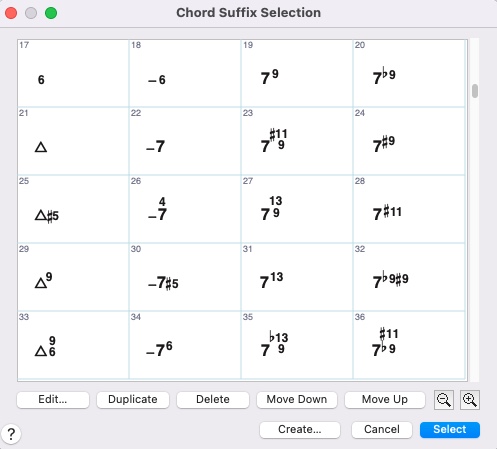
I am glad there are many suffixes to choose from in the selection window. Very useful for the times you need a rare chord extension. But when it's time to scroll in said window, among up to 200 suffixes that are written so small, it would make sense to, at least, be able to zoom in a bit.

Oh! but there is a magnifying glass in that window.
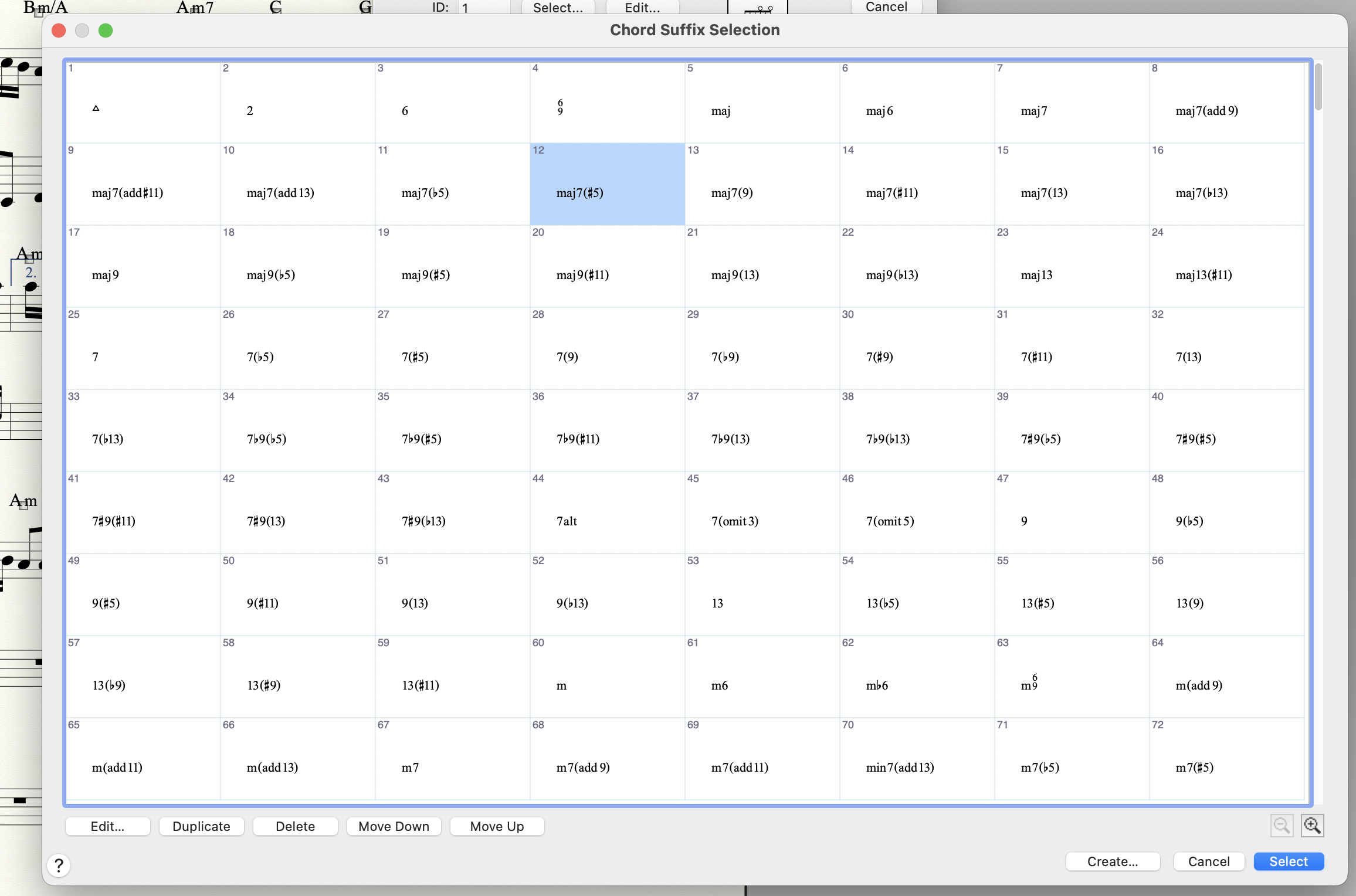
But wait! It doesn't act as you would expect. 'Cause instead of zooming the elements to be selected, it zooms only the table itself, making the suffixes look even smaller.
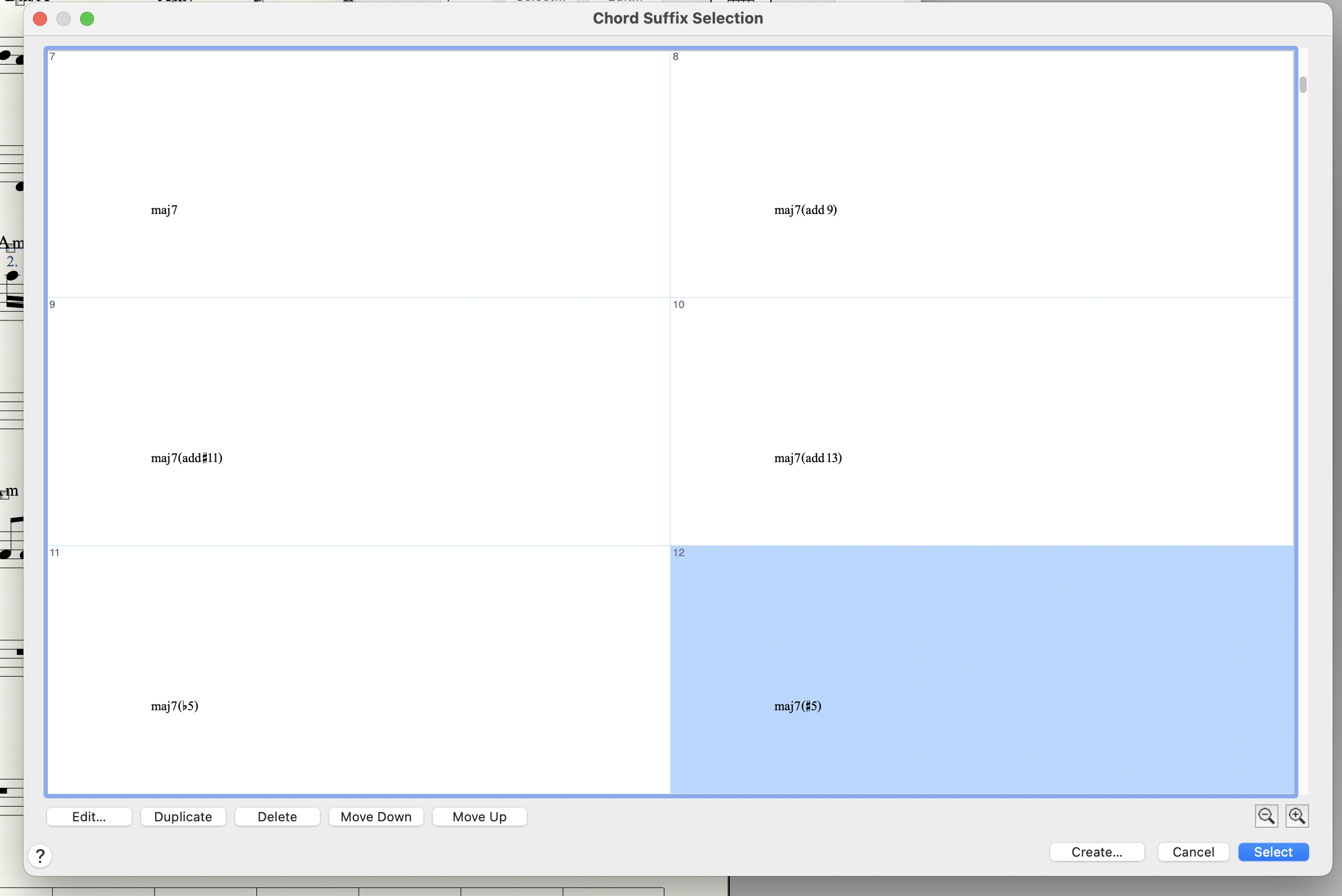
Please fix that. I am becoming old and my sight is not going better


15 comments

Date Votes
Avatar
0

I've complained about this for years, for the chords, expressions, and articulations. Nobody on the mothership seems to listen, or care. The only place the magnifier works properly is in the F27 Insert Symbol dialogue box, which they probably fixed by accident when they made it SMuFL aware.

Comment actions Permalink
Avatar
0

On a moderated board, this would be moved to Feature Requests where it belongs. Who knows? Perhaps MM will pay more attention to it over there.

Comment actions Permalink
Avatar
0

A few weeks ago, I sent in a feature request directly to MM. Their response was that I shouldn't do that; rather, I should always post them on the site, so that other users could vote on them, and MM could decide which ones to pay attention to.


As if they would know if there was ballot box stuffing.

Comment actions Permalink
Avatar
0

MIKE HALLORAN

As I understand it, this is not a feature request. The feature already exists, it's just really bad at doing what it should. It's like they even didn't tested it.

Comment actions Permalink
Avatar
0

François, I agree with you. Asking that something work properly is not a feature request, which I would reserve for asking for something new.

I know, from comments both here and on the other Finale forum, that many long-time beta testers were passed over for the last few iterations.

Comment actions Permalink
Avatar
0

The window expands but not the text contained. You are assuming that if a user zooms in on the window, the text should follow—a most reasonable assumption, frankly.


If that were mentioned anywhere in the manual, I'd agree with you but I can't find it. If I'm missing something, please let me know. If not there, then it is a Feature Request.


I don't work for MM but do have some prior experience here. In a previous life, I was the senior support tech at a few Silicon Valley firms. I would regularly field calls where someone would say, "when I do this, I want/expect That" to which I would have to reply, "you are correct That doesn't happen and we don't say it will  — but I can see why you would like it" or "here are the reasons it can't happen (followed by Microsoft doesn't allow it)" or "here's how you make it happen" after walking someone through the documentation. Depending on the call, I would put That in a report for inclusion in a future version. If, however, That was documented behavior and not working, I would send it to Engineering to be addressed.


Comment actions Permalink
Avatar
1

If I'm missing something, please let me know.

OK!

I have to agree with MikeR and François. No one in their right mind would think the + magnify glass was there to make the boxes bigger. Some things revert to common sense even though it may not have a sentence in the manual.

Comment actions Permalink
Avatar
0
Comment actions Permalink
Avatar
1

There is a name for it:

Unmet Reasonable Expectation (or URE)

which is something else than a bug.

A bug means that the program does not work, as it should according to the documentation.

Comment actions Permalink
Avatar
0

Thanks PETER THOMSEN

Makes sense. But then, where would the right place to ask about these? Note : it is my first time posting about issues with finale. I would be happy to learn the best way to do it.

Comment actions Permalink
Avatar
0

It says the following :

"[Magnifying glass icons]. Use the magnifying glass icons to zoom in and out. Click and drag the lower right corner of the dialog box and drag to resize it."


Thanks. I searched quite a bit and never saw that page. I concur that really is documented behavior not performing correctly.


Use the Submit a request field at the top of the page to report it to MM Support.  Please let us know what they say.

Comment actions Permalink
Avatar
0

I did send a request from the start. The answer was :

"To further support your feedback, I would suggest posting your feedback to our online Finale Feature Request community. Posting your feedback there not only allows you to discuss your ideas with other Finale users, but allows others to vote on your post as well! Our Product Management team also monitors these posts to help identify which issues are most crucial to our customers."

Thus the post here!

Comment actions Permalink
Avatar
0

That’s the same thing they told me. So now, feature requests get voted on like in junior high school.

I wonder how many votes you need to identify a crucial issue?

Just like in Chicago: vote early, and often.

Comment actions Permalink
Avatar
0

In any case, I find these suffixes too small on the score and parts, too. If you must have a music stand at a respectable distance, they are hard to read.

You can try other chord suffix libraries, or if you are ready to spend 2 or 3 hours, create you own, like I did. I created bigger suffixes (combined with bigger root, alteration) and applied my preferences for the symbols. As a result, they are more readable in the Chord Suffix Selection window as well as on the score and parts.

Example :


P.S. : On the Mac, Chord Kerner, a script for RGP Lua, can be a big help to create or modify suffixes.

Comment actions Permalink
Avatar
0

I guess it's useful to have a work around. I would not go over all the suffixes just for the sake of being able to see them better on the window. In my case, I did my custom suffixes that appear just the right size on the score.

Comment actions Permalink

Please sign in to leave a comment.