New post
Avatar
0

Mac OS 10.12.16

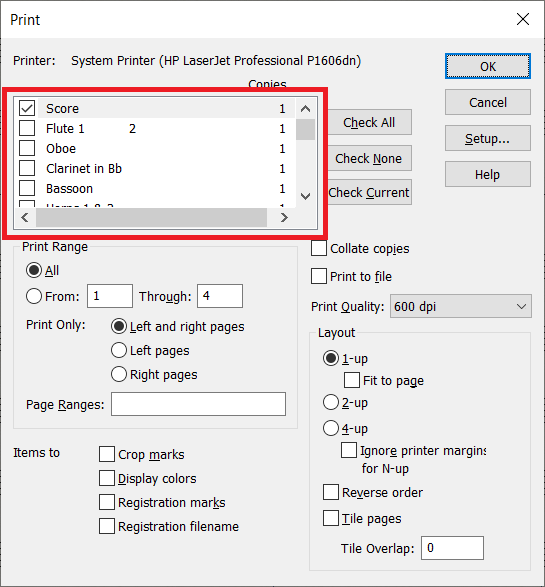
Hi - I bought the update to v26, but there is a problem with the print dialog box : no separate parts appear. Maybe I downloaded it wrong? First of all, when asked if I wanted to replace the old v25 I said no. Of course I was glad I hadn't done that when it subsequently didn't work properly, bur could this be linked. Secondly, I downloaded it while connected to internet via a CPL system - the modem is in another room. Normally the CPL works fine for streaming etc, but could this be the problem? 

13 comments

Date Votes
Avatar
0

I have not experienced your problem.


Let us be scientific:


1) Document menu > Manage Parts…

Are there any linked parts generated ?


2) Document menu > Edit Part > …

Are there any linked parts listed in the sub-menu Edit Part ?

Comment actions Permalink
Avatar
0

Yes to both questions.

Comment actions Permalink
Avatar
0

(contd)

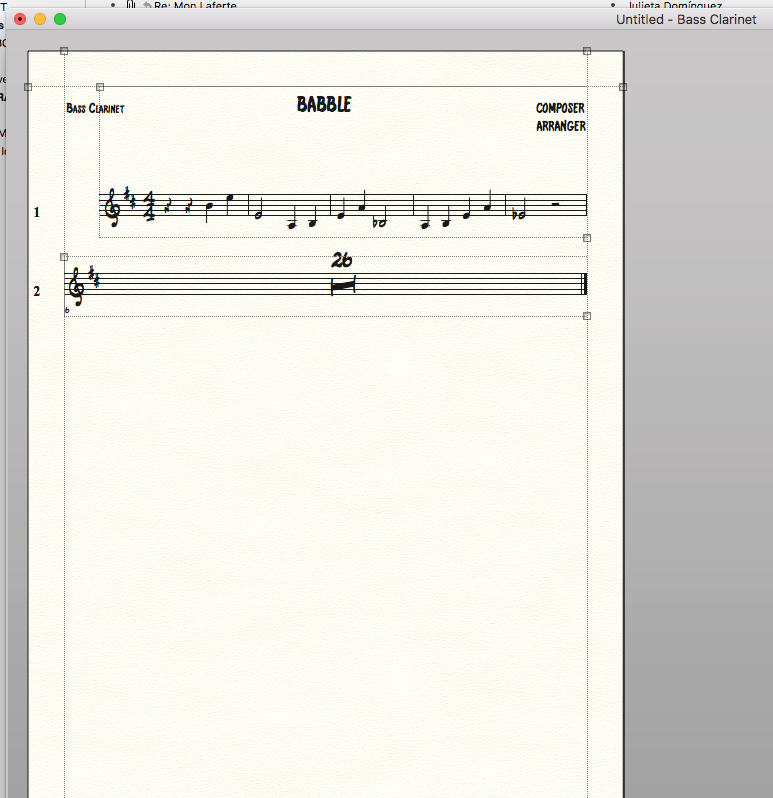
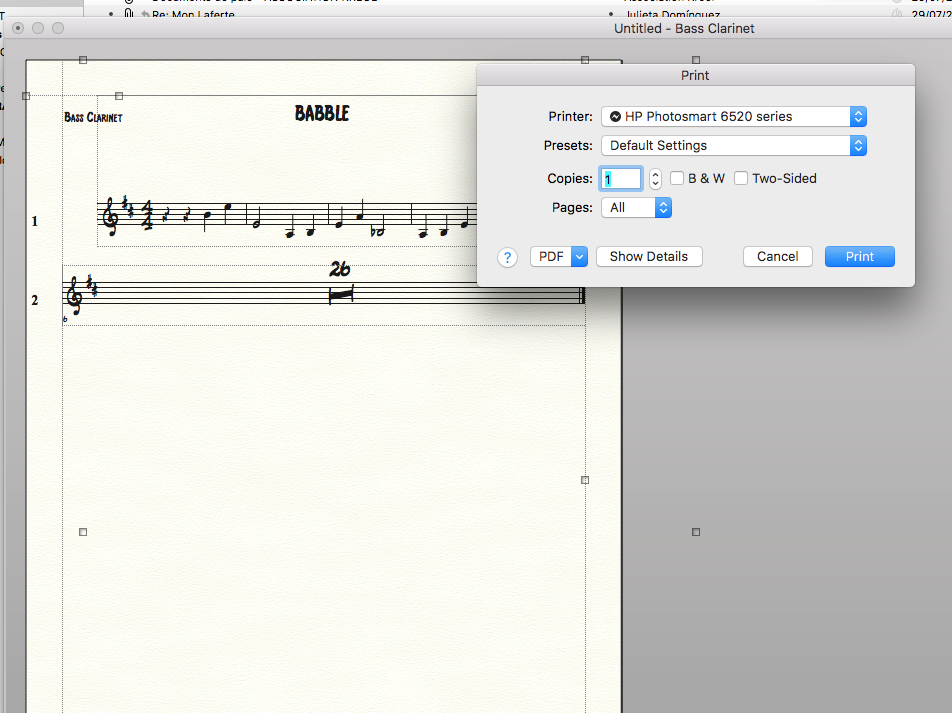
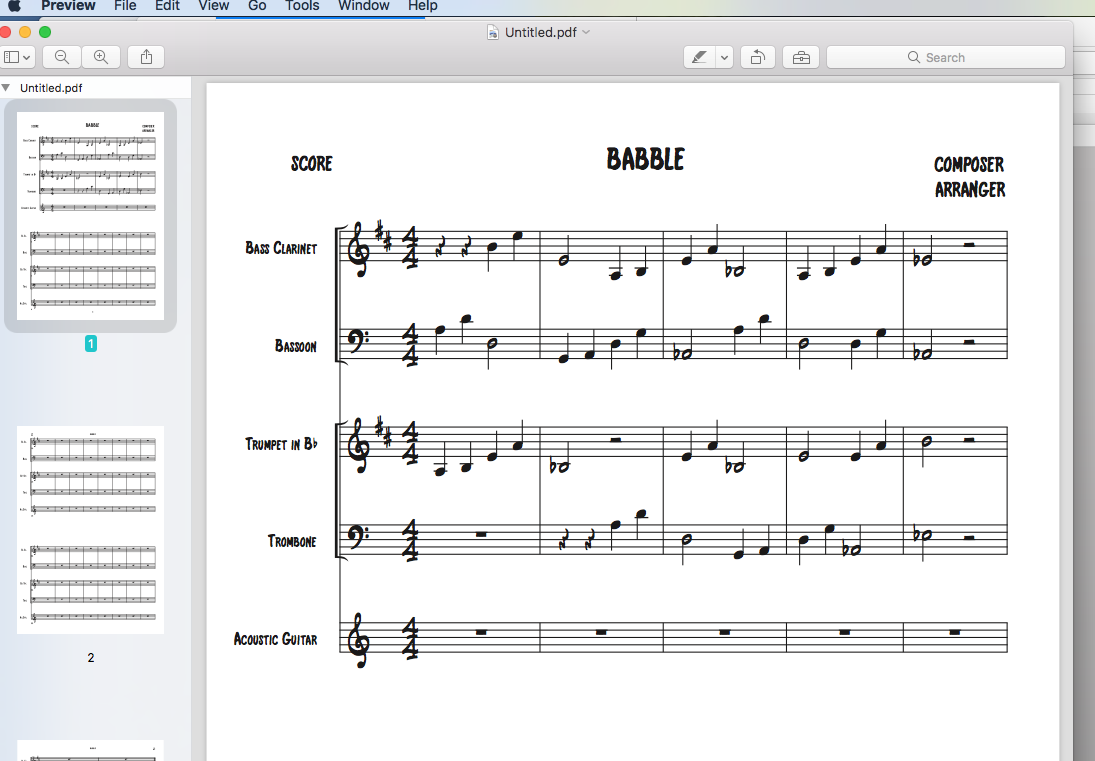
But when I press command-P the printer dialog box opens with no sign of the score and parts, and even if the part is opened on the screen, it will print out the score.


Comment actions Permalink
Avatar
0

That's odd. I don't have that situation at all. What printer (driver) do you have connected?


Now I will admit that using Export > PDF does not give a parts option, although printing via a PDF printer (as I always do) does not present difficulties.

Comment actions Permalink
Avatar
0

The problem is definitely not related to hardware (CPL). Is the printer driver correctly installed in its latest version ?

Did you select the correct printer in both the Print and the Page Setup window ?

Have you tried with the 26.1 update ?

Comment actions Permalink
Avatar
0

You can post png or jpg screen shots of what you are seeing. Hit the Shift Command 4 keys. Your cursor wil change—draw a box around the screen object. When you release, it will save to your desktop. Use the picture icon second from the right in the menu bar above to add it to your post.

Comment actions Permalink
Avatar
0

Comment actions Permalink
Avatar
0

So that's what it looks like, with the part selected in the document file, after pressing command-P, and opening the pdf in preview.

I'm surprised that Michel Herr thinks it has nothing to do with the downloading. My printer is a HP 6520 - not recent but working fine.

In fact it is the v26.1 that I downloaded - can you go straight from v25 to v26.1 ?

Comment actions Permalink
Avatar
0

Jonathan Handelsman,


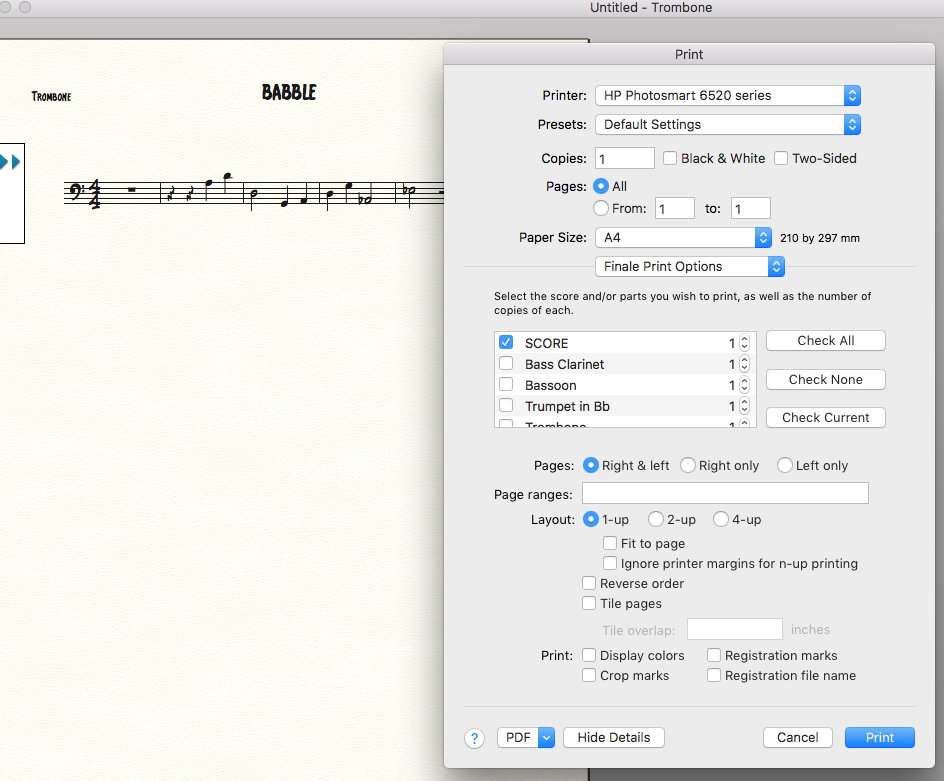
We need to see all the details.

In your attached screen shot of the Print dialog box there is a button called “Show Details”.

Please click that “Show Details” button (to expand the dialog), and attach here a screen shot of the expanded Print dialog.

Comment actions Permalink
Avatar
0

Comment actions Permalink
Avatar
0

Ok - This is embarrassing, and I'm very sorry for wasting your time ! Apparently, and though I was really sure I had checked, it seems that I didn't look carefully enough, and didn't notice the "show details" button.

Thanks all the same !

Comment actions Permalink
Avatar
2

Don’t be too hard on yourself.

We have all “been there, done that”, at least I have.

Comment actions Permalink
Avatar
0

What Peter says. Glad to have been of assistance.


Next time this issue gets raised — and it will — this thread will help. Something about the worth of pictures...

Comment actions Permalink

Please sign in to leave a comment.