New post
Avatar
0

Hi,

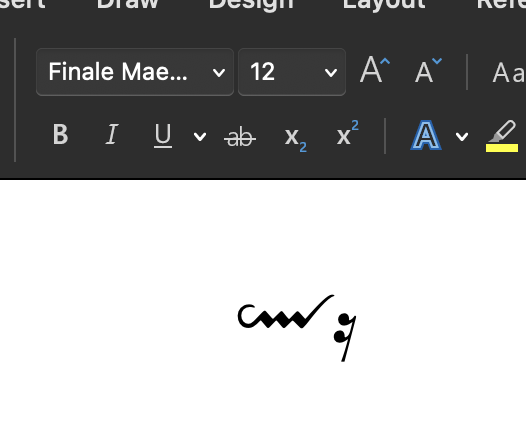
For decades I have been using af combination of Finale and MS Word for different text based material. Typically combining music examples and text but also using singe symbols in the text from the various fonts, MM have develop over the years. Suddenly with a new Microsoft office (Mac) and a new mac, none of the fonts are available in Word; either the show as a plain text font (no symbols) or they do not show up in the menus at all. All my symbols in the documents are substituted with "calibre" or something like that. 

Does anyone have a clue what is going on? I have reinstalled fonts, reset font databases etc, but it seems that MS and those fonts won't speak together at all.

10 comments

Date Votes
Avatar
0

Many apps (Mac and Windows) sandbox their fonts in a way that makes them unavailable to other apps. Fortunately, this is easy to—I won't say fix because nothing is broken—work around.


Try this first. These are the links for downloading the Mac and Win installation packages for the Finale 27 fonts.

https://makemusic.zendesk.com/hc/en-us/articles/217585418-Music-Fonts-Display-Incorrectly-Notation-symbols-are-missing-or-incorrect 


If this fixes you up, great. If they install in the app instead of Font Book, let us know and I will show you where they are and how to get them into Font Book so that they are available to other apps including Word. If lucky, I can find, copy and paste the instructions that I wrote eight years ago here—the procedure is unchanged.

Comment actions Permalink
Avatar
0

Many apps (Mac and Windows) sandbox their fonts in a way that makes them unavailable to other apps.


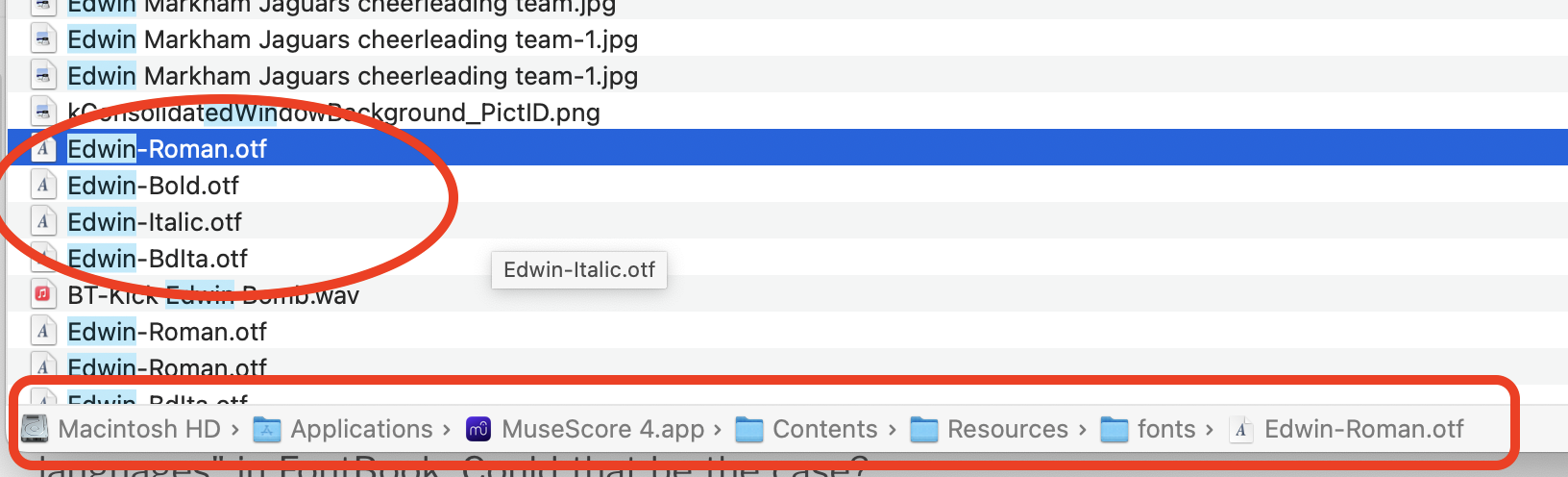
I just ran into this exact issue with the Edwin font, for MuseScore. It didn't show in PopChar. I couldn't find it anywhere on the computer, and the MS forum told me it was built-in to the app. I googled, found it on github, and installed it with FontBook. All is now good!

Comment actions Permalink
Avatar
0

Hello Mike and Mike :-)

Thanks for your replies. The case is that I already tried to reinstall the fonts from the packages mentioned and did it into FontBook. They show up there with their names, but f.ex FinaleMaestro doesn't show any examples as other fonts do (no music characters when you click it). I noticed that the fonts that don't show up in MS Word have the note "Does not support any languages" in FontBook. Could that be the case?

There are no problems in Finale - everything looks good there. It is only in MS Word I miss the music characters as "p, pp, ff fz etc." Maybe I have to approach Microsoft as well – but that might be a hard fight :-)

Comment actions Permalink
Avatar
0

It's been awhile since I've done any of this but Word does not support SMuLF fonts. Ok... It does support other music fonts and they are easy to find. Since Word does show them in WYSIWYG, just scroll through your available fonts till you see this.


The actual font name will appear in Word. and you can use Keyboard View to show the map.


Comment actions Permalink
Avatar
0

I just ran into this exact issue with the Edwin font, for MuseScore...


Unfortunately, the ability to search a Mac is terrible using any of Apple's utilities. I use Find Any File from Thomas Templeman. 

https://findanyfile.app/  You can evaluate it for free as shareware but I recommend purchasing from the App Store (%15 last I checked) where you will be notified of updates automatically.


Since I have MuseScore installed, I went looking for Edwin using FAF. The four fonts showed up and clicking on any of them showed right where they were installed.


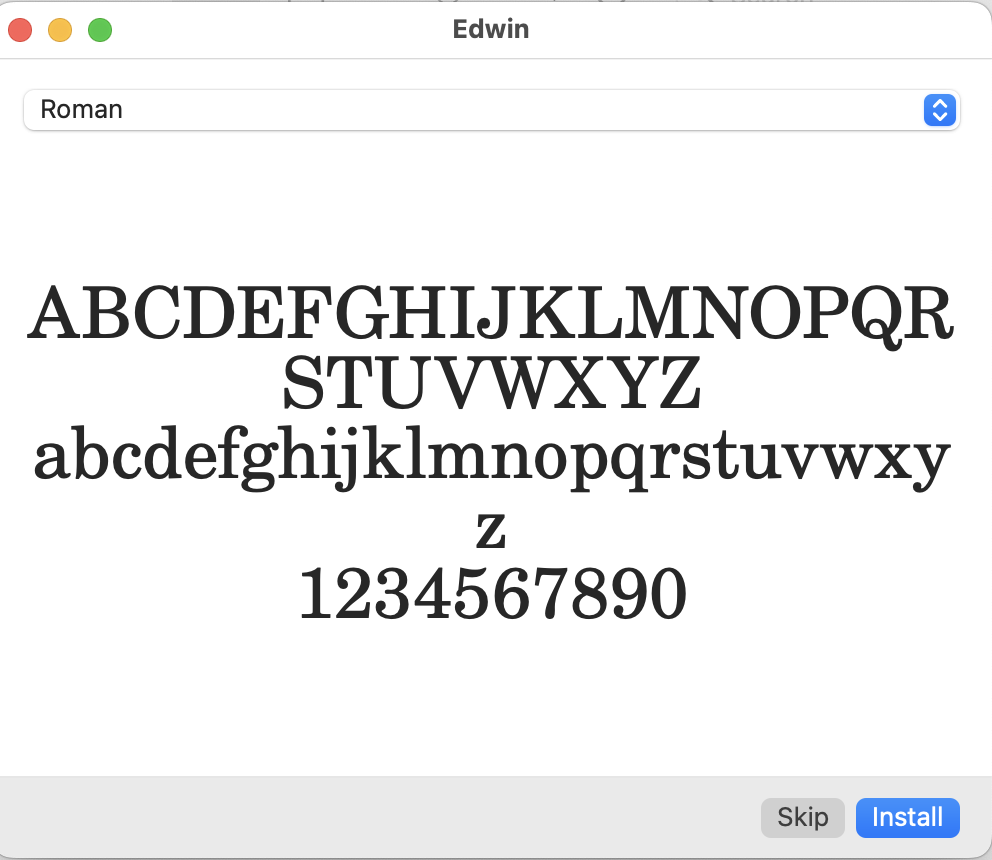
I didn't have to navigate to the file inside MuseScore, however. Double-clicking on the font brought up the installer and clicking on Install put it into Font Book.app for me.


You can do this with just about any font sandboxed in any app. One that I recommend is Minion Pro which installs with all Adobe products including the free Adobe Reader — but remains sandboxed until you install it into Font Book. Many people use it as a lyric font as it is quite readable in smaller sizes.

Comment actions Permalink
Avatar
0
Comment actions Permalink
Avatar
0

… You can do this with just about any font sandboxed in any app. One that I recommend is Minion Pro which installs with all Adobe products including the free Adobe Reader — but remains sandboxed until you install it into Font Book. Many people use it as a lyric font as it is quite readable in smaller sizes …


I agree with Mike Halloran.

Although I have many text fonts, I only use a few of them.

Minion Pro is one of the fonts I do use, in particular for readable text at a small size.

Comment actions Permalink
Avatar
0

Hi all and thanks for your comments – all together guiding me towards a solution. I found out that the problem with my use of Maestro is that MS Word is no longer supporting TTFs in .suit format. Neither is it supporting PostScript Type 1, neither SMuLF. (The only thing it is good for is text/book/index/pagination functions).

The solution: I downloaded 'DfontSplitter' and converted the old Maestro.suit to Maestro.tff. 

Everything seem to work as before. – next will be substitution og even older documents using Petrucci :-)

Thank you again!

Comment actions Permalink
Avatar
0

Word seems to support SMuFL fonts on my Mac (Sonoma 14.5). As far as Word knows, it's just an OTF font with glyphs in the Private Unicode Area: there's no reason why it wouldn't support it.

Finale normally installs its fonts into /Library/Fonts, so they are available to all apps.


I can understand that old PostScript fonts and .suit files might not be supported; but perhaps older version of Word have some other font issues on new OSes.

Comment actions Permalink
Avatar
0

Finale normally installs its fonts into /Library/Fonts, so they are available to all apps.


Yes, I forgot that this changed in 26.


Adobe depreciated Type 1 and Post Script years ago. Like Finale, Microsoft has dropped support but I don’t recall when.

Comment actions Permalink

Please sign in to leave a comment.