New post
Avatar
0

Hi all,

I'm using a MAC OS Sierra and Finale 14.5.

I've been wanting to self publish a music instruction book but don't know how to do this.

Need to be able to format the music to fit the text, etc. 

Is there a program or approach any of you might recommend?

Thanks in advance for your help!

Rozanna

www.rozannasviolins.com

71 comments

Date Votes
Avatar
0

… I work on a macbook air and I'm not sure I can import a pdf to a microsoft file …


I suppose you are talking about a PDF file exported from Finale via the Graphics Tool, right?

And you are talking about importing that PDF into a Microsoft Word document, right?


What version of Word are you using?

I could be wrong, but I seem to recall that newer Word versions can import PDF.

Comment actions Permalink
Avatar
0

SVG is a vector/adjustable format (if MS Word will accept it).

You can choose whatever ending bar line you want by right-clicking the measure with the selection tool. Which type of measure to use is more or less dependent on context (and your personal preference).

Comment actions Permalink
Avatar
0

Hi again.  I still dont understand at what point to adjust the size of the page I get in graphics.  

It automatically saves the finale file as a jpg so at what point can I adjust page size in SVG?

Thanks. Ro

Comment actions Permalink
Avatar
0

DO NOT USE SCREENSHOT ... 


Nonsense. I use screen shot into Word almost daily. Done right, it works quite well and gives professional results. You are taking pictures of the graphics you need and dropping them into a Word doc. I prefer jpeg or tiff as I find the end result looks better than using png or pdf but they all work exactly the same. It’s quite easy—you drop the graphic into the doc and use the tools in Word to manipulate the graphic. You must have a decent understanding of Word and learn to use those tools or the results will be terrible, though. Word is quite powerful in this regard. I’ve though of writing and publishing a tutorial but, really, it’s all there in the Office Help files.


You cannot grab complete pages if you can’t see them. I find a 27” monitor is necessary to do that. You cannot grab multiple pages at a time this way—must be one at a time. 


With screen shots of Finale, there’s no graphics export, vector graphics, page layout or anything of the sort. Ok, I have those tools and certainly know how to use them but in my work it’s unnecessary. My clients are happy with my work.


If you need to use a decent page layout application then find one and learn it. It’s a lot more time consuming but, if that’s what you need, there it is.

Comment actions Permalink
Avatar
0

Mike, I believe you when you say you are able to resize a jpg or tiff screenshot inside Microsoft Word and get it to look right. I can't, and furthermore I can't even fathom how that can work. Do you think Rozanna can get it to work, since she's the one asking US for help?

Comment actions Permalink
Avatar
0

… I still dont understand at what point to adjust the size of the page I get in graphics.  

It automatically saves the finale file as a jpg so at what point can I adjust page size in SVG? …


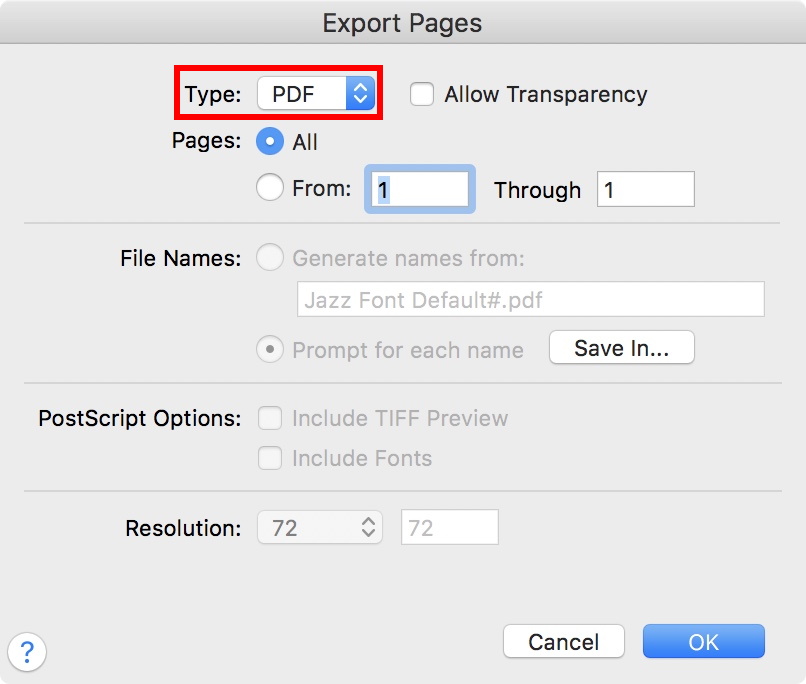
If I understand you correctly, you are using the Graphics Tool to export an entire page, right?


In the dialog box Export Pages there is a pop up menu where you can choose file format:


Comment actions Permalink
Avatar
0


>Mike, I believe you when you say you are able to resize a jpg or tiff screenshot inside Microsoft Word and get it to look right. I can't, and furthermore I can't even fathom how that can work. Do you think Rozanna can get it to work, since she's the one asking US for help?<


In Word, drop the graphic onto the page. Click on it to display the tools. When the graphics tools are showing, click on the bottom right corner and drag it towards the upper left to resize—you can also change by percent. In the graphics tools are options for wrapping text, fixing or letting the image float etc. You can even drag it outside the margins of your text. There may be preference settings re showing and hiding those tools like in Finale but I don't recall ever going there. I learned its page layout features by dropping a picture into a letter and playing with it till it was right—that was in Office 1998. 


Unfortunately, versions of Word have the menus arranged differently. One reason that I still use 2008 (even though I have 2011) is that I know where everything is. I'll move to the current version only when the Mac OS no longer lets me use those I like. 2011 installs and works fine in High Sierra after one clicks through the warning that says it doesn't—I wonder if MS paid Apple to insert that warning... 2008 will not install after Yosemite (I think) but works if previously installed and the OS upgraded as I do now.


My opinion: The upside of Word is that it is quite powerful and includes page layout and web publishing features. Once you figure them out, it can be very easy to use. The downside of Word is that it can be quite complex and a bit buggy because of all those features that most people never use. I am one of those who thinks that, as a word processor, MS hit the mark in v.5.1a but I don't fire up my old G4 to use it (though I could if I feel nostalgic — nah...).


As I mentioned earlier, you cannot grab a screen shot larger than is displayed. You can play with monitor resolution and image size to make it happen. If you're going to do a lot of this including a page layout app, an adequate 27" monitor is inexpensive and well worth the money.

Comment actions Permalink
Avatar
0

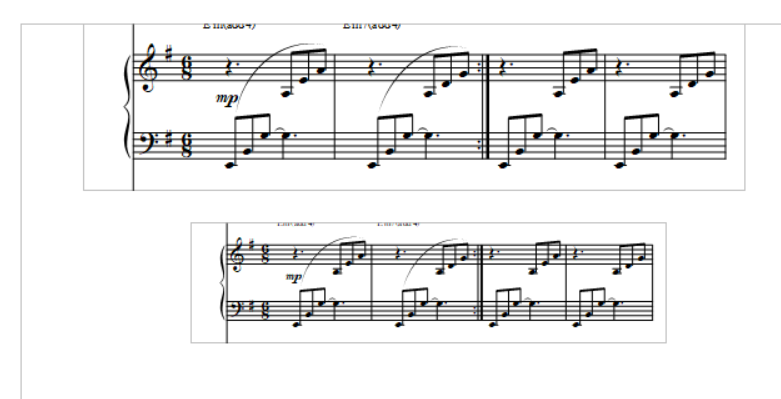
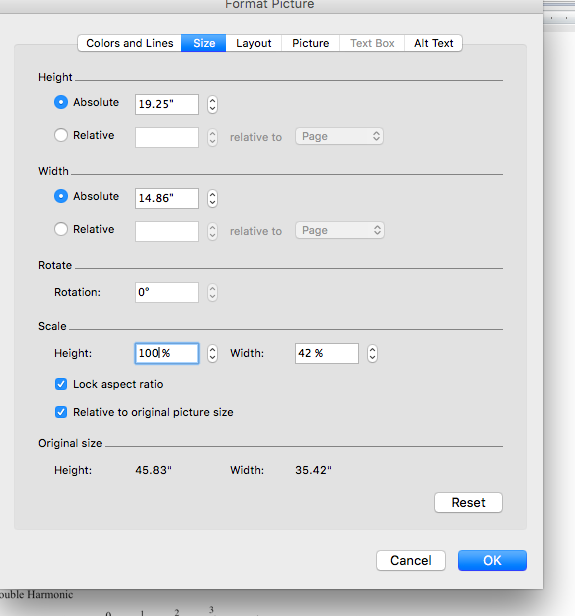
Thank you all for the great feedback.  And as much as I love the ease of screenshots it is not practical for me to go out and get another computer or mac.  So probably exporting jpg or pdf in graphics tool will make most sense. In importing the jpg or pdf I am playing with it in microsoft version 2011 and High Sierra 10.13.6. its true that learning curve in microsoft might be part of the issue now. As you can see by the screenshot when I played with height of the jpg the width is messed up.  Further because Finale takes a pdf/jpg of the whole page for it to be the right size in microsoft I probably have to find a way to remove the margins in microsft so the margins automatically created by jpg will make sense for the page. And hopefully theres a way to set the margins for just the pages with pages of music so the pages with primarily text on them will still have the correct margins. Hope this makes sense.

Thank you!

Ro

Comment actions Permalink
Avatar
0

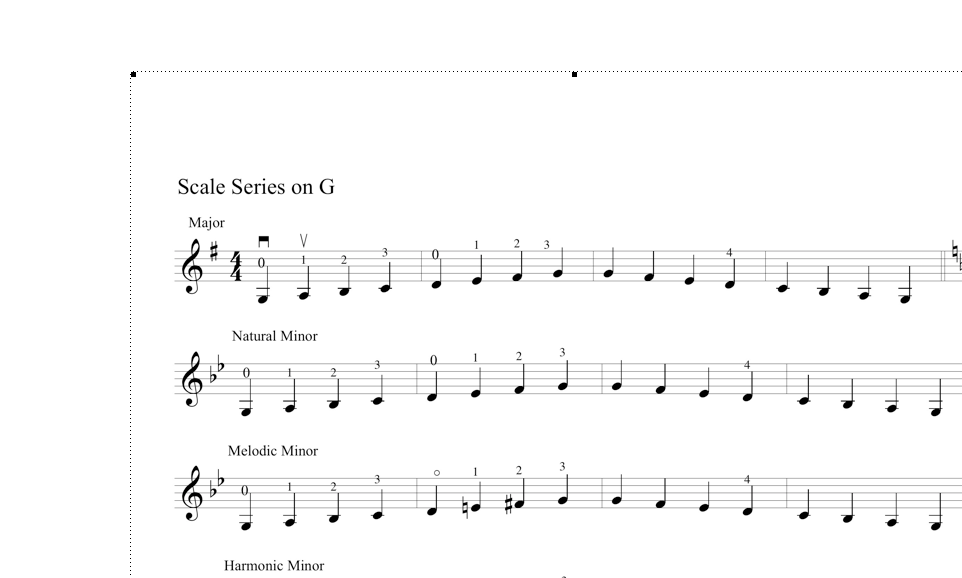
I would think that for scale examples, a single barline is adequate.


And, since (I assume) your example pictured above is supposed to be separate lines, I would not show the courtesy key change at the end of line 1.

Comment actions Permalink
Avatar
0

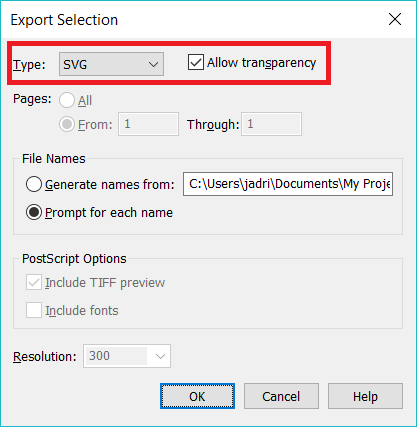
I don't have Word, but OpenOffice Writer mimics MS Word closely enough that I imagine Word is, if anything, more capable than OpenOffice Writer. I had no problem using the Graphics Tool to highlight an area (by double-clicking and dragging), choosing export selection from teh graphics menu, and specifying an SVG export from the Format pull-down. (I could have exported an entire page rather than a selection had I wished.)


I was then able to import this into Writer (Word) as a picture and resize it by shift-dragging the corner of the graphic frame.


Hope that helps. I find PNG and the vector-based SVG formats most useful for web and vector imports respectively these days.

Comment actions Permalink
Avatar
0

Thank you all for your kind attention to my questions. I have managed to fit the page of music into microsoft using the entire page. Right now the most stream lined way for my computer is creating a jpg and inserting in microsoft.  This may be more of a microsft question but if any of you kind folks can answer I'd be grateful.

Now when I remove margins on page with music it fits perfectly built in margins created in finale.  HOWEVER all the other margins in the document that involve text, etc. are messed up because those pages also no longer have margins.  Is there a way to lock in margins, page by page in microsoft?

Many thanks again for your kindness!

Ro

Comment actions Permalink
Avatar
0

Hi all,


Thanks so your help I can export pages, insert them in microsoft like a jpg and if I remove margins they will fit the entire page nicely. Thank you!

I still have to figure out how to still have the appropriate margins for the rest of the pages that dont have music. Is there a way to do this in microsoft or do I have to use another platform.

Thank you all!!!

Rozanna

Comment actions Permalink
Avatar
0

Standard document formatting for text stays in place as do the margins unless you adjust them—this is independent of your graphics.

Comment actions Permalink
Avatar
0

Hi all,


Thanks so your help I can export pages, insert them in microsoft like a jpg and if I remove margins they will fit the entire page nicely. Thank you!

I still have to figure out how to still have the appropriate margins for the rest of the pages that dont have music. Is there a way to do this in microsoft or do I have to use another platform.

Thank you all!!!

Rozanna

Comment actions Permalink
Avatar
0

Yes understood. thats the problem.  How can I create this book in microsoft if theres no way to reformat pages individually.

I know of no way to do it in microsoft but I dont have an encyclopedic knowledge of microsoft capabilities. Does this mean I need to build the book in another format?   If so what do you suggest?  Thanks again.  Rozanna

Comment actions Permalink
Avatar
0

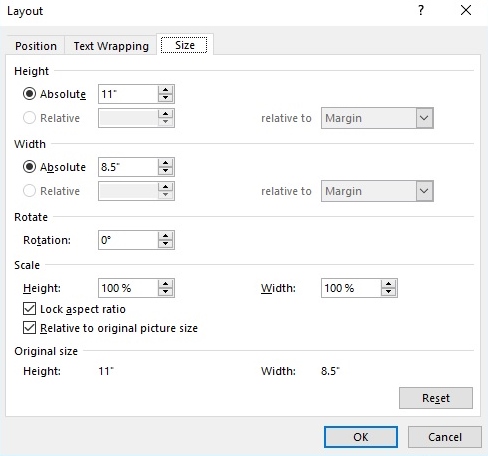
There's no need to edit the margins on a page by page basis when inserting pictures in MS Word. Insert the JPEG and right-click on it. Go to "Size and Position" to open the dialog box.


Adjust the size of the picture so that it matches the page size of your document. (Also, make sure your page margins in the Finale file match the page margins for your MS Word document.):


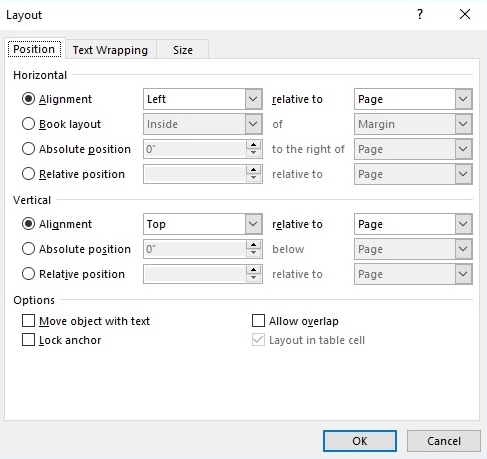
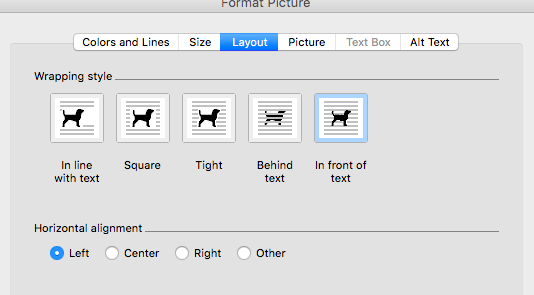
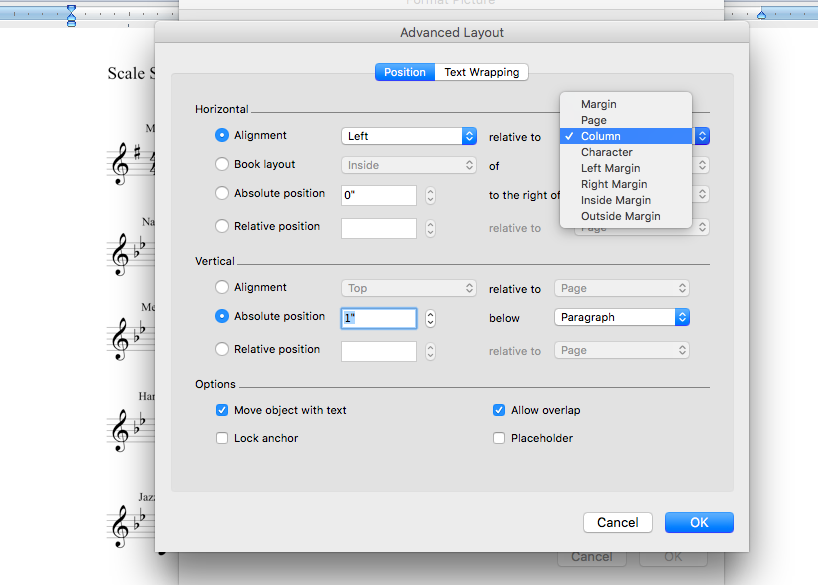
Align the picture horizontally (left) and vertically (top) to the Page. If you can't edit the "Position," change the "Text Wrapping" settings:


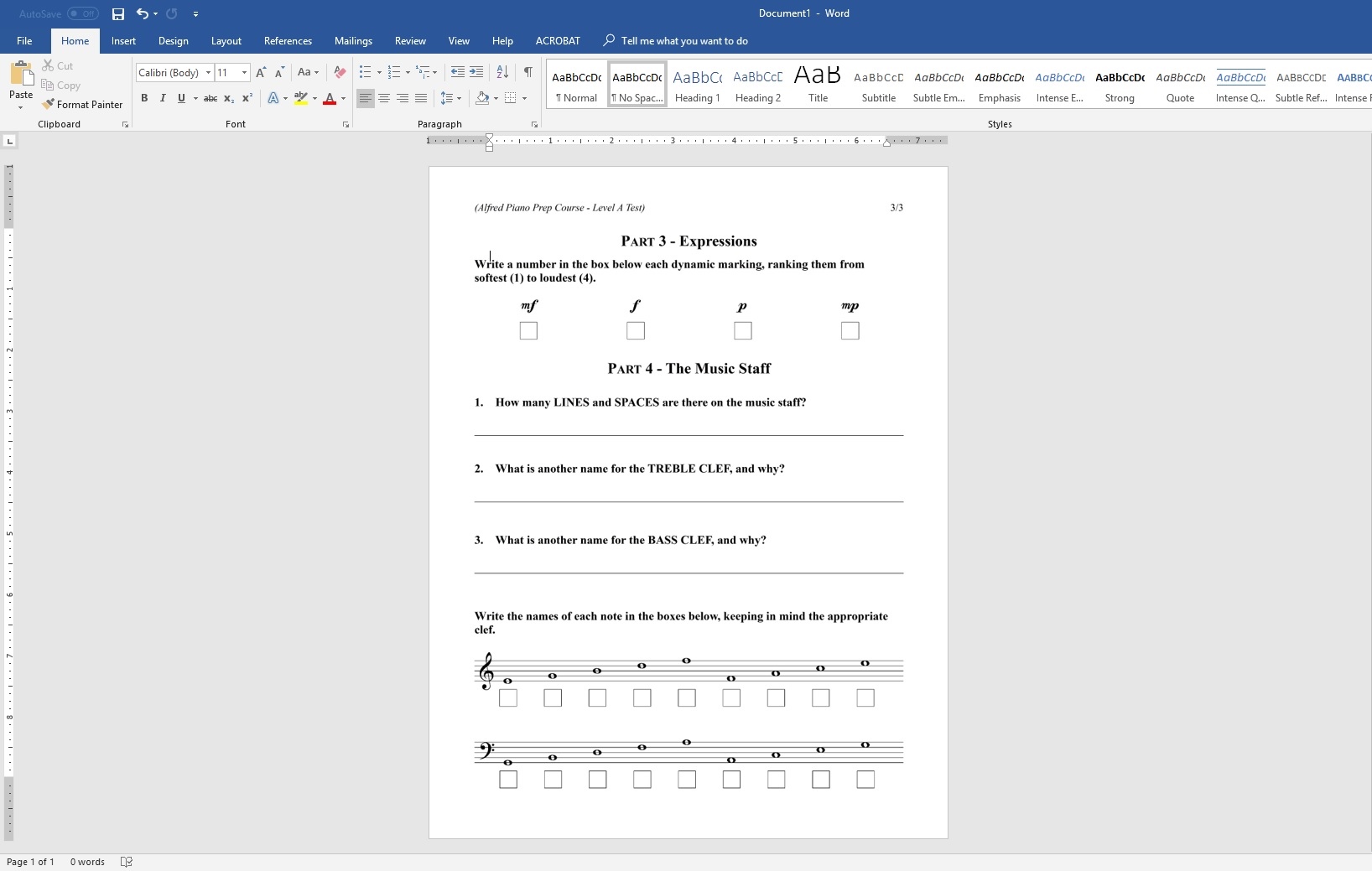
That should do it:

Comment actions Permalink
Avatar
0

Dear George,

Thank you for your kind and detailed reply.  It might be the version I'm using but I don't see the text wrap setting when I'm formatting the particular image. so when I set the size as you suggested at 11x8.5 the scale changes to 24%. The only text wrap capabilities when I right click are  as seen inscreen shot.  I attempted to make as 'other' but it doesn't help.

Thank you again!

Ro

Comment actions Permalink
Avatar
0

Comment actions Permalink
Avatar
0

Are you inserting a PDF as an "Object," or a JPEG "from file"? The dialog box that you show is what I see if I inserted a PDF as an Object.


There's not much else I can help you with as I am on Windows.

Comment actions Permalink
Avatar
0

its a jpg.


Comment actions Permalink
Avatar
0

Comment actions Permalink
Avatar
0

I figured it out!!

you can customize the individual page then customize jpg size!

Comment actions Permalink
Avatar
0

I do have one more question in finale.  how can I make the margins & spacing equal for all the pages.

it seems I've monkeyed around with some of the pages individually and now theres some inconsistency.

Thanks very much!

R

Comment actions Permalink
Avatar
0

… how can I make the margins & spacing equal for all the pages …


Page Layout Tool.

Page Layout menu > Redefine Pages > …


When you Redefine Pages, the pages are (re-)created with the default formatting for new pages.


You can see - and edit - the default formatting for new pages here:

Document menu > Page Format > Score…

Comment actions Permalink
Avatar
0

Hi Mike Rosen, can you please tell me how to remove the courtesy key change?

I wanted to do that but didnt' know how.

Thank you!!

Ro

Comment actions Permalink
Avatar
0

Ditto on removing courtesy time signature change.

Please help!

Thanks. Ro

Comment actions Permalink
Avatar
0

Document Options > Time Signatures: There is a checkbox for Display Courtesy Time Signature at End of Staff System. Uncheck that.


The same is true in Document Options > Key Signatures

Comment actions Permalink
Avatar
0

Mike Rosen has described the “global” solution that affects the entire document.


If you need a “local” solution, use the Measure Tool.

Double-click the measure, and select the option “Hide Cautionary Clefs, Key and Time Signatures”.

Comment actions Permalink
Avatar
0

It seems one of my pages has 1 few systems than the pages that follow & proceed.  How can I add a system (4 measures) to a page without them appearing on the next page?

Thank you!

Ro

Comment actions Permalink
Avatar
0

Also when I make certain adjustments the fingerings don't lock into the note they were supposed to apply to.

Comment actions Permalink

Please sign in to leave a comment.